
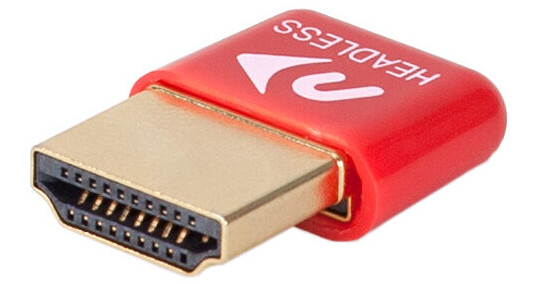
Harness the power of your computer's GPU when accessing your system remotely using the HDMI Headless 4K Display Emulator for Remote Access from NewerTech. This discrete HDMI adapter plugs into your macOS, Windows, or Linux PC's HDMI port and activates the GPU to emulate displays up to 4096 x 2160 resolution when accessing the computer remotely. The adapter requires no drivers or configuration to operate.
Ask Our Experts800-606-6969
Hello, Log InAccount & Orders
Key Features
- Use a GPU without a Display
- Remote Access w/ Native Display Support
- Supports 4096 x 2160 4K Resolution
- Works with MacOS, Windows & Linux
Harness the power of your computer's GPU when accessing your system remotely using the HDMI Headless 4K Display Emulator for Remote Access from NewerTech. This discrete HDMI adapter plugs into your macOS, Windows, or Linux PC's HDMI port and activates the GPU to emulate displays up to 4096 x 2160 resolution when accessing the computer remotely. The adapter requires no drivers or configuration to operate.
More DetailsNewerTech NWTADP4KHEAD Overview
Full Remote Performance
Plugging the NewerTech HDMI Headless 4K Display Emulator into the computer's HDMI port activates its GPU instead of putting all the video emulation work on the CPU. The result is smooth performance with applications running at up to full 4K 4096 x 2160 resolution on your remote interface.
UPC: 811643015470
NewerTech NWTADP4KHEAD Specs
| Operating System | |
| Host Interface | |
| Maximum Resolution | |
| Network Requirements | |
| Dimensions | |
| Weight |
Packaging Info
| Package Weight | |
| Box Dimensions (LxWxH) |
NewerTech NWTADP4KHEAD Reviews
Reliable time and time again
By Alexis
Rated 5 out of 5
Date: 2024-08-04
I bought a second one of these because I purchased a second headless media computer, this time on Windows. This dongle works perfect and gives me all the resolution choices I need for remote operation of my machine.
work like a charm
By Zulhaily
Rated 5 out of 5
Date: 2021-12-20
just what i need for my unraid build
See any errors on this page?
How do you connect with ipad as a monitor?
I use Edovia Screens for iOS and it works very well.
Date published: 2021-02-24
Do you need two to use? Or do you just use ...
Do you need two to use? Or do you just use another laptop or computer? I still don’t really understand how it works exactly... sorry.
You will only need one of the NewerTech HDMI Headless 4K Display Emulator for Remote Access. The purpose of this item is to access your system remotely without having it connected to a monitor. So you connect the NewerTech HDMI Headless 4K Display Emulator for Remote Access to the HDMI port of the system you want to access remotely. The NewerTech HDMI Headless 4K Display Emulator for Remote Access will trick the system in thinking it has a monitor connected to it.
Date published: 2021-02-18
Can it emulate 1080p at 60fps?
Yes, the NewerTech HDMI Headless 4K Display Emulator for Remote Access
BH #NETADP4KHEAD supports up to 4096 x 2160 4K Resolution. It will be able to emulate 1080p @ 60hz.
Date published: 2020-11-03
question
Will this emulate 2560x1440?
absolutely
Date published: 2018-08-26
