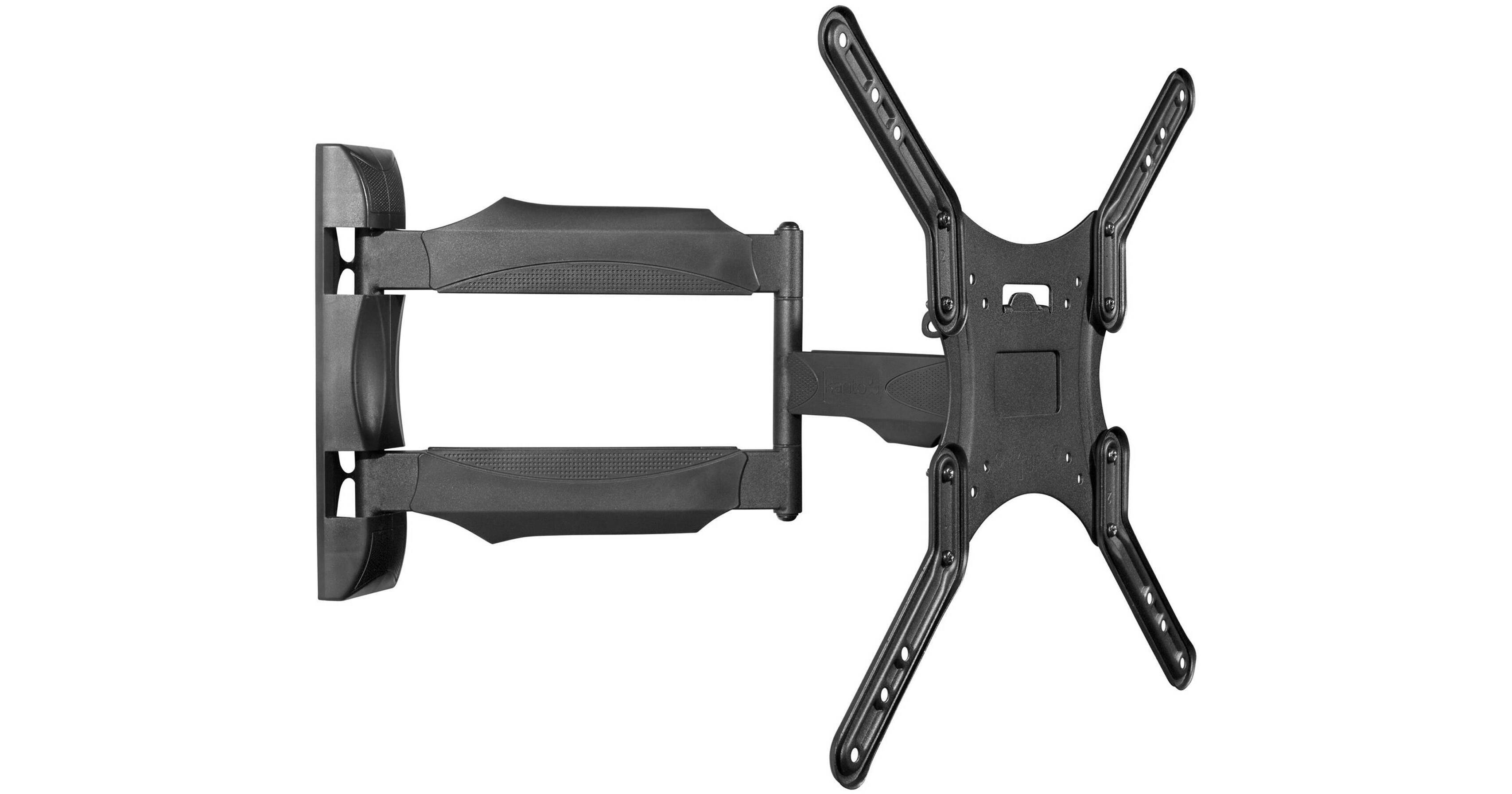
Kanto Living M300 Full Motion Wall Mount for 26 to 55" Displays (Black)

BH #KAM300 • MFR #M300
Print
Kanto Living M300 Full Motion Wall Mount for 26 to 55" Displays (Black)
Key Features
  • Supports 26 to 55" TVs up to 80 lb
  • Supports Various VESA Mount Patterns
  • Provides -2 to 10° Tilt Adjustment
  • Provides ±135° Swivel Adjustment
Mount your 26 to 55" flat-panel display weighing up to 80 lb with the black Kanto M300 Full Motion Wall Mount. It is compatible with various VESA patterns between 100 x 100 and 400 x 400mm and can extend your display 1.5 to 19.6" from the wall. The mount provides -2 to 10° of tilt and ±135° of swivel.
More Details

Kanto Living Full Motion Wall Mount Overview

Mount your 26 to 55" flat-panel display weighing up to 80 lb with the black Kanto M300 Full Motion Wall Mount. It is compatible with various VESA patterns between 100 x 100 and 400 x 400mm and can extend your display 1.5 to 19.6" from the wall. The mount provides -2 to 10° of tilt and ±135° of swivel.

Supports up to 80 lb
Constructed out of steel, the M300 can support up to 80 lb.
19.6" of Extension
The M300 extends 19.6" from the wall to accommodate a variety of display positions. When pushed all the way back into place, your display sits just 1.5" from the wall. When fully retracted, the center of your display will sit 5" to the left or right of the mounting point.
Fits Various VESA Sizes
The M300 fits VESA sizes of 100 x 100, 150 x 100, 200 x 100, 200 x 150, 200 x 200, 200 x 300, 200 x 400, 300 x 200, 300 x 300, 400 x 200, 400 x 300, and 400 x 400.
12° of Tilt
With the use of a simple tightening mechanism, you can adjust the to tilt of your display 10° forward or 2° backward to suit your viewing needs.
Integrated Cable Management
Built-in cable management tucks your cables out of the way and keeps them neatly and safely organized.
Designed for Easy Installation
To make things simple, Kanto included all the mounting hardware needed to safely and securely mount your display. Instruction manuals are provided in English, French, and Spanish.
UPC: 800152712697

Kanto Living Full Motion Wall Mount Specs

Mounting / Support
Compatibility
Displays
• Screen Sizes 26 to 55"
Load Capacity
80 lb / 36.3 kg
Attachment Method
100x100/150x100/200x100/200x150/200x200/200x300/200x400/300x200/300x300/400x200/400x300/400x400 mm Mounting-Hole Pattern
Surface/Support Mounting
Wall via Screws
Orientation
Landscape Only
General
Adjustments
Swivel: 270° (-135 to 135°)
Tilt: 12° (-2 to 10°)
Depth/Extension: 1.5 to 19.6" / 3.8 to 49.8 cm
Materials
Steel
Packaging Info
Package Weight
9.75 lb
Box Dimensions (LxWxH)
15.6 x 13 x 2.4"

Kanto Living Full Motion Wall Mount Reviews

Heavy Duty

By Kent
Rated 5 out of 5
Date: 2024-08-14

Strong mount with lots of movement. Installation is relatively simple if you have tools and any DIY experience. A couple of notes: 1) examine closely the specs for the size of your tv and how far this mount pulls away from the wall. It will affect how far you can turn the tv. I should have gotten the larger model in order to turn a 50” monitor perpendicular to the wall it’s mounted to. 2) the bracket that’s mounted to the wall is not wide enough to mount on studs 24” on center. I had to affix a plywood panel wide enough to span the stud distance, then mount the bracket to the plywood. I’ve got a heavy older plasma screen mounted to this bracket, and it handles the weight fine.

Great wall mount package!

By Rs
Rated 5 out of 5
Date: 2023-05-12

A very complete package, good instructions, all the mounting bolts and screws are in their own box with extras.A bit of a puzzle to put together, and really WELL made.

See any errors on this page?

question

can this be installed on metal studs. if yes, does it need special anchors?
Asked by: Anonymous
Yes indeed, but metal stud hardware is NOT included. Pick that up at your local home improvement store.
Answered by: Mark S.
Date published: 2018-08-26

Is this mount capable of portrait orientation ...

Is this mount capable of portrait orientation mounting of a display 400 x 200 Sharp PN-B401 40" or just landscape?
Asked by: Nancy
yes just need to move adapters around- very strong mount
Answered by: PHILIP
Date published: 2020-03-14

Will this work for the odyssey g9?

Will this work for the odyssey g9?
Asked by: Brock
Yes it will. Samsung 48.8" Odyssey G9 32:9 240 Hz Curved HDR NVIDIA G-SYNC VA Gaming Monitor BH #SALC49G97TSS • MFR #LC49G97TSSNXDC: VESA Mounting-Hole Pattern 100 x 100 mm Kanto Living M300 Full Motion Wall Mount for 26 to 55" Displays (Black) BH #KAM300 Mounting-Hole Pattern 100 x 100 mm 150 x 100 mm 200 x 100 mm 200 x 150 mm 200 x 200 mm 200 x 300 mm 200 x 400 mm 300 x 200 mm 300 x 300 mm 400 x 200 mm 400 x 300 mm 400 x 400 mm
Answered by: Mark S
Date published: 2021-07-15

Can Kanto Living M300 Full Motion Wall Mount for ...

Can Kanto Living M300 Full Motion Wall Mount for 26 to 55" Displays mount the Samsung Frame 32" 2020?
Asked by: Philipp
Hello, please contact us at [email protected] with the full model number of the TV and we can better assist you.
Answered by: Kanto Living
Date published: 2022-06-23

How far are the wall mounting screws from each ...

How far are the wall mounting screws from each other?
Asked by: KORNEL
The vertical distance between the mounting holes is 10.5". Feel free to contact us directly using the Support button on our website if you have any additional questions, thanks.
Answered by: Kanto Living
Date published: 2022-04-03

I have a section between 2 door frames that I ...

I have a section between 2 door frames that I plan to put this TV mount. The studs are not in the center and since this mounts to only 1 stud, am I going to be able to make the TV end up centered between the 2 door frames?
Asked by: Adam
The M300 has a 5" offset meaning the center of your TV will be 5" away from the stud it's installed into, it may or may not work for your situation. Feel free to contact us directly using the Support button on our website if you have any additional questions, thanks.
Answered by: Kanto Living
Date published: 2020-12-14

Product description says it can rotate 90 ...

Product description says it can rotate 90 degrees, however in your install video it looks like the tv can only rotate no more than 45 degrees, probably based upon its size. What is the largest size tv that can rotate to a full 90 degrees?
Asked by: Richard
It can swivel a TV up to 44" wide, the full 90 degrees, and will go down as the TV gets larger. Please email us directly at [email protected] if you have any other questions and we'll be happy to help.
Answered by: Kanto Living
Date published: 2020-02-04

Will this mount work with a Samsung Frame 32" ...

Will this mount work with a Samsung Frame 32" 2020 edition?
Asked by: Philipp
Hello, as per the specifications this mount and TV model are compatible.
Answered by: Kanto Living
Date published: 2023-10-28
  • y_2026, m_8, d_14, h_4CST
  • bvseo_bulk, prod_bvqa, vn_bulk_3.0.48
  • cp_1, bvpage1
  • co_hasquestionsanswers, tq_16
  • loc_en_US, sid_1225573, prod, sort_[SortEntry(order=HAS_STAFF_ANSWERS, direction=DESCENDING)]
  • clientName_bhphotovideo
Whatever You Need, We've Got It