

From Manufacturer
This Kramer Kit includes one wireless VIA Collage Presentation/Collaboration Unit, and four VIA Step-In Touch Pads.
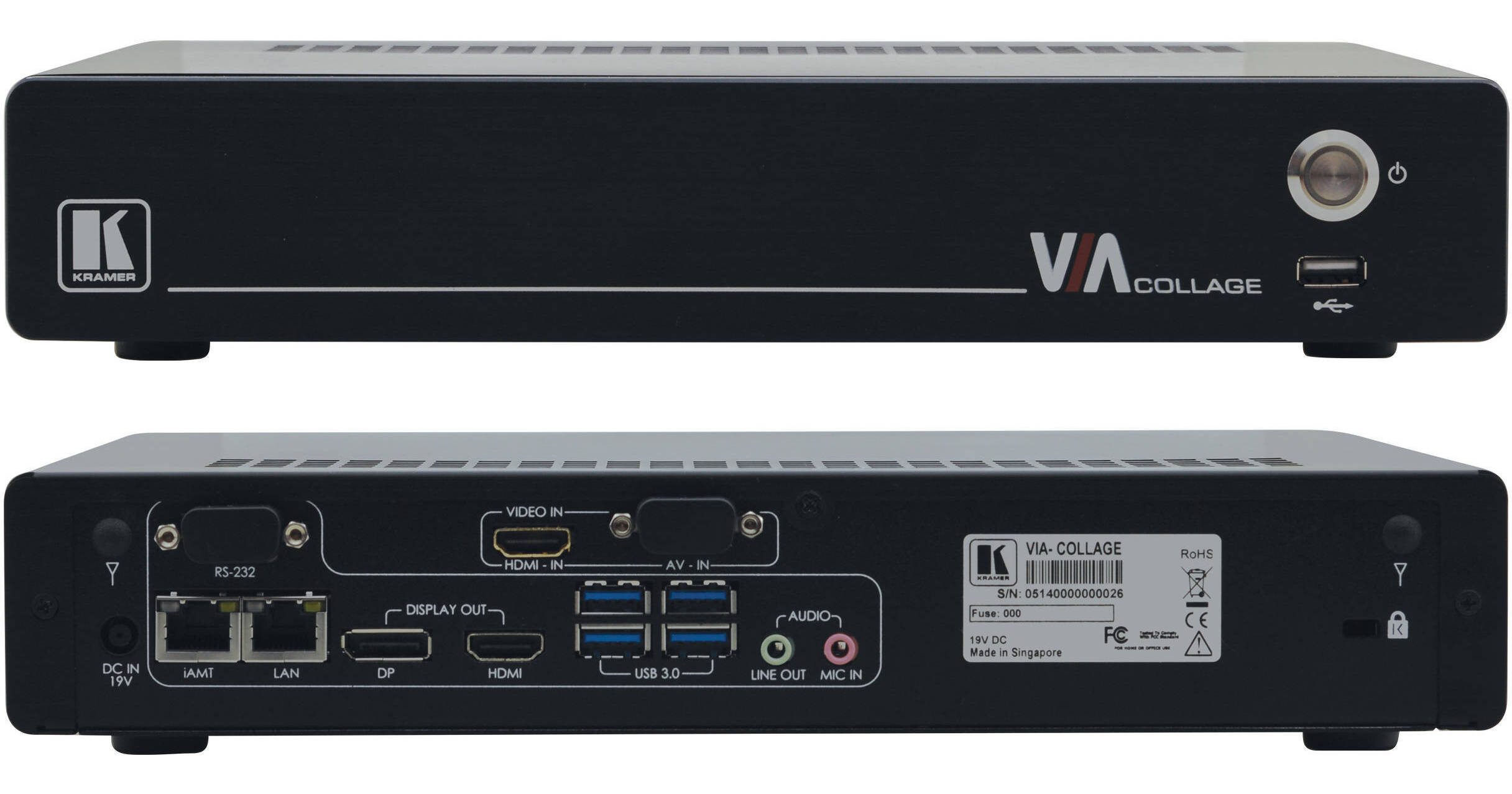
Present and collaborate wirelessly with the VIA Collage from Kramer Electronics. At its core the VIA Collage is a computer with a 2.9 GHz quad-core processor with 4GB of RAM that can run popular 3rd party workplace applications such as Microsoft Excel and communication applications such as Skype, GotoMeeting, Lync, and WebEx. Users can connect with the VIA Collage and collaborate by using the VIA app to edit the actual document on the VIA Collage in real time. Collaborators don't even have to be in the same room, they can be across the world and log in remotely. The collaborative file that results from the meeting can then be easily shared with all the users.
Over WiFi or LAN, the VIA Collage can also mirror up to six device displays on a single screen during presentations. If a second screen is connected, 12 devices can be shown in total (including the VIA Collage's own HDMI input). Devices running Windows, Mac OS, iOS, and Android are all supported. Outputs available on the VIA Collage are HDMI and DisplayPort. An adapter from DisplayPort to HDMI is included.
Quickly display your laptop content on a VIA presentation system screen in your conference room using this VIA Step-In Touch Pad from Kramer. The plug-and-play VIA Pad first pairs with the VIA presentation system using its USB Type-A cable, and then it can plug into any macOS or Windows 7, 8, or 10 laptop or system running the VIA software. Then with a simple touch, the user can instantly display the content of their laptop on the VIA primary display. The VIA Pad is compatible with VIA presentation systems running version 1.8 and up.
The pad features an LED status ring that shows when the source is active via a green light, and it also lights up in various standby, pause, and do-not-disturb modes. This compact pad is the size of a dongle and takes up little room, so it can be stored easily. It can be used along with other pads in the room, and they can be stored using the separately available VIA Pocket storage stand.