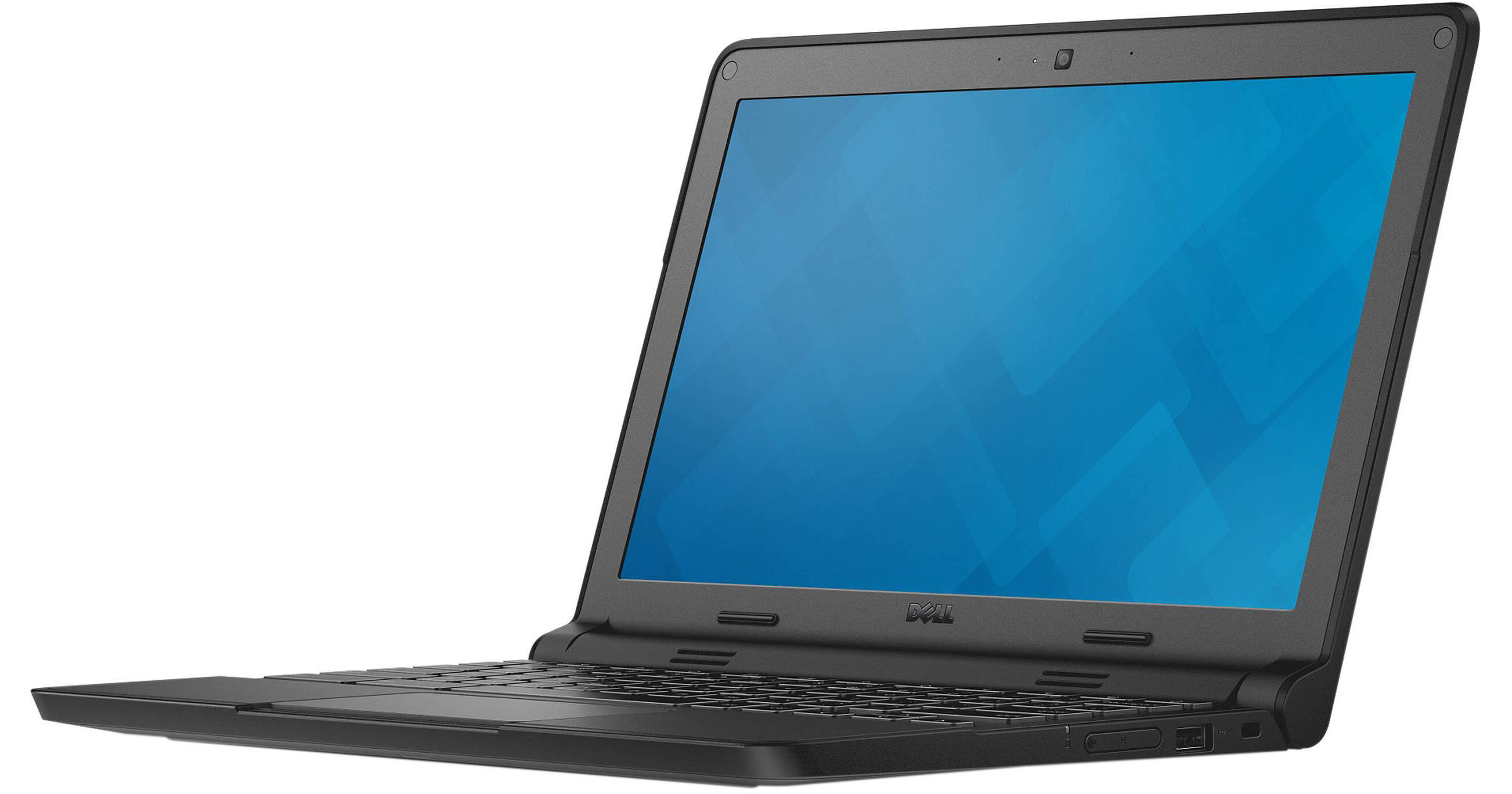
The 11.6" 16GB Chromebook 11 from Dell is a slim and lightweight notebook designed for a Web-optimized experience. With its user-friendly interface, the Chromebook 11 offers a unique computing experience that is enhanced by the Internet. Powered by a 2.16 GHz Intel Celeron N2840 dual-core processor and 4GB of DDR3L RAM, the Chromebook 11 lets you efficiently multitask and quickly access frequently used files and programs. If you need more processing power, the CPU can reach a burst speed of 2.56 GHz.
The Chromebook 11 has an 11.6” 1280 x 720 anti-reflective HD screen driven by integrated Intel HD Graphics with a 180 degree hinge for easy screen sharing. You can even output video using its HDMI port. For storing files and programs, it is equipped with 16GB of eMMC flash storage. When space runs low, you can attach additional storage options using its USB 3.0 port, USB 2.0 port, and SD card slot.
Connect to the Internet using 802.11ac dual-band Wi-Fi, and additional peripherals using Bluetooth 4.0 wireless technology. It also has a built-in 720p webcam, microphone, and speakers for video chat capabilities, along with a single microphone and headphone combo jack. The operating system installed within Chromebooks is Chrome OS.
Please note that in order to take full advantage of Chrome OS, you will need to be connected to the Internet.
Ask Our Experts212-444-6615
Hello, Log InAccount & Orders
Key Features
- 2.16 GHz Intel Celeron N2840 Dual-Core
- 4GB of DDR3L RAM
- 11.6" Anti-Glare Display
- 1280 x 720 Screen Resolution
The 11.6" 16GB Chromebook 11 from Dell is a slim and lightweight notebook designed for a Web-optimized experience. With its user-friendly interface, the Chromebook 11 offers a unique computing experience that is enhanced by the Internet. Powered by a 2.16 GHz Intel Celeron N2840 dual-core processor and 4GB of DDR3L RAM, the Chromebook 11 lets you efficiently multitask and quickly access frequently used files and programs. If you need more processing power, the CPU can reach a burst speed of 2.56 GHz.
More DetailsNo Longer Available
Dell BTM-N2840 Overview
10-Hour Battery & Fast Boot
The Chromebook 11 can last up to 10 hours of use and boots up in less than 8 seconds for quick and easy access.
Stay Secure
Automated updates and virus protection guards against malware without extra steps. Encrypted user data keeps records and personal info stowed safely in the cloud.
Extra Storage
With Chromebooks, you get 100GB of Google Drive storage, free for two years. Using Google Drive, you can access files from almost anywhere with an Internet connection and even print straight from the cloud.
LED Lighting
A 7-color LED light located on the back of the Dell Chromebook 11 provides an interactive, non-disruptive engagement experience that can be used for many applications. For the classroom, it allows the teacher to see which students have questions or conduct ad-hoc verbal polls just by having the students change the LED color.
Durable Design
The Dell Chromebook 11 is MIL-STD tested for durability, pressure, temperature, humidity, shock, and vibration. Furthermore, the rubberized LCD and base trim absorbs shock for drop protection. It also has a fully sealed, spill-resistant keyboard and touchpad.
Intel 802.11ac Dual-Band Wi-Fi & Bluetooth 4.0
Featuring Intel 802.11ac dual-band Wi-Fi, the Chromebook 11 delivers high performance, broader coverage, and longer battery life. It also comes with Bluetooth 4.0 technology so you'll be able to wirelessly pair Bluetooth-compatible peripherals and accessories.
SD Card Reader
With the SD memory card reader, you can expand your system's memory as well as transfer files between mobile devices. Please note that this is a shared slot and some cards may require an adapter.
Chrome OS
Using Linux as a base, Google designed Chrome OS to work exclusively with web applications. The user interface takes a minimalist approach, which greatly resembles the Google Chrome web browser. Chrome OS was built for people who spend a majority, if not all, of their time on the computer connected to the Internet. The only application that comes installed on Chrome OS is a special Google Chrome web browser with an integrated media player and file manager. All other applications are accessed by adding apps from the Google Chrome Web Store. Since Chrome OS relies entirely on Google's web apps and access to Google's services, it is highly recommended that you connect to the Internet to optimize your Chrome OS experience
Dell BTM-N2840 Specs
| Operating System |
Performance
| Installed RAM |
Display
| Size | |
| Native Resolution | |
| Finish | |
| Total Installed Storage | |
| Optical Drive |
Communications
| Wi-Fi | |
| Webcam |
General
| Security | |
| Power Supply |
Packaging Info
| Package Weight | |
| Box Dimensions (LxWxH) |
Dell BTM-N2840 Reviews
See any errors on this page?