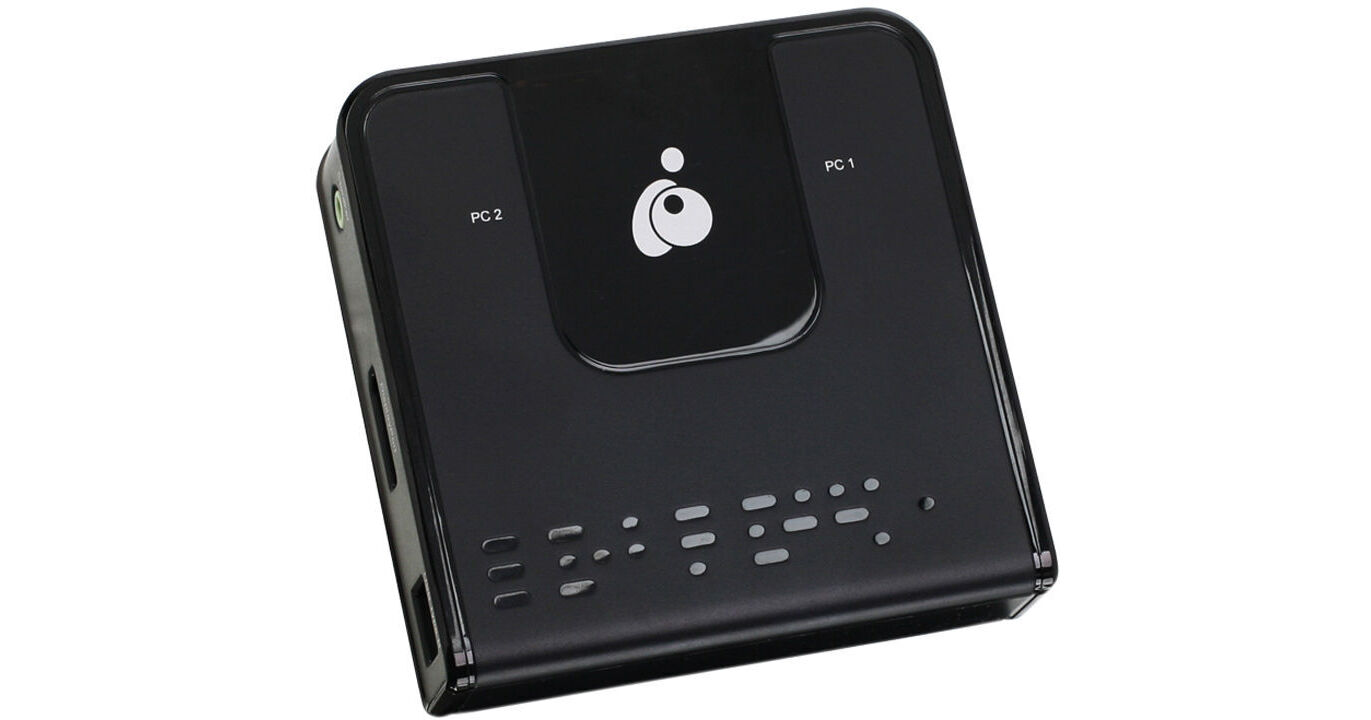
With the 2-Port DisplayPort KVM Switch from IOGEAR, it is easy to control two computers using a single UHD 4K monitor, USB keyboard, and USB mouse. This KVM switch supports resolutions up to Cinema 4K (4096 x 2160 @ 60 Hz) to ensure crisp, clear picture quality along with support for HD audio and widescreen viewing capabilities. Also found on the KVM switch are dual USB 2.0 ports designed to support a keyboard and mouse, including those with multimedia keys or using wireless USB receivers. Compatibility isn't an issue, as this KVM switch comes compatible with Windows, Mac, and Linux-based operating systems and even supports power-on detection, hotkey functionality, and firmware upgradability.
Ask Our Experts800-606-6969
Hello, Log InAccount & Orders
Key Features
- 2 x DisplayPort 1.2 Monitor Inputs
- 1 x DisplayPort 1.2 Monitor Output
- 2 x USB 2.0 Type-A Female Inputs
- 2 x USB Type-B Female Outputs
With the 2-Port DisplayPort KVM Switch from IOGEAR, it is easy to control two computers using a single UHD 4K monitor, USB keyboard, and USB mouse. This KVM switch supports resolutions up to Cinema 4K (4096 x 2160 @ 60 Hz) to ensure crisp, clear picture quality along with support for HD audio and widescreen viewing capabilities. Also found on the KVM switch are dual USB 2.0 ports designed to support a keyboard and mouse, including those with multimedia keys or using wireless USB receivers. Compatibility isn't an issue, as this KVM switch comes compatible with Windows, Mac, and Linux-based operating systems and even supports power-on detection, hotkey functionality, and firmware upgradability.
More DetailsIn Stock
Protect Your Gear
Add a protection plan from $11.99
See Options
IOGEAR GCS62 Overview
General Features
Control two computers using a single keyboard, mouse, and DisplayPort monitor
DisplayPort 1.2 compliant and HDCP compliant
Computer selection via console selection button, hotkeys, and USB mouse
Up to Cinema 4K (4096 x 2160) resolution at 60 Hz
Multiplatform support for Windows, Mac, and Linux
Supports DisplayPort Dual Mode (DP++) for directly outputting single-link HDMI or DVI signals via a powered DisplayPort-to-HDMI/DVI DP++ adapter
Compatible with widescreen LCD monitors
Power-on detection automatically switches inputs when one of the connected computers is powered off
Audio-enabled full-bass response provides a rich experience for 2.1-channel surround-sound systems
Supports HD Audio through DisplayPort playback
Independent switching of the KVM and audio focus allows convenient multi-tasking
Supports multimedia keyboards as well as wireless keyboards and mice
Console mouse port emulation/bypass feature supports most mouse drivers and multifunction mice
Mac keyboard support and emulation
USB 2.0 mouse port can be used for USB hubs and USB peripheral sharing
Bus-powered
Firmware upgradable
UPC: 881317513960
IOGEAR GCS62 Specs
Key Specs
| # of Systems Supported | |
| Console I/O | |
| KVM I/O | |
| Supported Resolutions |
| # of Systems Supported | |
| Console I/O | |
| KVM I/O | |
| OS Compatibility | |
| Supported Resolutions | |
| USB Keyboard/Mouse Emulation | |
| Power Source | |
| Rack Mountable | |
| Dimensions | |
| Weight |
Packaging Info
| Package Weight | |
| Box Dimensions (LxWxH) |
IOGEAR GCS62 Reviews
Works OK with a lighted keyboard
By David
Rated 4 out of 5
Date: 2023-12-28
It works very well, but it's not real happy about my lighted keyboard. It works just fine if I keep the lighting on low.
Works well
By Morgan
Rated 5 out of 5
Date: 2023-03-13
I first used the chat feature to ask what exactly I needed to accomplish what I wanted to do with my 2 mac minis. I wanted to switch between the two. I wound up calling B&H and got a well versed customer assistant. She told me exactly what I needed, so I made the purchase. I am happy with the results of my purchase.
See any errors on this page?
Does this also support two monitors?
The IOGEAR 2-Port DisplayPort KVM Switch does not support two monitors as it only has one DisplayPort output.
Date published: 2024-07-21
question
what is the cable lengths?
Since they are hooked up to my system it is difficult to tell, but, it comes to about 36 inches from the hub to the cable ends that plug into your two computers. The one wire that has the switch for switching controls between computers is about 8-12 inches longer.
Date published: 2018-08-28
Are there problems using between Mac mini and ...
Are there problems using between Mac mini and desktop pc? Product info says it is cross OS compatible, but some reviews say it does not work with Mac. They could be setting up improperly, but these things also have a history of having issues detecting displays between OS X and windows.
I have personally used this with a Mac Mini and a Windows desktop and had Zero issues. It work perfectly just as expected
Date published: 2022-05-31
