Ask Our Experts800-606-6969
Hello, Log InAccount & Orders

Holiday Headstart
Video Chat with a Pro Audio Expert - Live
Key Features
- For Sound Reinforcement Applications
- 3x Onyx Preamps
- 3-Band EQ
- 48V Phantom Power
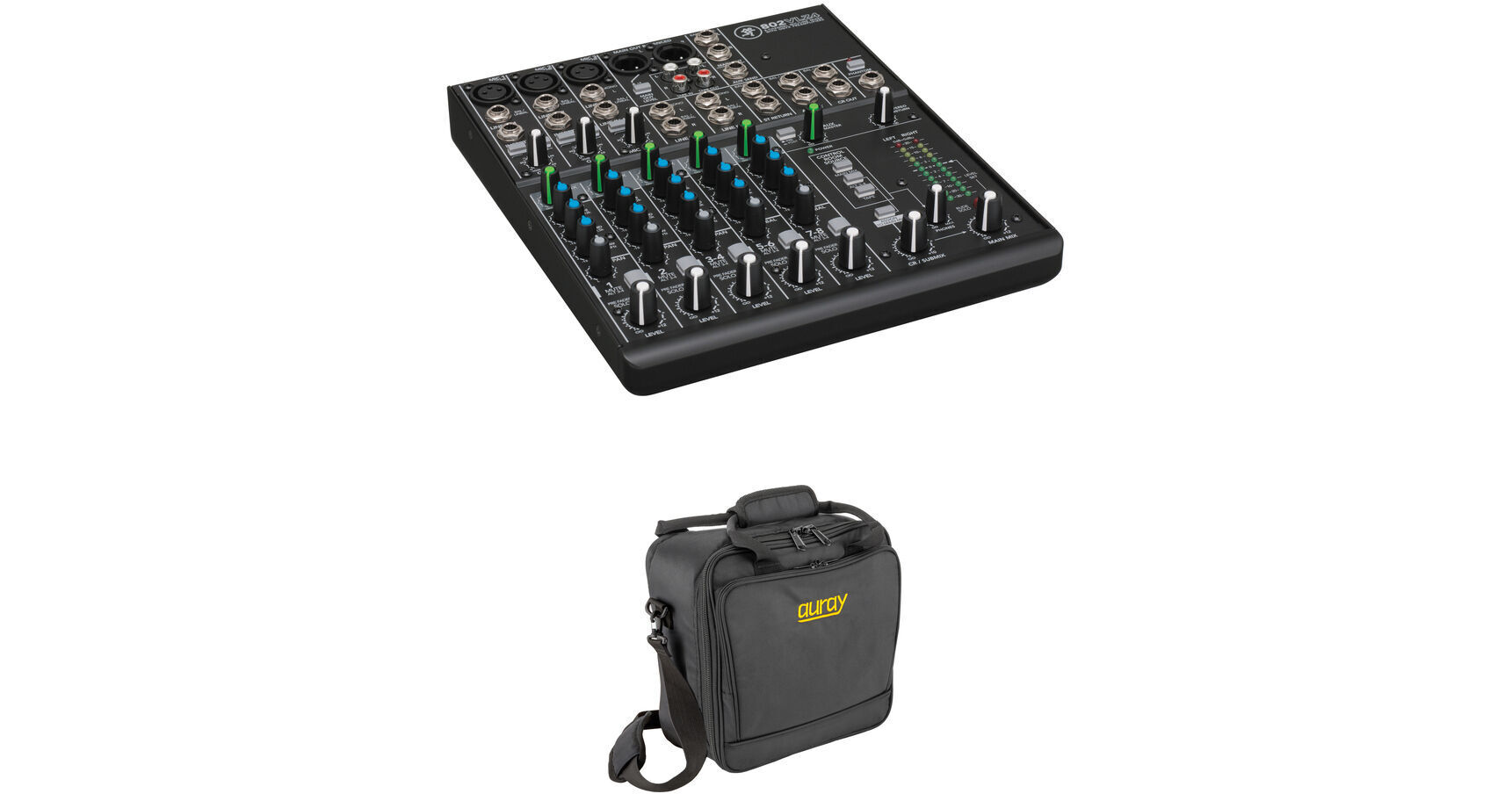
This B&H Kit combines the Mackie 802VLZ4 8-channel compact mixer with a mixer bag to provide a mobile professional audio mixing solution with protection from on-the-road wear and tear.
More DetailsIn Stock
$224.94
Holiday Savings $30.00
+
Protect Your Gear
Add a protection plan from $22.00
See Options
See any errors on this page?
can I run the dual xlr out to my computer to ...
can I run the dual xlr out to my computer to record, while monitoring with the dual 1/4 inch to headphones?
Yes, you can connect the left and right XLR outputs to your computer using a USB audio interface that accepts line level input like the Focusrite Scarlett 2i2 2x2 USB Audio Interface (B&H # FOSCARL2I23G), PreSonus Studio 24c Desktop 2x2 USB Type-C Audio/MIDI Interface (B&H # PRSTUDIO24C) or any other model with two inputs compatible for line level signal. The interface will also have a headphone jack for monitoring while recording. If you don't already have the 802VLZ4, you may want to consider purchasing a mixer that has a built-in USB audio interface like the Mackie ProFX10v3 (B&H # MAPROFX10V3) or ProFX6v3 (B&H # MAPROFX6V3), Yamaha MG10XU (B&H # YAMG10XU), Soundcraft Notepad-12FX (B&H # SO12CDTMUSBE), or Allen & Heath ZED-10 (B&H # ALZED10).
Date published: 2021-05-05
Is it possible to have a mic channel only go ...
Is it possible to have a mic channel only go through the aux without having any audio in the main mix? Think Talkback for aband.
If you set the AUX bus to PRE, you can MUTE a channel and still have it go to the AUX bus, at whatever level you want. However, keep in mind that for this MACKIE mixer (unlike the CR1604-VLZ) the PRE/POST setting is global, that is, it affects all channels not just the one you want.
Date published: 2024-10-09
question
Does anyone know of a a lockable cover that can go over this board to prevent unauthorized use?
Not aware of any available.
Date published: 2018-08-28
Can the INSERT jack be used as splitter by ...
Can the INSERT jack be used as splitter by inserting to the first click?
The insert jack of the Mackie 802VLZ4 8-Channel Ultra-Compact Mixer (BH # MA802VLZ4) should not be used as a splitter function as described. There would be a good chance that noise would be introduced into the signal chain. Best to use a splitter cable:
Mackie 802VLZ4 8-Channel Ultra-Compact Mixer (BH # MA802VLZ4): https://bhpho.to/4cOduHG
Date published: 2024-09-02
question
Does it work on 220-240 Volt electricity?
The Power Supply included with the Mackie 802 VLZ4 available here at B&H is compatible with 120 VAC only.
Date published: 2018-08-28
The psu unit has dual voltage support for ...
The psu unit has dual voltage support for 220v/110v? Thanks
Unfortunately, the Mackie 802VLZ4 8-Channel Ultra-Compact Mixer is only 100 to 120 VAC.
Date published: 2024-08-30
Where are the phantom power buttons for the XLR ...
Where are the phantom power buttons for the XLR ins? Thx
The Phantom power button is placed directly above the headphone jack. This mixer has a single phantom power button, you cannot select a individual channel to provide power too, the power is share between all microphone inputs.
Date published: 2021-03-04
question
How do I use the effects on this board? OR do I need to purchase an FX processor?
This mixer has no on-board effects.
Date published: 2020-01-22