Video Chat with a Pro Video Expert - Live

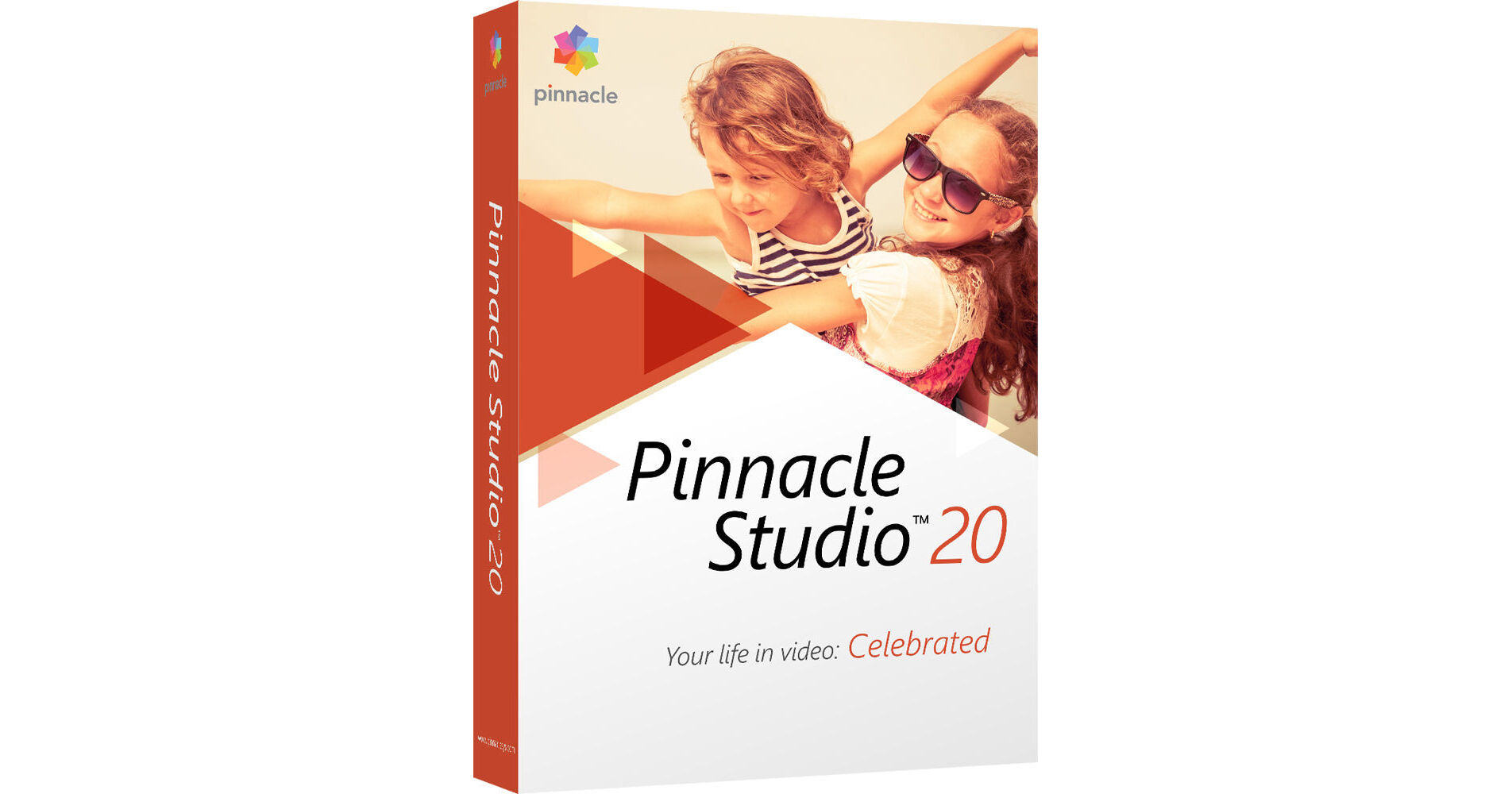
Pinnacle Studio 20 Standard

BH #PIS20SENFR • MFR #PNST20STEFAM
Print
Pinnacle Studio 20 Standard
Key Features
  • Easy-to-Use Editor for Enthusiasts
  • Full HD and 3D Format Support
  • 6 Video / 6 Audio Tracks
  • 1500+ Effects / Transitions / Music
Pinnacle Studio 20 is a fun and easy-to-use video editing system for enthusiasts.
More Details
No Longer Available
No Store Display
Ask an Expert
800-606-6969

Pinnacle PNST20STEFAM Overview

Pinnacle Studio 20 is a fun and easy-to-use video editing system for enthusiasts.

Studio 20 is optimized for Full HD and 3D formats and offers 6 video and 6 audio tracks for mixing media, effects, transitions, and more. In addition to common editing tools and transitions, more advanced features such as Stop Motion Animation and 2-Camera Multi-Cam Editing will let you get more elaborate with your projects. Topping everything off, Studio 20 features a library over 1500 effects, transitions, and music to spruce up your videos with.

When you're ready to share your videos, Studio 20 makes it easy to post your HD and 3D videos on Facebook, YouTube, and Vimeo, as well as easily create DVDs with themes and menus.

You also get a 21-day, all-access pass to StudioBacklot.tv, which will provide you with new Pinnacle Studio 20 content, training, and a royalty-free stock library. (This offer is available only to new users of StudioBacklot.tv.) Studio 20 is compatible with Windows 10, 8, and 7.

New Features
Stop Motion Animation
Create big screen-style animations and Full HD stop motion videos with Stop Motion Animation. Plug in your camera and tap into the processing power and unique lens capabilities of your DSLR directly from Pinnacle Studio 20 to capture each frame of your animated story. Control camera settings, see overlay frames, set distances, and capture frames automatically or manually. Improved controls for overlay frames and distances, and radial and curve guides give you more control and better results.
Enhanced Multi-Camera Editing
Work with footage from 2 cameras to create more dynamic videos. The Multi-Camera Editor lets you screen your footage, switch angles, cut and delete, add transitions, and automatically align clips with Audio Syncing. Combine your multi-camera results with the picture-in-picture effect to add excitement to your movie.
Enhanced Quick Fixes
Is your video sideways? No problem! Pinnacle Studio 20 has you covered with video rotation tools. Plus, Pan and Zoom have been streamlined so they can be applied in fewer steps, and editing Picture-in-Picture footage is easier than ever. Easily eliminate red eye from photos, color-correct footage, and stabilize shaky video.
1,500+ Effects and Music
Add excitement and polish with over 1,500 2D/3D effects, animated titles, and transitions. Easily add your most-used effects, filters, and transitions to the Favorite section to quickly find and reuse them anytime. Kickstart your video project with the included Montage templates, which provide preset themes for weddings, sports, holidays, sci-fi, comics, and more, for fast pro-level results with just a few clicks. Add music from the ScoreFitter library of royalty-free sounds and songs that automatically adjust to fit the length of your movies.
Enhanced Easy DVD Authoring
Put your audience in the right mood for your video with themed menus, sub-menus, and chapters on your DVDs. Pinnacle Studio 20 includes 20+ stylish templates in Pinnacle MyDVD, so you can quickly create a high-quality, personalized DVD to share with friends and family.

Pinnacle PNST20STEFAM Specs

System Requirements
Operating System
Windows 10 recommended, Windows 8.x, Windows 7, 64-bit OS highly recommended
CPU
Intel Core Duo 1.8 GHz, Core i3, or AMD Athlon 64 X2 3800+ 2.0 GHz or higher

Intel Core i5 or i7 1.06 GHz or higher required for AVCHD & Intel Quick Sync Video support

Intel Core i7 or AMD Athlon X4 or higher for Multi-Camera
RAM
2 GB of RAM or higher, 4 GB minimum for Windows 64-bit, 8+ GB highly recommended for Multi-Camera
Graphics
DirectX 9 (or higher) graphics device with Pixel Shader 3.0 support, such as:

NVIDIA GeForce 6 series or higher (CUDA enabled required for CUDA support)
ATI X1000 series or higher
Intel GMA X3000 series or higher
Other
HEVC (H.265) support requires supporting PC hardware or graphics card

128 MB VGA VRAM

Display resolution: 1024 x 768 or higher

Windows-compatible sound card (multi-channel output required for surround preview)

8 GB HDD space for full installation

DVD drive for installation

DVD burner for creating DVD and AVCHD discs
Format Support
Input Options
Capture from DV, HDV, and Digital8 camcorders or VCRs (requires a FireWire port)

Import from AVCHD and other file based camcorders, digital still cameras, mobile devices and webcams
Import Formats
Video: MVC, AVCHD, DV, HDV, AVI, MPEG-1/-2/-4, DivX, Flash, 3GP (MPEG-4, H.263), WMV, Non-encrypted DVD titles (incl. DVD-VR/+VR), MOV (DV, MPEG-4, H.264), HEVC (H.265), DivX Plus MKV

Audio: MP3, MPA, M4A, WAV, AMR, AC3, AAC, Vorbis, WMA

Graphic: JPS, BMP, GIF, JPG, PCX, PSD, TGA, TIF, WMF, PNG, J2K
Export Formats
AVCHD, DVD (DVD-R, DVD-RW, DVD+R, or DVD+RW, dual layer)

DV, HDV, AVI, DivX, WMV, MPEG-1/-2/-4, Flash, 3GP, WAV, MP2, MP3, MP4, H.264, DivX Plus MKV, JPEG, TIF, TGA, BMP

Dolby Digital 2-channel
Blu-ray Support
Requires purchase of a separate plug-in from within the product
Requires Blu-ray Disc reader and/or burner
Supported Languages
English, French, Spanish
Packaging Info
Package Weight
0.15 lb
Box Dimensions (LxWxH)
7.5 x 5.3 x 1.5"

Pinnacle PNST20STEFAM Reviews

See any errors on this page?
Whatever You Need, We've Got It