Video Chat with a Photography Expert - Live

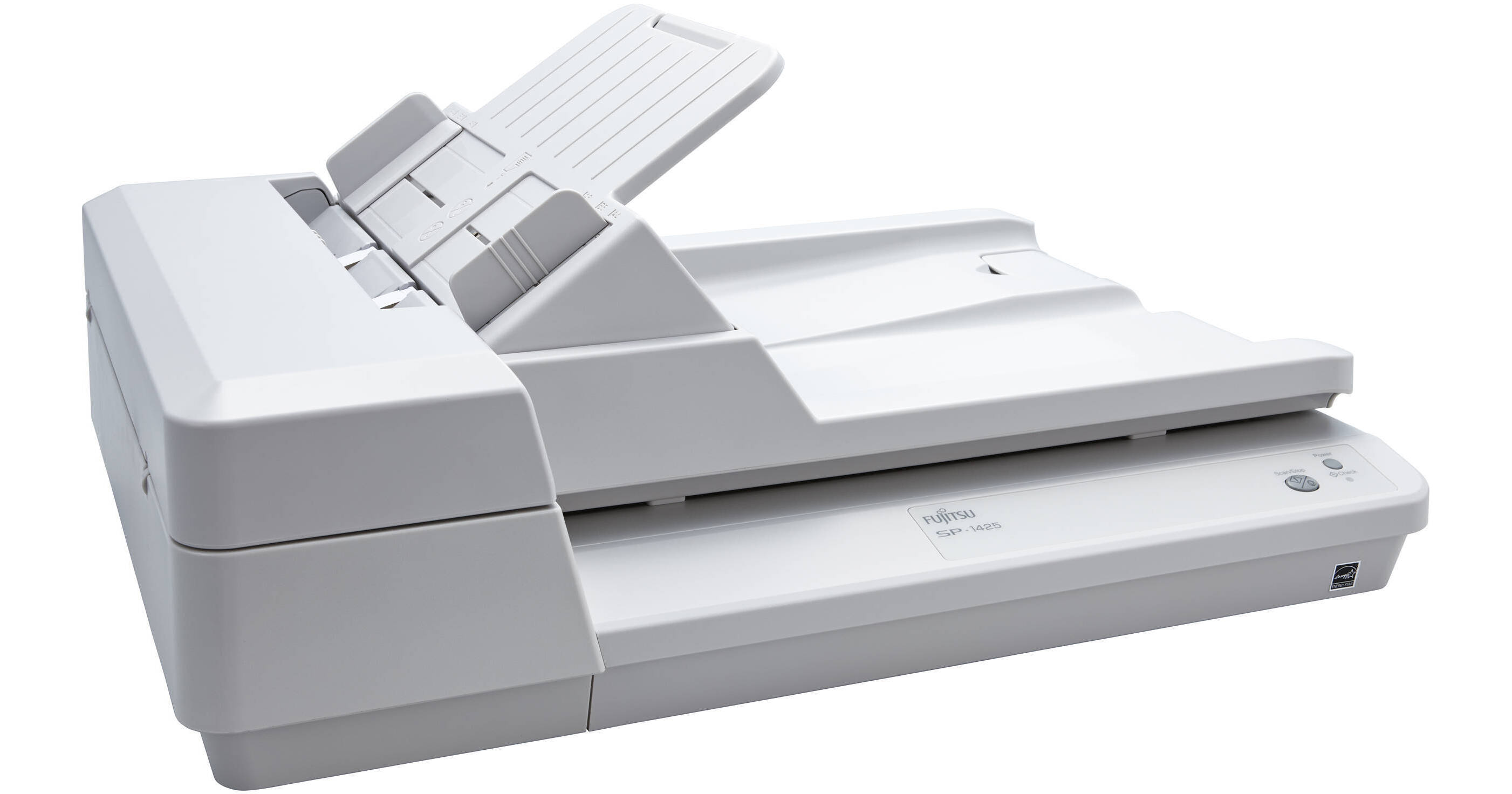
Ricoh SP-1425 Image Scanner

BH #RISP1425S • MFR #PA03753-B005
Print
Ricoh SP-1425 Image Scanner
Key Features
  • Optical Resolution: 600 dpi
  • Scan Speed: 25 ppm / 50 ipm
  • Color Depth: 24-Bit
  • Maximum Scan Size: 8.5 x 120"
Combining a flatbed and automatic document feeder into a single unit, the SP-1425 Image Scanner from Ricoh can easily adjust to your business' current needs and digitize your documents with speed and efficiency. It uses two contact image sensors and LED lights to scan both sides of the document in a single pass via the ADF and features an optical resolution of 600 dpi for sharp text and imagery. This scanner is quite fast, offering batch scanning speeds of up to 25 ppm or 50 ipm and being able to scan via the 8.5 x 11.7" flatbed in just 4 seconds. Along with this, the scanner features a long document scanning mode for working with items up to 8.5 x 120" in size, an ultrasonic multi-feed detection, and a 24-bit color depth.
More Details
In Stock
No Store Display
Free 2-Day Shipping
Protect Your Gear
Add a protection plan from $35.99
Ask an Expert
800-606-6969

Ricoh SP-1425 Overview

Combining a flatbed and automatic document feeder into a single unit, the SP-1425 Image Scanner from Ricoh can easily adjust to your business' current needs and digitize your documents with speed and efficiency. It uses two contact image sensors and LED lights to scan both sides of the document in a single pass via the ADF and features an optical resolution of 600 dpi for sharp text and imagery. This scanner is quite fast, offering batch scanning speeds of up to 25 ppm or 50 ipm and being able to scan via the 8.5 x 11.7" flatbed in just 4 seconds. Along with this, the scanner features a long document scanning mode for working with items up to 8.5 x 120" in size, an ultrasonic multi-feed detection, and a 24-bit color depth.

Designed to be connected to a computer over USB 2.0, the SP-1425 comes bundled with various software to get your started. This includes PaperStream IP, which is a TWAIN- and ISIS-compliant driver that optimize your scans using auto color detection, multi-image output, and blank page detection. Also, PaperStream Capture Lite will help improve and speed up your workflow. Additionally, it also includes ABBYY FineReader OCR software for creating editable and searchable documents.

UPC: 097564308918

Ricoh SP-1425 Specs

Key Specs
Scanner Type
Flatbed Scanner with Automatic Document Feeder (ADF)
Scanner Maximum Resolution
600 dpi (Optical)
1200 dpi (Interpolated)
Scanner Color Depth
24-Bit (External)
24-Bit (Internal)
Power Source
AC Power (Cable Built-In/Included)
Scanner
Type
Flatbed Scanner with Automatic Document Feeder (ADF)
Maximum Resolution
600 dpi (Optical)
1200 dpi (Interpolated)
Scan Modes
Color, Grayscale, Monochrome
Color Depth
24-Bit (External)
24-Bit (Internal)
Grayscale Depth
8-Bit (External)
8-Bit (Internal)
Light Source
LED
Image Sensor
1x CMOS
1x Contact Image Sensor (CIS)
Duplex Scanning
Yes
Single Pass Duplex
Yes
Scan Speed
Simplex Speed
25 ppm in Color/Grayscale
Duplex Speed
50 ipm in Color/Grayscale
Automatic Image Corrections
Yes
Scanner Media Handling
Scan Sizes
ADF
Minimum: 4.5 x 5.5" / 11.4 x 14 cm
Maximum: 8.5 x 120" / 21.6 x 304.8 cm
Flatbed
Maximum: 8.5 x 11.7" / 21.6 x 29.7 cm
Paper Capacity
ADF: 50x Sheet
Multi-Feed Detection
Yes
Media Weight
52 to 127 gsm / 14 to 34 lb
Daily Duty Cycle
4000 Scans
Daily Life Expectancy
4000 Sheets
Connectivity
Data I/O
1x USB-B 2.0 Input
Scanner Drivers
TWAIN, WIA, ISIS, SANE
OS Compatibility
Windows
General
Power Source
AC Adapter (Included)
Power Source
AC Power (Cable Built-In/Included)
Battery
No
Input Power
100 to 240 VAC, 50 / 60 Hz
Power Consumption
16 W (Maximum)
2.9 W (Sleep)
0.5 W (Standby)
Certifications
ENERGY STAR, RoHS
Dimensions (W x H x D)
17.9 x 5.1 x 13" / 45.4 x 12.9 x 33.1 cm
Weight
9.5 lb / 4.3 kg
Packaging Info
Package Weight
14.4 lb
Box Dimensions (LxWxH)
19.9 x 16 x 8.9"

Ricoh SP-1425 Reviews

See any errors on this page?

How can I scan into my iPad or phone using ...

How can I scan into my iPad or phone using fujitus 1425?
Asked by: Abey
The Fujitsu scanner scans to a computer only, from there you can email it to your phone or tablet or send to the cloud or to dropbox.
Answered by: Rob
Date published: 2025-07-22
  • y_2026, m_7, d_13, h_13CST
  • bvseo_bulk, prod_bvqa, vn_bulk_3.0.47
  • cp_1, bvpage1
  • co_hasquestionsanswers, tq_1
  • loc_en_US, sid_1314099, prod, sort_[SortEntry(order=HAS_STAFF_ANSWERS, direction=DESCENDING)]
  • clientName_bhphotovideo
Whatever You Need, We've Got It