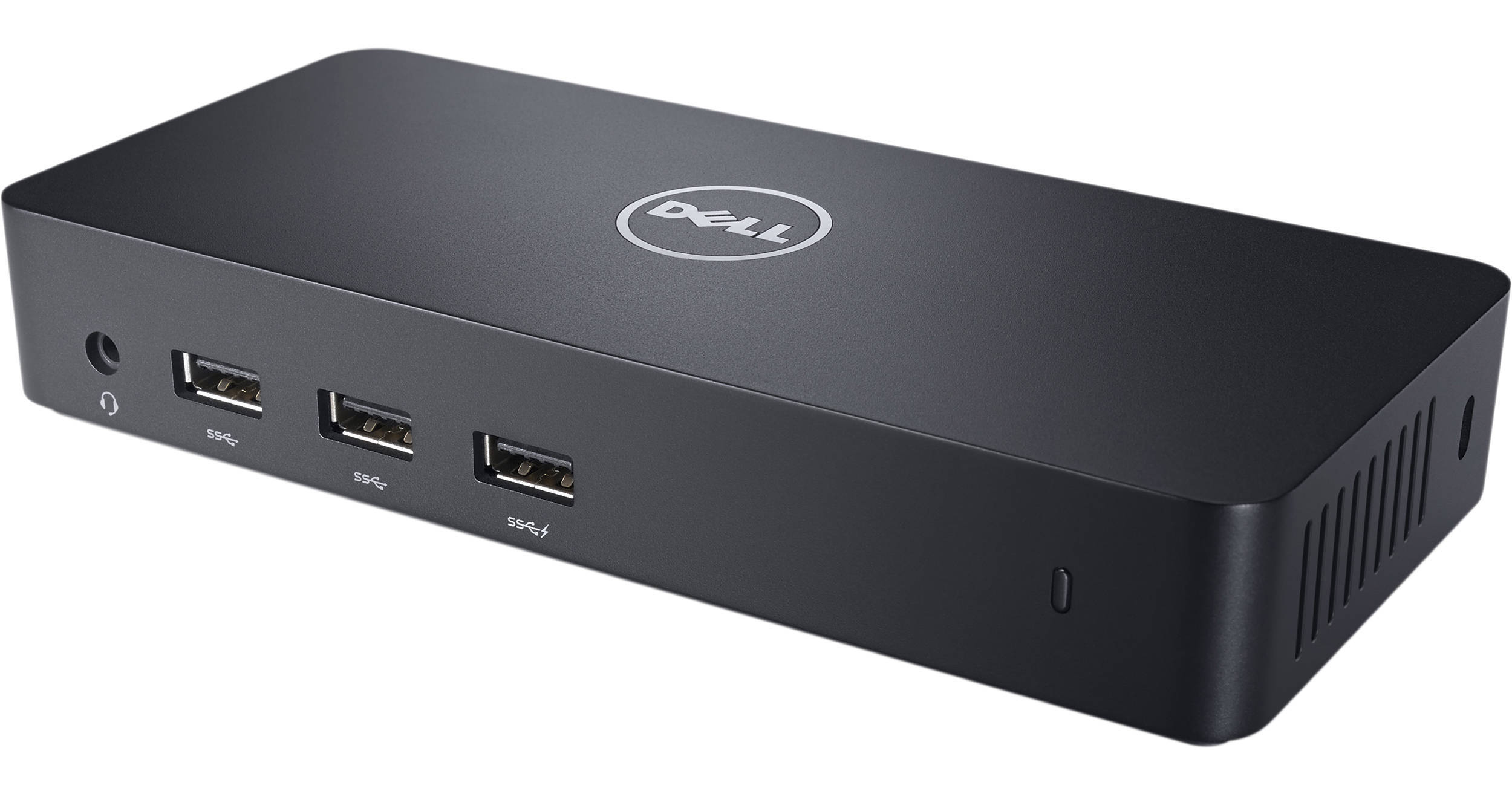
The Dell D3100 USB 3.0 Docking Station connects to a computer system via an included USB 3.0 cable to quickly provide access to printers, external storage drives, monitors, and other useful devices. The docking station supports a three-monitor setup by offering one DisplayPort and two HDMI outputs. With three monitors connected, the dock can display up to 4K on one display and Full-HD on two. To complete the multimedia experience, two audio jacks are on board. For USB peripherals, the dock comes outfitted with three USB 3.1 Gen 1 and two USB 2.0 ports. There's also a Gigabit Ethernet port for creating a reliable wired connection to a network. In addition, the D3100 provides a lock slot, which lets you attach an optional security cable for preventing theft, as well as an adapter that converts one of the HDMI ports into a DVI interface.
Ask Our Experts800-606-6969
Hello, Log InAccount & Orders
Key Features
- USB 3.0 Host Connection
- Three Monitor Setup
- 3 x USB 3.0/3.1 Gen 1, 2 x USB 2.0 Ports
- 2 x HDMI, 1 x DisplayPort
The Dell D3100 USB 3.0 Docking Station connects to a computer system via an included USB 3.0 cable to quickly provide access to printers, external storage drives, monitors, and other useful devices. The docking station supports a three-monitor setup by offering one DisplayPort and two HDMI outputs. With three monitors connected, the dock can display up to 4K on one display and Full-HD on two. To complete the multimedia experience, two audio jacks are on board. For USB peripherals, the dock comes outfitted with three USB 3.1 Gen 1 and two USB 2.0 ports. There's also a Gigabit Ethernet port for creating a reliable wired connection to a network. In addition, the D3100 provides a lock slot, which lets you attach an optional security cable for preventing theft, as well as an adapter that converts one of the HDMI ports into a DVI interface.
More DetailsNo Longer Available
Dell D3100 Overview
Dell D3100 Features
Three-Display Support
Expand your desktop by connecting up to three displays at once, including one Ultra HD 4K display and two Full HD displays. The Dell Docking Station allows you to spread out your desktop on up to three external displays, increasing productivity and making it easier to manage multiple applications.
USB Connectivity
The dock features three USB 3.1 Gen 1 ports, as well as two USB 2.0 connections, ensuring compatibility with a vast array of peripherals, such as external hard drives, printers, and scanners. The dock also provides USB charging to external devices.
Expand Productivity
With a single cable, the Dell USB 3.0 docking station connects your laptop to various devices, such as printers, scanners, and external hard drives. There's also a Gigabit Ethernet port, headphone jack, and audio output port.
Enterprise Use
The Dell USB 3.0 docking station is a suitable for corporate environments with Wake-On-LAN and PXE boot (on selected platforms). There's also an integrated cable lock slot (lock sold separately), so the dock can be secured to a desk or workstation.
USB 3.1 Gen 1
USB 3.1 Gen 1 features a maximum throughput of 5 Gb/s and is synonymous with USB 3.2 Gen 1 and USB 3.0.
Dell D3100 Specs
| Compatibility | |
| USB I/O | |
| Video I/O | |
| Network I/O | |
| Memory Card Slots | |
| Lock Slot | |
| Cable Length |
Packaging Info
| Package Weight | |
| Box Dimensions (LxWxH) |
Dell D3100 Reviews
See any errors on this page?