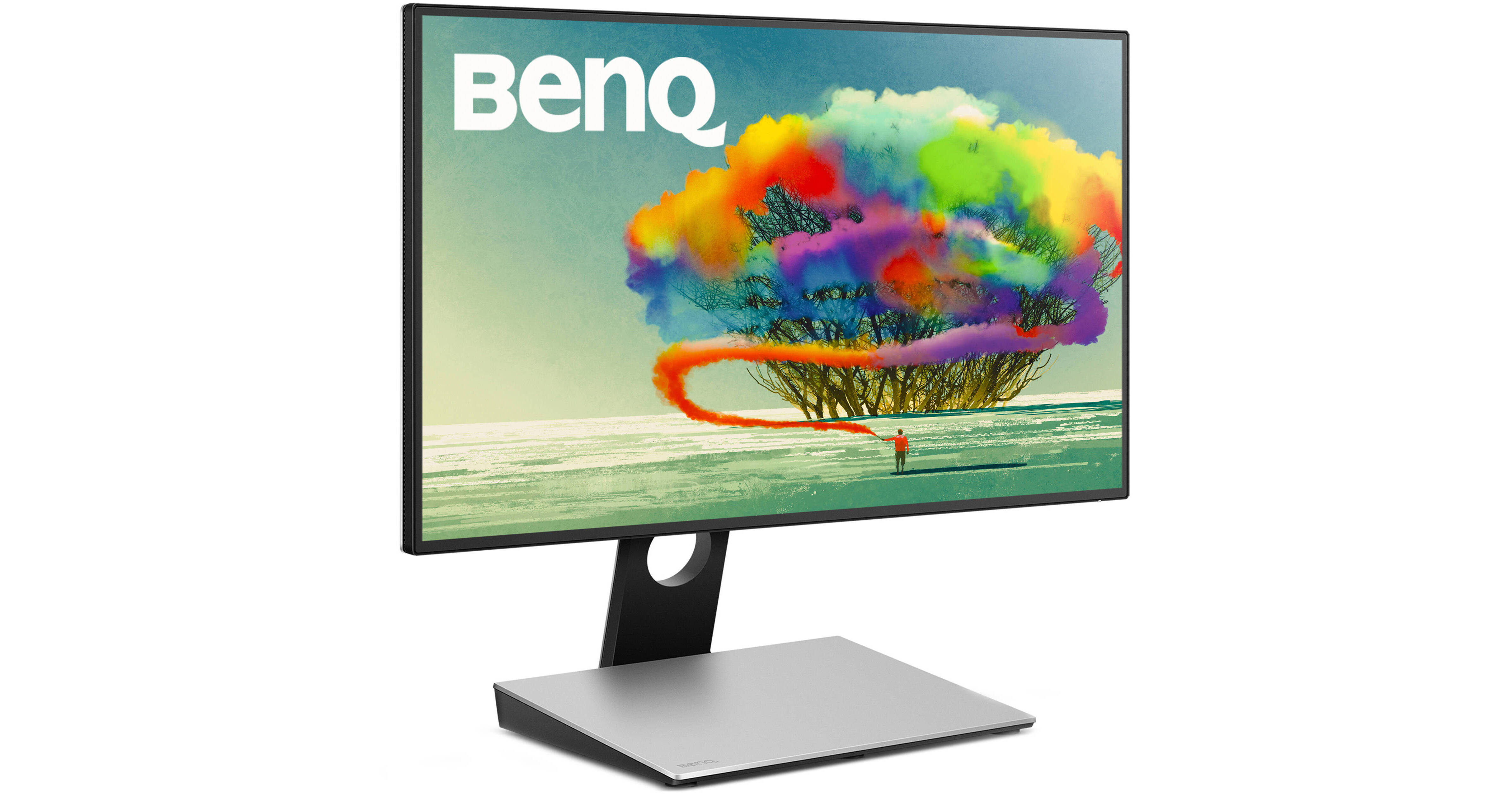
The PD2710QC 27" 16:9 IPS Monitor from BenQ features a docking station that's meant to be used with USB Type-C equipped systems, providing them with additional connectivity and features. It has a 2560 x 1440 resolution for crisp and clear content reproduction and is built with an IPS (In-Plane Switching) panel that offers vivid colors and wide 178° viewing angles. Moreover, it has a 350 cd/m² brightness rating, a 1000:1 static contrast ratio, and covers 100% of the sRGB color gamut for brighter bright colors and darker blacks with more depth. Connect it to your system via HDMI or DisplayPort and then tilt and pivot it to your preferred viewing angles. Otherwise, you can install an optional mount, stand, or arm using the 100 x 100mm VESA mounting holes on the back.
Ask Our Experts800-606-6969
Hello, Log InAccount & Orders
Key Features
- In-Plane Switching (IPS) Technology
- HDMI + DisplayPort Inputs
- 2560 x 1440 Resolution
- 1000:1 Static Contrast Ratio
The PD2710QC 27" 16:9 IPS Monitor from BenQ features a docking station that's meant to be used with USB Type-C equipped systems, providing them with additional connectivity and features. It has a 2560 x 1440 resolution for crisp and clear content reproduction and is built with an IPS (In-Plane Switching) panel that offers vivid colors and wide 178° viewing angles. Moreover, it has a 350 cd/m² brightness rating, a 1000:1 static contrast ratio, and covers 100% of the sRGB color gamut for brighter bright colors and darker blacks with more depth. Connect it to your system via HDMI or DisplayPort and then tilt and pivot it to your preferred viewing angles. Otherwise, you can install an optional mount, stand, or arm using the 100 x 100mm VESA mounting holes on the back.
More DetailsNo Longer Available
BenQ PD2710QC Overview
USB Type-C Docking Station
This display features a USB Type-C docking station and provides you with additional USB ports, an Ethernet jack, USB power delivery, and even device charging up to 61W.
100% sRGB and Rec.709
With 100% sRGB coverage and Rec.709, this monitor delivers consistent and accurate colors, ideal for color sensitive work.
Daisy Chaining
Equipped with MST (Multi-Stream Technology), this display supports daisy-chaining up to four displays so you can extend your notebook's display using a DisplayPort output.
Display Pilot Software
Display Pilot Software, available on Windows only, lets you split your screen into multiple windows for more convenient multitasking.
CAD/CAM Mode
CAD/CAM mode offers improved contrast on lines and shapes in technical illustrations for better details. It's compatible with a wide variety of CAD/CAM software such as pro/E, SOLIDWORKS, AutoCAD, CATIA, and more.
Animation Mode
Animation mode enhances the brightness of dark areas without overexposing bright areas for better viewing. It has 10 levels of brightness settings so you can adjust it to your preference depending on your ambient lighting.
Darkroom Mode
Darkroom mode optimizes the brightness and contrast of images for clear and sharp details, ideal for work in darker post-processing environments.
Low Blue Light
BenQ's Low Blue Light technology reduces blue light emissions to protect your eyes. It has four different settings you can switch through depending on your current application including multimedia, Web-surfing, office, and reading.
ZeroFlicker
ZeroFlicker reduces screen flickering so your eyes won't get tired or damaged over long periods of use.
Anti-Glare Display
Keep annoying glare at bay with the anti-glare, matte-finish so you can work without any distractions.
Additional Features
BenQ PD2710QC Specs
| Screen Size | |
| Aspect Ratio | |
| Resolution | |
| Display Area (H × V) | |
| Brightness | |
| Static Contrast Ratio | |
| Dynamic Contrast Ratio | |
| Panel Type | |
| Viewing Angles (H/V) | |
| Response Time (Tr+Tf) | |
| Display Colors | |
| Color Gamut | |
| Color Depth | |
| Audio | |
| I/O Ports |
Stand System
| Tilt | |
| Pivot | |
| Height Adjustment | |
| VESA Compatibility |
Power Specifications
| Power Supply | |
| Power Consumption (Operating) | |
| Power Consumption (Standby/Sleep) |
General
| Dimensions | |
| Weight |
Packaging Info
| Package Weight | |
| Box Dimensions (LxWxH) |
BenQ PD2710QC Reviews
See any errors on this page?