Video Chat with a Pro Video Expert - Live

SHAPE Remote Extension Handle Kit for Sony PXW-FS7M2 Camera

BH #SHRHV2 • MFR #RHV2
Print
SHAPE Remote Extension Handle Kit for Sony PXW-FS7M2 Camera
Key Features
  • 2" Handle Extension
  • 360° Rotation Adjustment
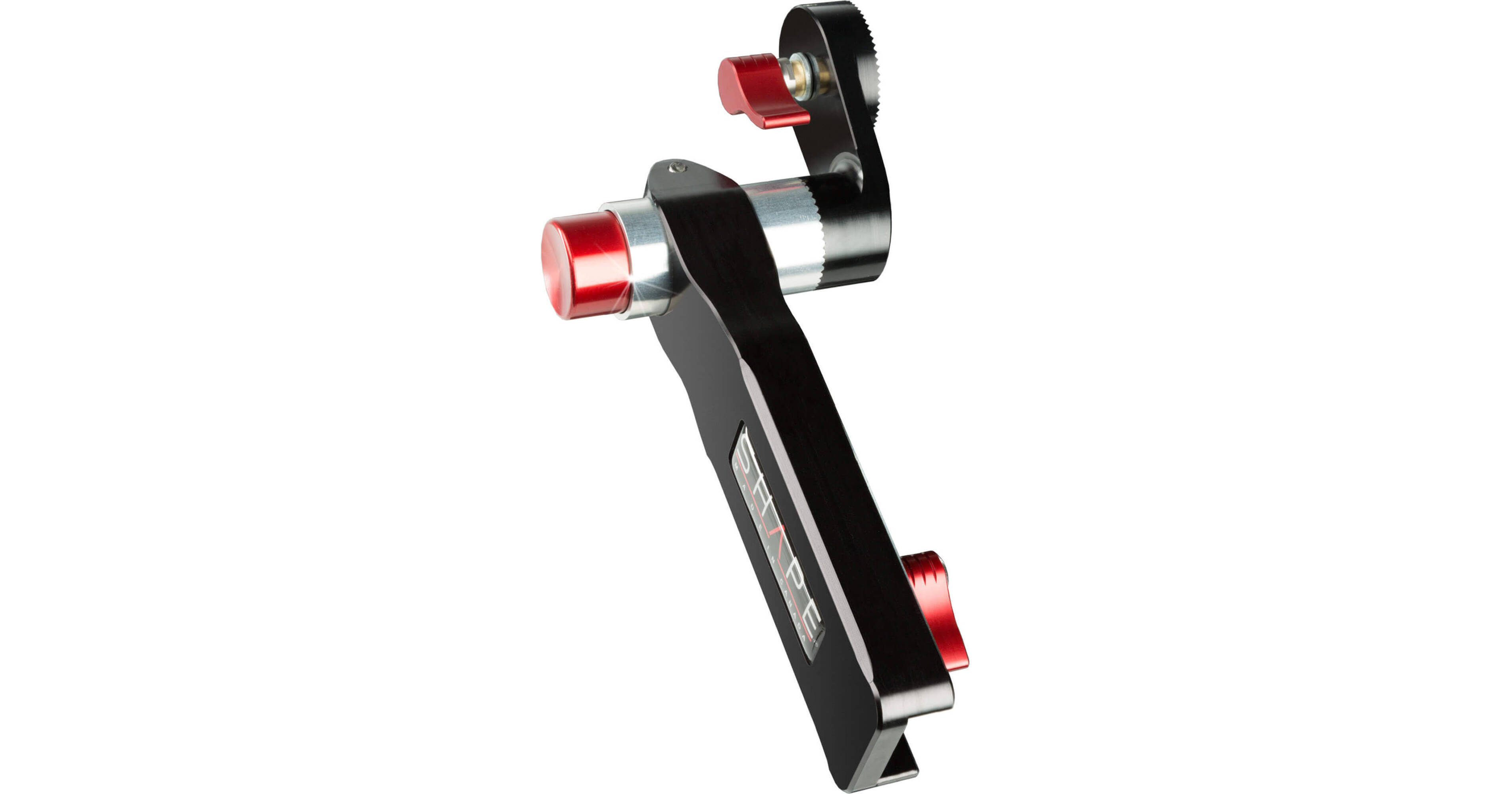
The Remote Extension Handle Kit for Sony PXW-FS7M2 Camera from SHAPE offers an adjustable arm extension of 2" for the side handgrip provided with the Sony FS7M2. The extendable arm is equipped with a ratchet key to easily adjust the length of the arm. It is designed with ARRI rosettes to mount on the camera or baseplate with standard ARRI rosettes. It also features SHAPE's patented push-button technology for easy angle adjustment and 360° rotation. By simply pressing the button, you are allowed the 360° rotation to place the remote extension handle in the best position for your use. Push, adjust, release, and lock.
More Details
Special Order
Expected availability: 7-14 Business Days
No Store Display
This item cannot be canceled or returned.
Free Standard Shipping
Ask an Expert
800-606-6969

SHAPE RHV2 Overview

The Remote Extension Handle Kit for Sony PXW-FS7M2 Camera from SHAPE offers an adjustable arm extension of 2" for the side handgrip provided with the Sony FS7M2. The extendable arm is equipped with a ratchet key to easily adjust the length of the arm. It is designed with ARRI rosettes to mount on the camera or baseplate with standard ARRI rosettes. It also features SHAPE's patented push-button technology for easy angle adjustment and 360° rotation. By simply pressing the button, you are allowed the 360° rotation to place the remote extension handle in the best position for your use. Push, adjust, release, and lock.

UPC: 629266006849

SHAPE RHV2 Specs

General
Compatibility
Sony FS7 M2
Physical
Material of Construction
Aluminum
Packaging Info
Package Weight
0.75 lb
Box Dimensions (LxWxH)
8.7 x 5.4 x 2.3"

SHAPE RHV2 Reviews

Super useful with minor disadvantages.

By Norman
Rated 5 out of 5
Date: 2022-02-26

I love the speed of adjusting--push button release to rotate, but no play when it locks in. It does offset the handgrip a bit to the right making it take up a bit more space in a bag or case while attached. You can adjust the handle a bit to the right or left in your initial setup using a hex wrench at the attachment to the silver post. I had to move it far to the right to give clearance for my knuckles not to hit a locking lever when I'm rotating it. Thus even more offset to the right--not ideal but worth the trade-off. I like this model better than the one that can work with both the FS7 Mk 1 and Mk2. The ergonomics are much better for grasping the extension arm while simultaneously pressing the button with with the thumb of the same hand. For me this is a bod deal--for me the other one has inferior ergonomics for either model. This one does require some disassembly of the original extension to interface, but worth it. Note-it appears to be some plastic in use including on the rosette, but seems to be really tough stuff that shouldn't break in normal use. At least the plastic rosette would not need frequent adjusting since the whole point is the push button adjust.

Huge improvement for FS7M2 pistol grip

By Travitz
Rated 5 out of 5
Date: 2018-09-03

Crushes the Sony version like a grape. The Sony Mark 2 handle is an improvement over the original FS7 handle but still left we wanting more flexibility. The arm length extension slipped from day one out of the box and would not tighten. Loosening the rosette screw to move from a tripod mounted position (rear facing) to a handheld position (front facing) is time consuming, you missed shots. The Shape red button is one push and the rotation happens. The extension arm no longer slips with the shape handle so a win all around. The only note is the silver barrel that the red button is located on sticks out from the camera quite a bit. Not a problem while shooting but I have a pre-cut Jason hard case for my camera and it sticks out too far to place it in the case while attached. Small price to pay for the improved functionality while using the camera.

See any errors on this page?
Whatever You Need, We've Got It