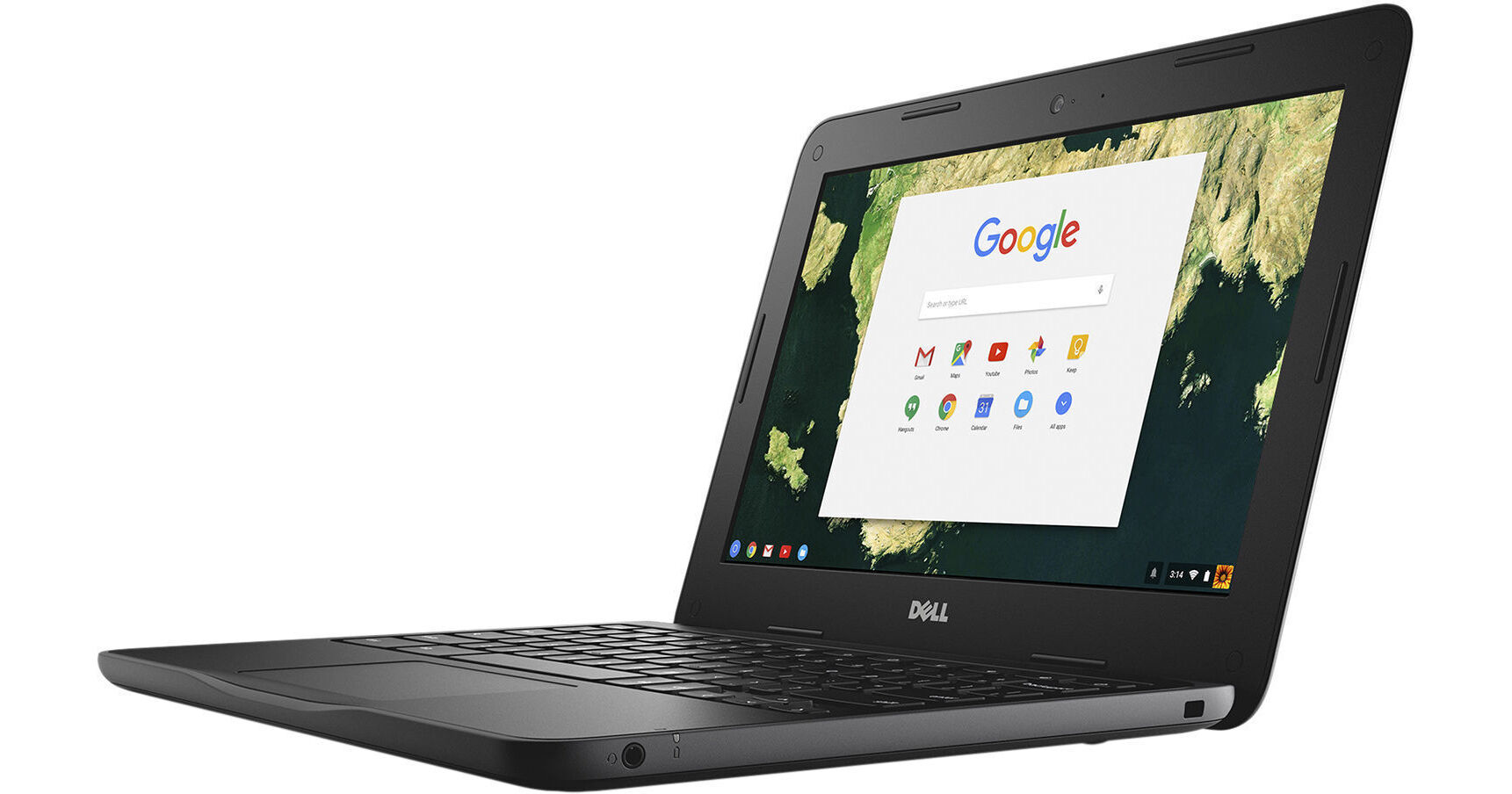
Dell 11.6" 16GB Chromebook 11 3180

BH #DECB11D44PV • MFR #D44PV
Print
Dell 11.6" 16GB Chromebook 11 3180
Key Features
  • 1.6 GHz Intel Celeron N3060 Dual-Core
  • 2GB LPDDR3 | 16GB eMMC SSD
  • 11.6" 1366 x 768 LCD Display
  • Integrated Intel HD Graphics 400
Built with the durability to withstand scholastic environments and multiple modes that adjust to varying learning needs, the 11.6" 16GB Chromebook 11 3180 from Dell is designed for a Web-optimized experience. With its user-friendly interface, the Chromebook 11 3180 offers a unique computing experience that is enhanced by the Internet, providing professionals with a simple, secure, and easily managed cloud-based experience.
More Details
No Longer Available
No Store Display
Ask an Expert
800-606-6969

Dell 3180 Overview

Built with the durability to withstand scholastic environments and multiple modes that adjust to varying learning needs, the 11.6" 16GB Chromebook 11 3180 from Dell is designed for a Web-optimized experience. With its user-friendly interface, the Chromebook 11 3180 offers a unique computing experience that is enhanced by the Internet, providing professionals with a simple, secure, and easily managed cloud-based experience.

This Dell Chromebook has an 11.6" eDP LCD panel with a 16:9 aspect ratio, an HD 1366 x 768 native resolution, and Corning Gorilla Glass for improved scratch resistance. Visuals are driven by the integrated Intel HD Graphics 400 chipset, and 1080p video may be output using the HDMI 1.4b port. Using the 180° design, the system can lay flat, making it easier to share content.

The system is powered by a 1.6 GHz Intel Celeron N3060 Dual-Core processor that can be overclocked to 2.48 GHz. It also has 2GB of LPDDR3 RAM, 16GB of eMMC storage, 802.11ac Wi-Fi, an integrated 720p front-facing webcam, and an integrated microphone. There are also built-in stereo speakers that are powered using the Realtek I2S ALC5650 codec and a microSD card reader. External peripherals, such as extra storage, optical drives, printers, memory card readers, mice, and more may be connected using the two USB 3.0 Type-A ports, while additional compatible peripherals may be paired using Bluetooth 4.0 technology.

Google Chrome OS is a Linux-based operating system designed by Google to work exclusively with web applications. The Dell Chromebook 11 3180 combines the aspects of a pure cloud client with the hardware of a traditional portable computer, which puts it in its very own class of netbook and notebook computers. Included with this Chromebook is a 65W AC adapter and a power cord. Its rechargeable 3-cell / 42Wh lithium-ion battery that lasts for up to 10 hours before recharging is required.

Please note that in order to take full advantage of Chrome OS, you will need to be connected to the Internet.

Good Past the Last Bell
With around 10 hours of battery life, this PC helps get kids through long school days.
Kid-Proof
The Chromebook 11 3180 comes with a sealed, spill-resistant keyboard, rubberized edges, and drop protection, making it better equipped to withstand lockers, lunchrooms, backpacks, and buses.
Collaborative Construction
A 180° hinge allows the system to lay flat, making it easier to share content on the Corning Gorilla Glass screen with up to 10x higher scratch resistance.
Evolved for Modern Education
The Chromebook G Suite for Education features a wealth of Google apps for students and teachers, including Classroom. This core feature keeps students organized and in touch and allows teachers to create, distribute, and grade assignments simply and in one place.
Learning Lit Up
Improve student-teacher engagement with the Dell Activity Light, a 3-color LED. It provides a visual indicator that allows non-disruptive communication.
Chrome OS
Using Linux as a base, Google designed Chrome OS to work exclusively with web applications. The user interface takes a minimalist approach, which greatly resembles the Google Chrome web browser. Chrome OS was built for people who spend a majority, if not all, of their time on the computer connected to the Internet. The only application that comes installed on Chrome OS is a special Google Chrome web browser with an integrated media player and file manager. All other applications are accessed by adding apps from the Google Chrome Web Store. Since Chrome OS relies entirely on Google's web apps and access to Google's services, it is highly recommended that you connect to the Internet to optimize your Chrome OS experience

Dell 3180 Specs

Operating System
Chrome OS
Performance
CPU
1.6 GHz Intel Celeron N3060 Dual-Core
Maximum Boost Speed
2.48 GHz
Memory Type
LPDDR3
Installed RAM
2 GB
Memory Slots
No
Buffered Memory
No
ECC Memory
No
Graphics Type
Integrated
GPU
Intel HD Graphics 400
Display
Panel Type
Unspecified LCD
Size
11.6"
Aspect Ratio
16:9
Native Resolution
1366 x 768
Touchscreen
No
Finish
Anti-Glare / Matte
Maximum Brightness
200 nits / cd/m2
Refresh Rate
60 Hz
Adaptive-Sync Technology
No
Storage and Expansion
Total Installed Storage
16 GB
Solid State Storage
1 x 16 GB Integrated eMMC
Expansion Slots
No
Optical Drive
No
Inputs / Outputs
Ports
2 x USB-A 3.0 / 3.1/3.2 Gen 1
Display I/O
1x HDMI 1.4
Audio I/O
1x 1/8" / 3.5 mm Headphone/Microphone Input/Output
Built-In Speakers
:
Built-In Microphones
:
Media Card Slots
1 x microSD (Unspecified Type)
Communications
Ethernet
No
Wi-Fi
Wi-Fi 5 (802.11ac)
Bluetooth
4.0
GPS
No
NFC
No
Webcam
User-Facing: 720p
Battery
Battery Chemistry
Lithium-Ion
Capacity
Removable 3-Cell: 42 Wh
Estimated Battery Life
10 Hours
Keyboard & Mouse
Keyboard
Chiclet-Style Keyboard
Pointing Device
TouchPad
General
Security
Accepts 3rd Party Security Lock Devices
Power Supply
65 W with
Dimensions
11.9 x 0.8 x 8.1" / 302.3 x 20.3 x 205.7 mm
Weight
2.79 lb / 1.27 kg
Packaging Info
Package Weight
4.9 lb
Box Dimensions (LxWxH)
16.8 x 11 x 3"

Dell 3180 Reviews

See any errors on this page?
Whatever You Need, We've Got It