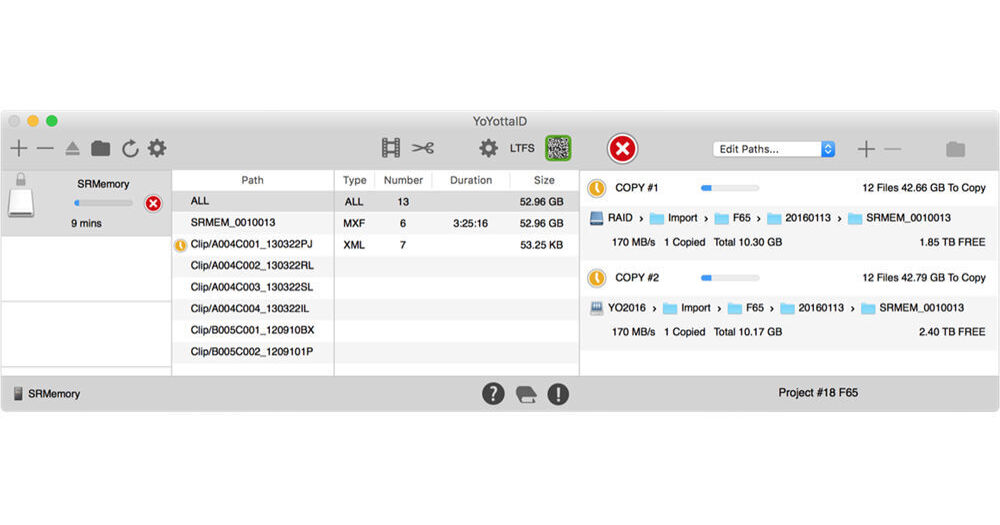
If you need a quick and easy backup workflow solution for production through post, use YoYotta LTFS Software for macOS to backup, verify, and index your camera cards, hard drives, and tapes. YoYotta LTFS includes all the features of YoYotta and adds the ability to create archives in parallel to two standalone LTO drives using LTFS. Backing up is as easy as 1. add sources, 2. add destinations, and 3. backup. The YoYotta software uses its own YFS file system and will do the work of indexing all your video, audio, and metadata to a local database, allowing you to search and restore when needed.
The search function allows you to search through all your media metadata by numerous tags such as codec, resolution, duration, and FPS. Reporting functions include CSV and PDF reporting to print detailed reports and audits for presentation. Since YoYotta runs on macOS, it can also integrate with Apple file permissions and send email alerts. Other security functions include: calculating an MD5 checksum during copy without slowing the process, independent verify, and only mounting source media in read-only mode.
To share quickly with multiple departments, or even just for peace of mind, cards can simultaneously copy to multiple backup destinations. You can pause and resume the backups, span across multiple volumes, and no matter how large your database is, YoYotta has no file size limitations. The software will make sure your clips remain whole and won't split them apart if a target volume becomes full.
YoYotta LTFS also allows archiving to LTO-8, LTO-7, LTO-6, or LTO-5 tapes. LTFS format is cross-platform and can be read on Linux, Windows, and macOS. The software allows you to create two parallel archives to LTO drives, and allows the same verify operations and the same search functions as any YoYotta volume for future restoration.
2. Add Destinations
3. Start Backup
It's even quicker next time you use that same media, as YoYotta remembers your Backup volumes and folders.