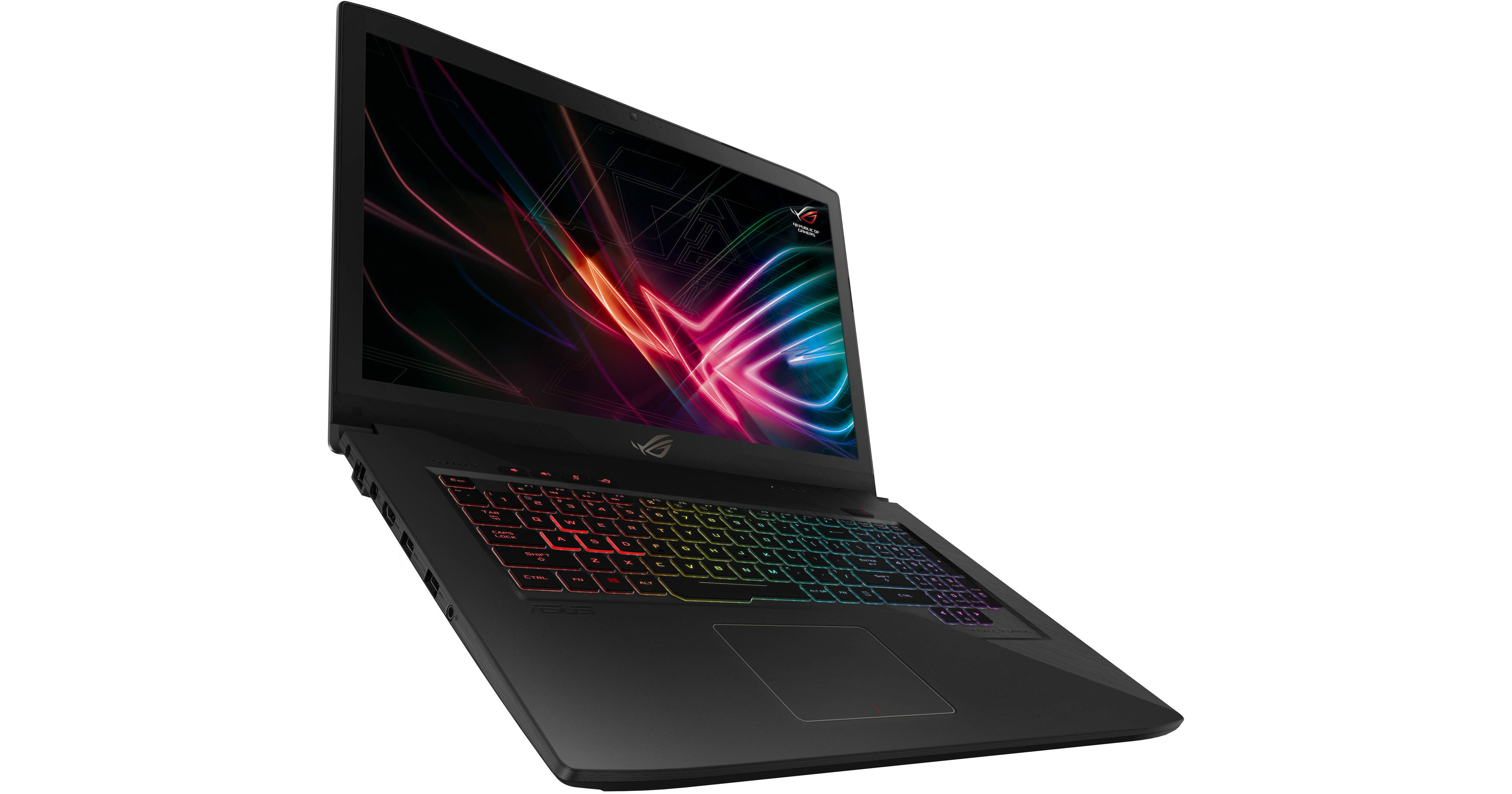
ASUS 17.3" Republic of Gamers Strix GL703VD Laptop

BH #ASGL703VDD74 • MFR #GL703VD-DB74
Print
ASUS 17.3" Republic of Gamers Strix GL703VD Laptop
Key Features
  • 2.8 GHz Intel Core i7-7700HQ Quad-Core
  • 16GB of DDR4 RAM | 256GB SSD + 1TB HDD
  • 17.3" Full HD 1920 x 1080 Matte Display
  • NVIDIA GeForce GTX 1050 GPU (4GB GDDR5)
Play your favorite games with the ASUS 17.3" Republic of Gamers Strix GL703VD Laptop.
More Details
No Longer Available
No Store Display
Ask an Expert
800-606-6969

ASUS GL703VD Overview

Play your favorite games with the ASUS 17.3" Republic of Gamers Strix GL703VD Laptop.

The GL703VD features a 17.3" display with a Full HD 1920 x 1080 screen resolution and a 16:9 aspect ratio, powered by an NVIDIA GeForce GTX 1050 graphics card with 4GB of GDDR5 VRAM. The display also has a matte finish to help reduce screen glare. It also features an Aura keyboard with customizable RGB lighting.

The system is powered by a 7th Gen Kaby Lake 2.8 GHz Intel Core i7-770HQ quad-core processor. It also has 16GB of 2400 MHz DDR4 RAM, a 256GB solid state drive, a 1TB 7200 rpm hard disk drive, a SD/MMC card slot, 10/100/1000 Mbps Gigabit Ethernet, 802.11ac Wi-Fi, Bluetooth 4.1, USB 3.0 Type-C, HDMI, and Mini DisplayPort. Windows 10 Home (64-bit) is the installed operating system.

ASUS Republic of Gamers Strix GL703VD
NVIDIA GeForce GTX 10-Series Graphics Cards
NVIDIA's GeForce GTX 10-series graphics cards can deliver up to a 40% increase in performance over the previous generation. Not only are they powerful, they can deliver similar performance to their desktop counterparts with a slight performance difference. This changes mobile gaming, allowing you to max out your game's visuals settings so you can enjoy it at its best.
DDR4 RAM
DDR4 memory runs at higher speeds to deliver faster performance compared to its predecessor DDR3. With it, your system will achieve better performance overall.
RGB Aura Keyboard
The Strix GL703VD is equipped with customizable RGB lighting so you can adjust it as you see fit.
ROG Gaming Center
ROG Gaming Center gives you access to multiple features such as system information, macros, audio settings, and more.
Windows 10
Start Menu
After its hiatus in Windows 8, the Start Menu has returned. Utilizing a combination of the traditional menu system and Windows 8's Live Tiles, the improved Start Menu gives you more information at a glance, showing notification information alongside your applications and other pinned items.
Cortana
Microsoft's digital personal assistant, Cortana, can answer your questions with information gleaned from both your device and the Internet at large. You can type or even talk with her, if your system has a microphone. Using her Laptop, Cortana keeps track of your needs and wants, and she learns over time to improve her information-gathering skills.
Microsoft Edge
After nearly 20 years, Microsoft has finally replaced its Internet Explorer web browser. With Microsoft Edge, users can write directly on web pages and share notes with friends and colleagues. It also improves the online reading experience by adding a distraction-free mode and read-it-later functionality. Edge also has built-in Cortana integration; you can have her help you find a restaurant, make a reservation, and pull up directions without leaving your browser.
Windows Store
For Windows 10, Microsoft has unified the Windows Store. Now, apps for PCs, tablets, and phones will all be accessible from one place. And with support for Universal Apps, one version of an app can work across all your compatible devices automatically.
Windows Continuum
Windows 10 was designed for a variety of screen sizes and input styles, and with its Continuum feature, it automatically adapts to fit your needs. A Windows 10 tablet on its own requires a touch-centric approach, but attaching a mouse and keyboard will shift everything to a more traditional interface. You can even attach an external monitor to your Windows 10 phone for a near-desktop experience. But it's not just the operating system; Windows Universal Apps take advantage of Continuum as well.
Xbox on Windows 10
Gaming is a big focus of Windows 10. Xbox integration allows for PC players to match up against Xbox One players on supported games, and if you have an Xbox One, you can even stream compatible titles to your PC. Native support for recording with the new Game DVR feature makes it easy to capture and share your gameplay. The new DirectX12 takes better advantage of multi-core processors, giving games a performance boost, even on older hardware. Windows 10 also features native support for virtual reality headsets, such as the Oculus Rift.

ASUS GL703VD Specs

Operating System
Windows 10 Home
Performance
Installed RAM
16 GB
Display
Size
17.3"
Native Resolution
1920 x 1080
Touchscreen
No
Finish
Anti-Glare / Matte
Total Installed Storage
1.256 TB
Optical Drive
No
Communications
Wi-Fi
Wi-Fi 5 (802.11ac); Dual-Band (2.4 & 5 GHz)
Webcam
User-Facing:
Battery Chemistry
Lithium-Ion
General
Security
BIOS Booting, HDD User Password Protection
Power Supply
150 W with
Packaging Info
Package Weight
10.1 lb
Box Dimensions (LxWxH)
17.953 x 13.307 x 3.307"

ASUS GL703VD Reviews

See any errors on this page?
Whatever You Need, We've Got It