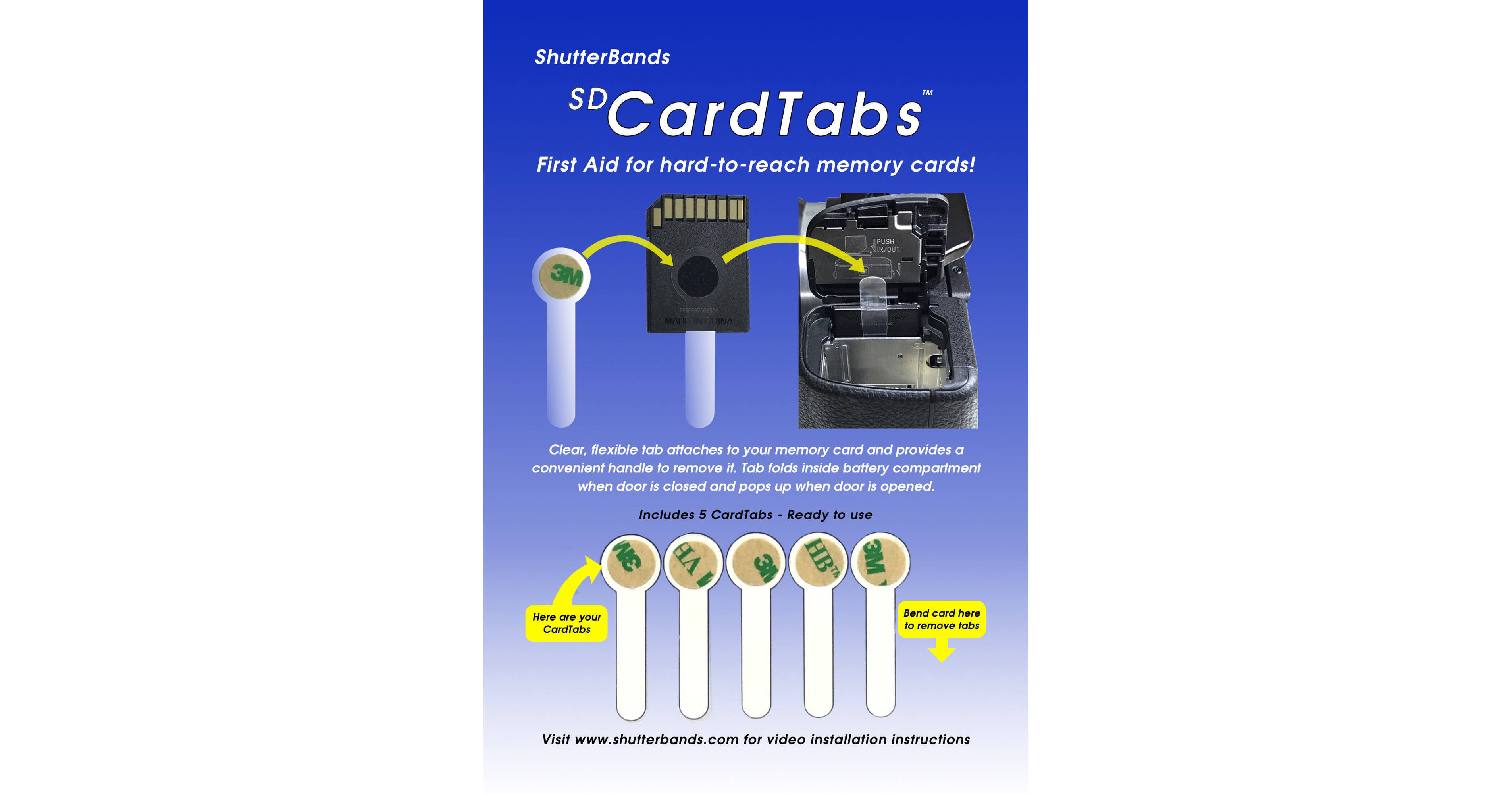
Designed for cameras such as the Sony a5000, a6300, a6000, and NEX series, where the memory card is "sandwiched" between the battery and the battery door hinge, this 5-pack of SD CardTabs from ShutterBands helps users remove memory cards from card slots that may not be easily accessible. Each clear and flexible tab is 0.1mm thin and folds over inside the battery compartment when the door is closed. When the door is opened, the tab springs back up, giving users access to their SD card. This thin form factor also allows SD cards to be stored in their original cases when not in use.
Ask Our Experts800-606-6969
Hello, Log InAccount & Orders
Video Chat with a Photography Expert - Live
Key Features
- For SD Cards That Are Hard to Access
- Helps Remove Cards Easily
- 0.1mm Thin
- Clear & Flexible
Designed for cameras such as the Sony a5000, a6300, a6000, and NEX series, where the memory card is "sandwiched" between the battery and the battery door hinge, this 5-pack of SD CardTabs from ShutterBands helps users remove memory cards from card slots that may not be easily accessible. Each clear and flexible tab is 0.1mm thin and folds over inside the battery compartment when the door is closed. When the door is opened, the tab springs back up, giving users access to their SD card. This thin form factor also allows SD cards to be stored in their original cases when not in use.
More DetailsShutterBands SDCT-001 Overview
Installation Instructions
Remove a CardTab from the front of the card by bending the bottom of the card toward the back to expose the CardTab's tails.
Identify the side of your installed card that is opposite the battery door hinge.
Clean the side of the card with the supplied alcohol wipe.
Remove the brown release paper from the CardTab to expose its adhesive.
Carefully align the tab so the CardTab's circle is centered on the card and its tail is perpendicular to the bottom of the card.
Press the CardTab's circle and hold for 10 seconds to set the adhesive. The CardTab can be used immediately.
To remove a CardTab, simply peel it off. Remove any remaining adhesive from the card by rubbing gently with a soft cloth dampened with rubbing alcohol.
UPC: 864324000326
ShutterBands SDCT-001 Specs
| Dimensions | |
| Weight |
Packaging Info
| Package Weight | |
| Box Dimensions (LxWxH) |
ShutterBands SDCT-001 Reviews
ShutterBrands SD CardTabs help you take out SD cards
By Michael
Rated 5 out of 5
Date: 2025-07-02
I've been having problems grasping things recently. I'm in the middle of being evaluated for neuromuscular disorders right now. I've had problems getting the SD cards out of my OM-/Olympus cameras without having to use a pliers to pull the SD card out. I saw B&H had the ShutterBands SD CardTabs. I've attached it to 5 of my SD cards, and it does help.
Shutter bands
By Kathleen
Rated 1 out of 5
Date: 2020-02-20
I often brake finger nails trying to get my SD card out of my camera so i thought i would give this a try. My conclusion is dont bother to buy them they don't work
See any errors on this page?
