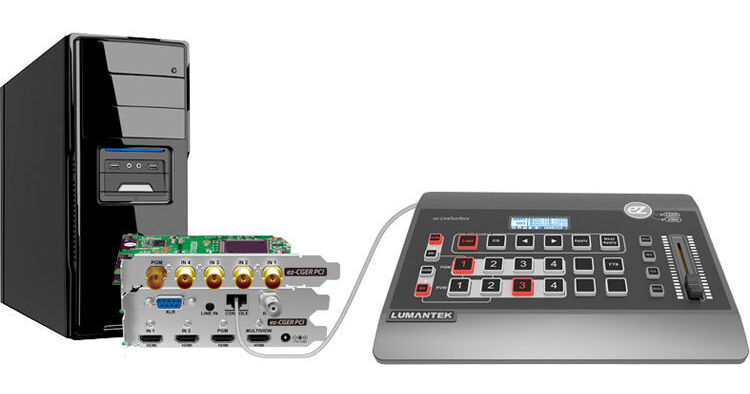
The ez-CGER 4-Channel PCIe CG Switcher from Lumantek consists of the ez-CGER PCI Express card, CG software, and the ez-LiveSurface control surface. The ez-CGER PCI Express card and CG software can be installed on your PC. The ez-CGER communicates with the CG software for system control and supports up to six media input sources via four HD-SDI and two HDMI ports. The CG is mixed with the input sources by software via PCIe and transmitted through SDI and HDMI outputs.
The system also features one SDI, one VGA, and two HDMI output ports for transmitting signals with various resolutions. The multiview output enables users to monitor up to four live input sources, as well as PiP. The ez-CGER features two XLR audio inputs, one stereo 3.5mm jack, and two XLR audio outputs. In addition, SDI or HDMI audio inputs are synchronized with the video and can be switched seamlessly without generating any noise.
Ask Our Experts800-606-6969
Hello, Log InAccount & Orders
Video Chat with a Pro Video Expert - Live
No Longer Available
Lumantek EZ-CGER VM4 PCI Overview
File play input for CG software
HD level input and output resolution support
Various HDMI/VGA output resolution support with the scaler
Lumantek EZ-CGER VM4 PCI Specs
| Inputs | |
| Outputs | |
| System Requirements | |
| Internal Video Processing | |
| Resolution Supported | |
| Dimensions | |
| Weight |
Lumantek EZ-CGER VM4 PCI Reviews
See any errors on this page?