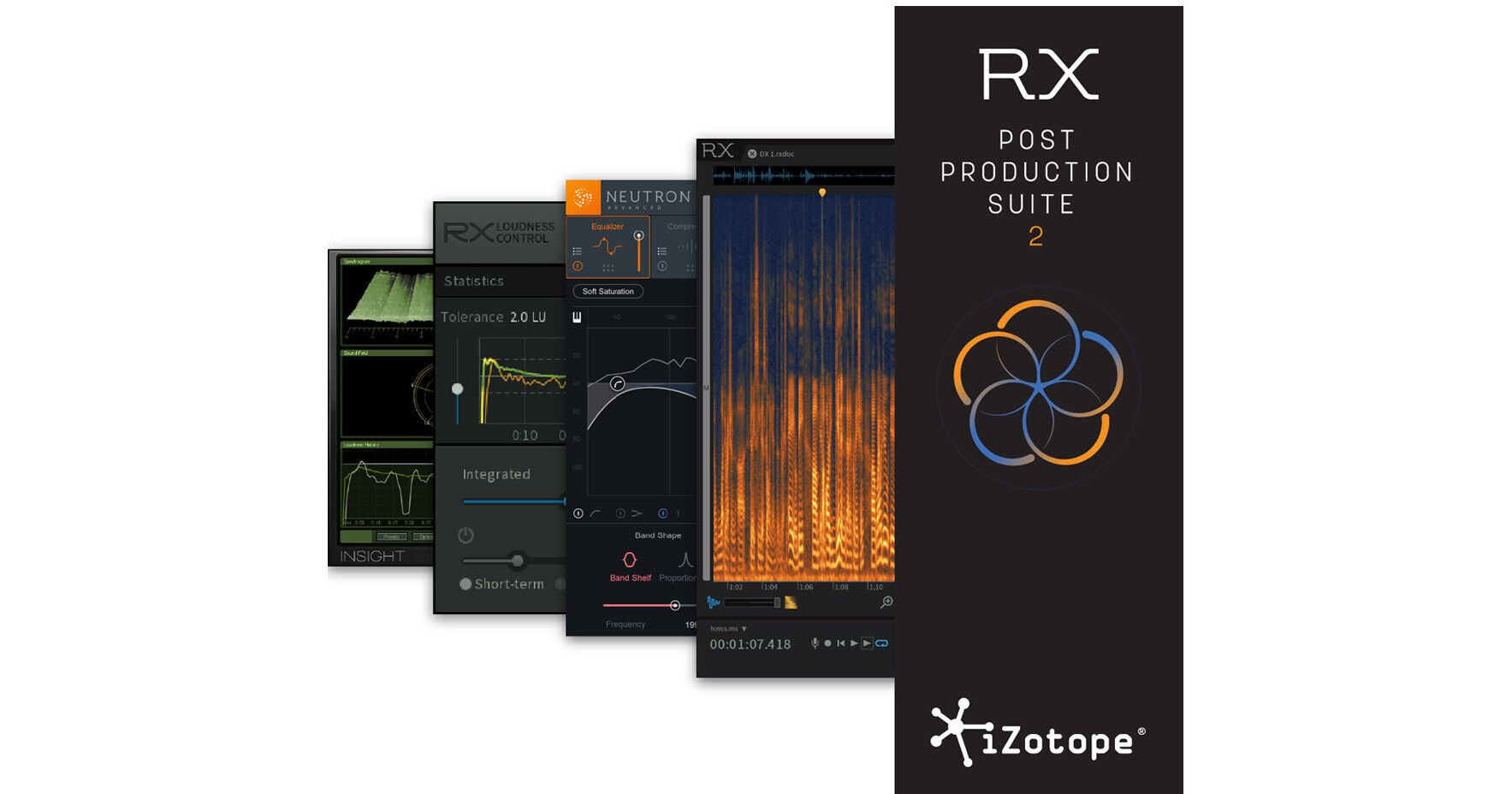


Available for download, version 2.1 of the iZotope RX Post Production Suite adds Neutron 2 Advanced to the bundle's already useful palette of pro-audio processes. Included are four products designed to help post-production mixers and sound designers repair, mix, and deliver products that meet broadcast specifications and sound great while doing so.
RX 6 Advanced gives you a spectral editor for zeroing in on troublesome audio, as well as a plethora of modules that can help you mitigate sonic issues anywhere in the frequency spectrum. More than its predecessor, Neutron 2 provides a refined track assistant and a tailored limiter that meets broadcast specifications. Also provided are a noise gate, surround support up to 7.1, and RX Loudness Control, to help you meet your broadcast targets.
Insight is a comprehensive metering suite with customizable controls for loudness, frequency, and stereo field monitoring. Integrated, short-term and momentary LUFS meters are provided as well as a loudness history graph that can be copied and pasted to text documents. You can also export a detailed history report that complements your resulting mix; a detailed loudness report and graph is made for clients in the broadcast world.
This software operates in AAX, AU, VST, and RTAS formats. It is compatible with Mac and Windows platforms.
Available for download, RX 6 Advanced from iZotope is the latest update to their audio-repair software, which is considered a staple within the recording, mastering, and audio-for-video, post-production communities. The software can operate either as a standalone application or plug-in for both Mac- and Windows-based DAWs and NLEs. From fixing common audio problems like noises, distortions, and inconsistent recordings, to repairing severely damaged audio using Spectral Repair, the software can transform previously unusable audio into something usable.
The RX 6 Advanced edition adds several important functions for professional workflows. Previous versions brought in EQ Match, Ambience Match, and De-plosive modules, but RX 6 Advanced goes further by adding De-rustle, De-wind, and De-ess modules, helping you make short work of wind-noise issues, lavalier rustling, and harsh sibilance respectively. Operations previously buried in the utilities have been given their own modules, while existing modules have been refurbished and, in a few cases, broken out into multiple processors: Voice De-noise is now its own dedicated module, with separated optimization modes for dialogue and music; a new Mouth De-click module has been tailored to zoom in on—and promptly eradicate—those pesky mouth sounds that so many human beings find abhorrent in dialogue recordings.
Also new to the RX Advanced workflow is the ability to edit multiple (up to 16) tracks at once. This makes the process of editing that one cough out of a multi-miked, live classical recording easier to accomplish. A De-bleed module is included, allowing you to reduce the leakage of errant audio; you can use this to eliminate headphone bleed, small amounts of cross bleed between mics, and even click tracks. Other new features include the ability to export MP3s, module list filters, and more.
The Process tool works as it did in previous iterations, painting away audio problems on the spectrogram in one of several modes (Attenuate, De-click, Fade, Gain, and Replace), as does the Module Chain, which reduces the number of mouse clicks required for using a series of processes. Corrective EQ, De-clip, and other classic processes have been ported over, and, in a few cases, improved upon.
More of these tools are now accessible as a plug-in; however, some processes are still only available in the standalone version, so RX Connect has been provided to use offline processes in conjunction with your DAW or NLE. This facilitates seamless transfers and keeps productivity flowing. Additional features include high-quality re-sampling and dithering, rebuilding distorted audio, batch processing, and more. A detailed spectrum analyzer detects peaks automatically, and a suite of automatic, intelligent modules reduces manual tasks in the audio production workflow. RX 6 Advanced Audio Editor can be used as a standalone audio editor, a standalone audio editor connected to your host via RX Connect, or a suite of plug-ins.
This download is eligible for a FREE upgrade to RX 7.
- Improvements made to De-click, Deconstruct, De-plosive, and Ambience Match modules
- Improvements made to Center Extract and Find Similar processes
- De-plosive eliminates every plosive from any dialogue track with transparency
- Leveler smooths any volume inconsistencies with an automatic clip-gain envelope; leveler optimized for dialogue using intelligent de-breath and de-ess algorithms
- Instant Process tool is a one-click eraser for removing unwanted coughs, scene-interrupting sirens, and more
- Module Chain can process multiple modules at once, save your customized chains as presets, and execute them all with a single click, enhancing workflow and reducing mouse clicks
- Sync and integrate the RX Audio Editor with any DAW or NLE timeline using RX Connect
- Pro Tools support for clip-by-clip and handles, which preserves the boundaries of clips, allowing for simpler conformation to future picture changes
- Corrective EQ for removing harsh high frequencies, whines, rumbles, resonances, and distortion artifacts, and for accurately homing in on any problem-frequency areas
- Sixty problem-oriented presets across several modules
- Signal Generator creates accurate test tones, calibration tones for post-production delivery specs, and bleep tones for eliminating obscenities in dialogue
- Markers and regions (search) provide greater flexibility for those longer edits, with the ability to perform text-based searches of any markers, regions, and comments in the metadata of the audio
- Turn flawed audio into usable material by removing noises, distortions, and more
- Edit audio with visual editing techniques using precision drawing tools, such as a brush and magic wand
- Salvage unusable material by filling in audio gaps instantly with Spectral Repair
- Seamlessly integrates with audio- or video-editing software, both as a standalone application or plug-in
- EQ Match allows for quickly learning the EQ of a source audio clip and applying that EQ curve to a target audio clip, enabling sonic balance and smooth transitions between multiple audio sources with different EQ qualities
- Ambience Match for matching the environment noise of two different audio recordings
- Learn the ambient noise from a source audio clip and apply it to another audio clip, and create long sections of constant ambient noise to insert under inconsistent dialogue recordings
- Loudness module processes whole program mixes or segments to comply with international industry standards, ensuring mixes never fail network specifications
- High-quality resampling using the SRC sample-rate conversion algorithm
- Reduce bit resolution for final delivery of a project without sacrificing quality with the MBIT+ Dither algorithm
- Rebuild distorted audio caused by analog and digital overload, and get through projects faster with the automatic Suggest feature
- Spectrum Analyzer delivers a detailed spectral display that detects peaks automatically
- Adaptive Hum Removal notches out fundamental hum frequencies that may change over time, like when recording a shot in multiple locations
- Non-destructive Clip Gain allows for easily adjusting and balancing the volume of vocals and instrumentals
- Export marker regions as files
- Metadata display (see ID3 tags and broadcast WAV metadata like source timecode, etc.)
- Time-reverse audio
- Updated timeline ruler that displays original recorded source timecode
- Movable tabs
- Full-screen support for Mac
RX Loudness Control from iZotope is a postproduction plug-in that avoids the problems associated with rejected audio material due to noncompliance with broadcast loudness specifications. Based around faster-than-real-time intelligent algorithms, the software delivers compliant audio from multiple hosts according to global standards.
For many mixes, dynamics are not affected because only a fixed gain is required to meet specifications. In the case of a mix having high dynamic content or significant transients, compression and/or limiting may be applied to meet Short-term (Momentary) or True Peak specifications. Surround sound up to 5.1 is supported, and the software will also preserve the left total right total (LtRt) encoding on a Dolby-encoded mix.
- Ensures mixes meet the required delivery specifications with intelligent algorithms that take out the guesswork
- Deliver results globally using the latest loudness standards
- Extensive presets and efficient workflow that saves time on the final stage of TV production
- History graph and loudness report inform whether audio is within the appropriate tolerance of the selected loudness standard, and if not, shows where the overflows may be occurring
- Supports mono, stereo, and surround channel counts up to 5.1
- IRC (Intelligent Release Control) II transparent limiting algorithm, an offline process that corrects a mono, stereo, or surround sound audio file for True Peak value (dBTP)
- Supports offline processing as an AudioSuite plug-in for Avid Media Composer and Pro Tools 10 through 12
- Offline loudness-compliant processing is available as an audio extension for Adobe Premiere Pro
- BS.1770-1 (Global)
- BS.1770-2-3 (Global)
- EBU R128 (Europe)
- EBU R128 s1 (Europe)
- AGCOM 219/09/CSP (Italy)
- ATSC A/85 (U.S.)
- OP-59 (Australia)
- ARIB TR-B32 (Japan)
The iZotope Insight Essential Metering Suite is designed for post production and broadcast applications. The Insight Suite provides an extensive set of audio analysis and metering tools, suitable for visualizing changes made during mixing and mastering, troubleshooting problematic mixes, and ensuring compliance with broadcast loudness standards. Fully customizable and scalable, Insight allows you to visually monitor all the relevant information from your mono, stereo, or surround mix in a convenient floating window.
Insight visually guides you throughout the mixing process, empowering you to look deeper into your audio with intelligent analysis tools and real-time monitoring capabilities. You can view tried and tested analog-style meters with digital twists, and keep tabs on cutting-edge displays that give you limitless access to your audio. You can design your ideal metering plug-in with customizable views, settings, and presets.
Insight provides a combination of both established and innovative metering solutions for any type of audio work. The flexible interface features 5 distinct metering partitions: Spectrogram, Spectrum Analyzer, Sound Field, Levels, and Loudness History.
Unlike typical waterfall plots, Insight's real-time 3D spectrogram creates a detailed topographical map of audio using iZotope's high-resolution spectrogram capabilities. It also includes a real-time spectrum analyzer for examining the frequency balance of your mix. Insight's resizable Stereo Vectorscope provides useful display options for examining the stereo image of your mix.
Insight features a number of tools that help ensure your audio adheres to the loudness standards. By evaluating audio levels in terms of how the human ear perceives loudness, loudness meters are used to ensure a mix complies with broadcast regulations, like those specified by the Advanced Television Standards Committee and European Broadcasting Union. Fully compliant with the ITU-R BS.1770-1, ITU-R BS.1770-2, ITU-R BS.1770-3, and EBU R128 standards, Insight provides the tools you need to be confident that your audio meets regulations.
Insight lets you choose the meters you want to view, customize them, and navigate to exactly the level of detail that you require. For eye-popping visual insight, you can feed information on multiple audio streams to the Spectrogram via Meter Taps. Add Meter Tap plug-ins to individual tracks or buses and then open the Spectrogram to see how mix elements combine in real-time details.
Insight's Surround Scope feature helps you visualize how your surround project will be spatially perceived by your audience during playback, and also keeps you aware of any potential technical problems with your audio's alignment. The Insight Essential Metering Suite is designed for post production and broadcast engineers, music engineers, video editors, and sound designers and composers.
- Spectrogram: View a detailed topographical map of your audio stream in 2D or 3D, and feed in any individual tracks or buses via Meter Taps.
- Spectrum Analyzer: You can see the frequency balance of your mix in real-time with display options like Linear, Octave, Critical B etc.
- Sound Field: Examine the behavior and balance of stereo and surround mixes, visualize spatial activity in real time, and quickly diagnose phase issues with the Stereo Vectorscope and Surround Scope.
- Levels: Monitor both True Peak and Loudness meters for immediate feedback on your project's levels.
- Loudness History: Visualize and inspect loudness over time, in real time or retrospectively, with the option to capture loudness data in an exportable log or graph.
- Fully compliant with the BS.1770-1/2/3 standard, Insight includes meters for immediate loudness calculation and True Peak detection, loudness calculation over time, and faster than real-time offline loudness calculation.
- Plot an infinite history of the loudness of your mix with the Loudness History Graph; use it for retrospective examination of your mix's loudness, or for real-time monitoring of loudness trends as they occur over time.
- Set your loudness targets and mark when any levels exceed them with Loudness Overflow Tracking, which writes automation to your DAW to capture loudness overflow alerts.
- Prove adherence to loudness standards by exporting a log or graph of your loudness data to clients, networks, broadcasters, and other legislation enforcers that require documentation.
- Insight shows meters for up to 6 channels of surround data.
- You can size the plug-in to optimize your studio screen space and choose the meters appropriate for your workflow. You can then adjust each partition's size to best suit your preferences.
- Try out common metering views with 30+ Insight presets and choose metering options based on the loudness standards in your region.
- Easily save your favorite meter settings and recall them later, or cycle through various views within the same session as you move through different workflows.
- You can take total control over how your audio is visualized; each meter provides numerous display options.
- Pick and choose which meters you want visible and then adjust each partition's size as per your preference.
- Configure each meter precisely to your needs with a variety of per-meter display options and settings.
- Perform deep analysis with easy freezing, zooming, scrolling, scaling, freezing, and hovering within relevant meters for closer inspection, exploration, and data pinpointing.
- Tailor exactly which tracks and buses the Spectrogram monitors by adding Meter Taps to any track or bus.
- View important values at a glance with Loudness Meter Readouts that show momentary, momentary maximum, short-term, integrated, and loudness range calculations, as defined by BS.1770 metering guidelines.
- Retrospectively analyze the loudness of a mix, or monitor loudness trends as they occur with the Loudness History Graph.
- Ensure no audio will clip during analog playback with BS.1770-3-compliant True Peak Meters.
- Define your own loudness and clipping thresholds and be quickly alerted to increased loudness and clipping with Adjustable Loudness and True Peak Targets.
- Quickly assess if current or past audio projects are in compliance by running an Offline Loudness Calculation, which is faster than real-time in-hosts offering offline processing.
- Write automation to your DAW to capture when the loudness level is above your target with Loudness Overflow Tracking.
- Prove adherence to loudness standards to clients, networks, broadcasters, and legislation enforcers: document and archive a project's loudness data with an exportable log or graph.
- Quickly configure Insight to reflect the loudness settings in your region with Insight's Loudness Presets.
- Display up to 5 channels of surround data in Film, SMPTE/ITU, and DTS channel configurations.
- Quickly deduce how a surround mix will be perceived in the surround space with a uniquely stylized, 360° Surround Amplitude Meter.
- Be instantly aware of any potential phase issues with Sound Correlation Alerts, which indicate when there's a chance of signal cancellation during summing or playback.
- Easily pinpoint the overall surround location of a signal with the Surround Balance Indicator.
- Choose between a high-resolution and real-time 2D or 3D scrolling Spectrogram.
- Perform detailed inspections with Freeze and Zoom modes.
- Easily examine gain values by frequency with a convenient mouse pointer readout.
- Insight takes advantage of video card graphics processing for full-screen 3D metering, preserving more processing power for your audio work.
- Use Overlay, Tile, or Stack views to compare different Meter Tap streams and see their relationships.
- Bring different audio streams into focus to see how each fits in the mix.
- Tailor the display to your preferences with customizable colors for different tracks and buses.
- Insert Meter Taps on mono, stereo, or surround tracks and buses.
- Rapidly diagnose mono and/or stereo phase compatibility issues within the Sound Field partition.
- Choose between Lissajous and Polar modes for multiple visualizations of stereo field activity and activity history.
- Check the balance between Left and Right channels with Stereo Balance Meters.
- Compare the similarity between left and right channels with Stereo Correlation Meters.
- Display one of the 4 different types of spectrums including Linear, Octave, 1/3 Octave, and Critical Bands.
- Select between specific Peak Hold Times to hold the peaks for different millisecond values, or select Infinite to hold peaks until you click to reset.
- Click and zoom by both time and frequency, or hover to pinpoint exact Hertz / decibel values.
- Adjust advanced controls to customize how the analyzer appears and how frequently it updates.
- Monitor your audio for compliance with recently passed loudness standards like the CALM Act with Loudness Meters and the Loudness History Graph.
- Ensure your audio won't clip in the analog domain with Insight's True Peak meters, fully compliant with the recently released BS.1770-3 technical specifications.
- Easily visualize both the stereo and surround sound field of your mix to ensure a successful down mix.
- Assess how dialog and/or voiceover levels are balanced alongside your project's music and effects by routing tracks or buses to the Spectrogram via Meter Taps.
For Music Engineers:
- Visualize the frequencies of your mix in real time with the linear Spectrum Analyzer or with a display divided into octaves or critical bands
- Make insightful mixing decisions and tweaks by routing your mix's tracks and buses to the Spectrogram via Meter Taps.
- Monitor the stereo width of your song throughout mixing and ensure successful mono playout.
- Compare the loudness of multiple tracks on a record or compare your track with a reference track to see how your master matches up.
For Video Editors:
- Seamlessly monitor audio loudness through all stages of video production, from offline to online, reducing the need to later remix the soundtrack for broadcast.
- Assure compatibility with mono televisions using the Stereo Vectorscope.
- Use time-saving presets to quickly load settings relevant to the loudness standards in your part of the world.
- Reduce visual clutter by resizing Insight and enabling only the meters relevant to video post work.
For Sound Designers and Composers:
- Compare your composition to a reference track by simultaneously displaying them in the 2D or 3D Spectrogram via Meter Taps.
- Prepare loudness-compliant audio for video games and film from the very start of your project, reducing the need to remix your work for a final deliverable.
- Make informed creative decisions regarding panning with the Stereo Vectorscope and Surround Scope.
- Choose the sound effect or atmosphere with the right spectral properties for your mix; analyze how it will fit into your project by using the Spectrogram or the Spectrum Analyzer.
Available for download, iZotope Neutron 2 Advanced is a channel-strip plug-in designed for mixing music and audio-post production. Like its predecessor, Neutron 2 Advanced provides a compressor, equalizer, exciter, transient shaper, and a limiter, as well as the frequency-masking meter and the track assistant feature. Many of these modules have been improved upon, and several new elements have been introduced to making your mixing session a more intuitive, gratifying enterprise.
Take the new Visual Mixer, for instance. This separate module, included with the plug-in, gives you a visual picture of your mix; any track using Neutron 2 Advanced or the Mix Tap plug-in (explained later) can be manipulated across an intuitive, visual plane, giving you a graphical indicator not unlike an XY matrix. Move a track from the left to the right, and you are panning that track from the left to the right. Move the track up and down to dictate its sonic level within the visual framework. Each element represented in this pictorial overlay is encapsulated in a node; grab the handles of this node and pull it outwards or inwards to manipulate the element's overall stereo width. This tool is meant to benefit Neutron as an ecosystem, promoting integration between tracks boasting Neutron 2 or the Mix Tap plug-in, and allowing you to carve space without navigating through windows, fader banks, and other potential hindrances.
As for the Mix Tap plug-in, the concept behind that is relatively straight-forward: perhaps you don’t want to load Neutron on a relatively unimportant track in your mix, but would still like to manipulate that element within the Visual Mixer. If that’s the case, simply instantiate Mix Tap on the track, and it will now interface with the Visual Mixer—but it doesn’t stop there: Mix Tap also lets you integrate non-Neutron tracks with iZotope’s Tonal Balance Control Plug-in and the Masking Meter to better implement frequency changes throughout your mix.
This leads us nicely into the Tonal Balance Control plug-in, included with Neutron 2 Advanced. Tonal Balance Control provides an intuitive and adjustable frequency analysis over your whole mix. It's designed to help you ensure a frequency profile commensurate with the norms of modern, vintage, or orchestral music. You can also upload your own reference tracks into Tonal Balance Control and aim to match those. On the low end, a crest factor meter is provided to make sure you don't over-compress the bass frequencies. Within the plug-in, you can call up and tweak equalizers in any instance of Neutron 2 or Ozone 8 across your mix. This gives you a new level of control and inter-connectivity across the iZotope ecosystem.
A new module has also been added into the fray, one that is sure to come in handy: a multiband noise gate with hysteresis, which also sports musical controls for eliminating unwanted, extraneous signals in a natural manner.
In addition to the UI improvements, which include a more intuitive layout—making features like the masking meter easier to use—Neutron 2 Advanced has also improved many of the machine-learning algorithms which made the original Neutron handy in the first place. The track assistant, for instance, now has the ability to set time constants for the dynamic processes. The functionality of the exciter has been expanded so that now you can set the drive and blend of the harmonic distortion when it analyses your track. Track Assistant also gives you a range of potential options for its custom-created presets. When first firing it up, a menu will ask you what you’re going for, giving you style options (balanced, warm, and upfront) as well as intensity choices (low, medium, and high). You can tell the algorithm what the instrument is, or choose auto-detect. If you choose the latter, know that a new detection mode has been implemented to identify pianos. When it’s done processing, the Track Assistant gives you the ability to accept or reject the custom-created channel setting.
More options abound which improve work-flow and creativity. For instance, you’ll find a soft-saturation option attached to the equalizer. All multiband processors can be switched into single-band, and controls below the I/O section allow you to monitor in mono, flip the polarity, increase the width on both the left and right channels, and swap them. Below these controls, you’ll find the Neutrino section, which helps you maintain the clarity, focus, and separation of individual tracks across your mix by means of three controls. This software is compatible with Windows and Mac platforms. It can operate in AAX, RTAS, VST 3, VST 3, and AudioUnit formats.
- Automatically detects instrument types (guitar, vocals/dialogue, bass, drums, piano)
- Creates custom starting points based on your specific audio tracks
- Offers three styles of processing and levels of intensity
- Adds Neutrino's Spectral Shaping to help maintain focus and clarity
- Intelligently places EQ nodes and creates an EQ curve
- Automatic settings for signal flow, including single or multiband processing
- Uses algorithms to intelligently place crossovers in multiband modes
- Automatic selection of compressor styles (digital or vintage) as well as setting assignments (threshold, attack, release, and ratio)
- Selects Exciter algorithm blend and dials in a custom amount per the audio's needs
- Sets threshold in Transient Shaper
- Improved instrument/dialogue detection
- Control volume, pan, and stereo width
- View sonic activity with node metering
- Create snapshots of your mix
- Automatic track labeling from your DAW (requires AAX, AU, or VST3 support)
- Select, show, and hide tracks
- Intuitive frequency meter for mastering
- Broad or fine view panels
- Control EQ of any Ozone 8 or Neutron 2 module in your mix
- Three tonal presets
- Low-end crest factor meter monitors if your bass frequencies are over-compressed
- Import a reference track or a folder of reference tracks for matching frequency-balance
- Route any track to Visual Mixer
- Route any track to Tonal Balance Control
- Route any track to Masking Meter
- High-pass filter
- Delay offset
- Phase invert
- Sum to mono
- Swap channels
- Analog-style hysteresis
- Three bands of gating
- Hold function
- Learn function
- Multiband mode
- Available as a module or a dedicated plug-in
- Visually identifies which frequencies are being perceptually masked by another track, thus helping you to make intelligent EQ decisions
- Adjusts both the selected track and masking track’s EQ settings from within the same plug-in GUI
- Identifies frequency-masking trouble spots over time using the histogram
- Based on iZotope’s spectral shaping technology
- Uses simplified controls to influence clarity and detail over elements of your mix
- Intended to enhance, in a subtle manner, the separation and focus of individual instruments
- CPU efficient
- Up to 12 EQ Bands
- Static or dynamic functionality per node
- Analog-style soft-saturation mode (switchable)
- Side-chain functionality for dynamic nodes
- Flat LP/HP, Resonant LP/HP, Analog lo/hi shelf, Baxandall bass/treble, Vintage lo/hi shelf, Proportional Q, and Band Shelf
- Multiple frequency scale types: Linear, Mel, Log, Extended Log, Flat Log
- Adjust both the lead track and masking track's EQ settings from within the same plug-in GUI
- Piano-roll overlay
- Available as a module or a dedicated plug-in
- Modern or vintage compression modes (i.e., clean or colorful)
- Single or multiband modes
- Threshold and crossover frequency auto-learn
- Peak, RMS, or transparent True Envelope detection
- Program dependent auto-release
- Internal or external side-chain per band
- Analog (zero-latency) or Hybrid (transparent) crossovers
- Available as a module or a dedicated plug-in
- 3 Global Modes (Precise, Balanced, Loose)
- 3 Contour Shapes (Sharp, Medium, and Smooth)
- Single or multiband
- Crossover frequency auto-learn
- Analog (zero-latency) or Hybrid (transparent) crossovers
- Available as a module or a dedicated plug-in
- 3 global modes to fine-tune saturation color (Full, Defined, Clean)
- 4 saturation types (Tube, Warm, Tape, & Retro), blendable at will
- Single or multiband
- Crossover frequency auto-learn
- Analog (zero-latency) or Hybrid (transparent) crossovers
- Available as a module or a dedicated plug-in
- Input/output metering
- Stereo-width and panning controls
- Sum-to-mono button
- Swap channels button
- Phase invert button
- Delay offset
- Intuitive limiter with three styles and ceiling control
- True-peak limiter suitable for BS.1770-4 compliance
- Surround support up to 7.1
- LFE bypass-toggle for each module and limiter