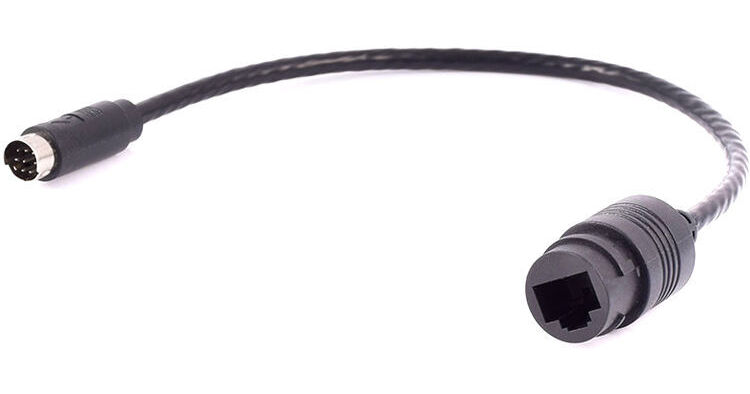
Works, Configurable, but needs 2 Pairs Crossed Cable
By Brian
Rated 4 out of 5
Date: 2020-11-05
I have 6 of these, and they each work just fine (on 3 different PTZ manufacturers), but you need a 2 pairs crossed cable, not a fully crossed cable. This isn't fully clear, but it is explained on the AIDA Imaging webpage and the pin layout: https://aidaimaging.com/product/rs-232c-mini-din-to-rj45-gender-changer/
My quips with the product are as follows:
- When placing multiple products next to each other with the Mini-DIN plugged in, the RJ45 ends don't line up the same.
- The RJ45 clip catch is a bit picky. Sometimes the ethernet cable will pull out with a bit of force
- Arrow on the top of the Mini-DIN could be clearer to which side is top
Explanation of needing 2 Pairs Crossed:
Based on pin assignment, for an RJ45, the pins used are 1, 2, 3, 4, and 6. Pin 4 is used for ground and needs to be straight through, while 1, 2 will cross to 3,6. As such, you do need a half cross cable. I must assume the other reviewer made a fully crossed cable (as my fully crossed cable did fail).
Below is my configuration for custom cables (used in bundles for quick setup time in my environment that I setup every week and then take down). I bundle the control in, control out, RG6, and an extra ethernet cable. The first camera control cable in is paired with a Cisco Console RJ45 Male to DB9 Female to create the DB9 to 8 Pin Mini-Din control cable.
Cisco Console RJ45 Male to DB9 Female
Custom Cable:
- RJ45 Keystone (pinout below)
- Cat 5e
- RJ45 using T-568B
AIDA Imaging 8-Pin Mini-DIN to RJ45
Based on pinout, the Keystone needs to have the following layout to pair with a T-568B:
1. doesn't matter
2. Orange
3. White Orange
4. doesn't matter
5. Blue
6. White Green
7. Green
8. doesn't matter
I've filled 1, 4, 8 with White Brown, Brown, White Blue respectfully.
For the Control Cable Out, I make the Out end as a T-568A RJ45, and the junction end as a the above pinout RJ45. This will then fit with the next leg control cable in.
Most people won't need the above, but perhaps it helps someone.