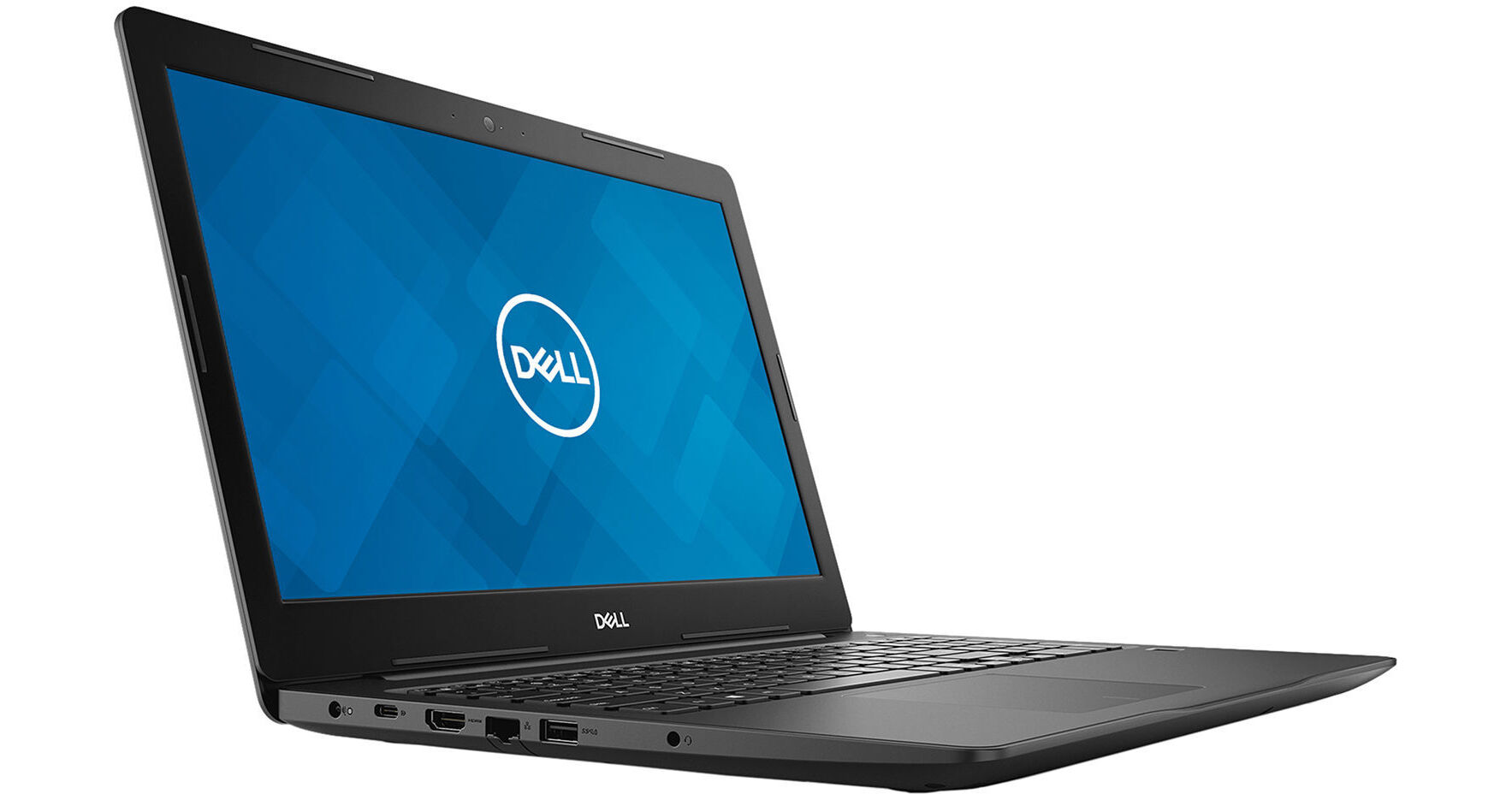
Dell 15.6" Latitude 3590 Laptop

BH #DEL3590D9R2Y • MFR #D9R2Y
Print
Dell 15.6" Latitude 3590 Laptop
Key Features
  • 1.6 GHz Intel Core i5-8250U Quad-Core
  • 4GB DDR4 RAM | 500GB 7200 rpm HDD
  • 15.6" 1366 x 768 Anti-Glare Display
  • Integrated Intel UHD Graphics 620
The 15.6" Latitude 3590 Laptop from Dell provides security features critical for small and growing businesses in a durable, reliable, and portable design. The 15.6" anti-glare display is driven by integrated Intel UHD Graphics 620 and features an HD 1366 x 768 resolution, 220 cd/m2 brightness, viewing angles of 40/40/10/30°, a 400:1 contrast ratio, and a refresh rate of 60 Hz. With its 16:9 aspect ratio, 720p HD content is displayed without scaling or letterboxing.
More Details
No Longer Available
No Store Display
Ask an Expert
800-606-6969

Dell 15 3000 3590 Overview

The 15.6" Latitude 3590 Laptop from Dell provides security features critical for small and growing businesses in a durable, reliable, and portable design. The 15.6" anti-glare display is driven by integrated Intel UHD Graphics 620 and features an HD 1366 x 768 resolution, 220 cd/m2 brightness, viewing angles of 40/40/10/30°, a 400:1 contrast ratio, and a refresh rate of 60 Hz. With its 16:9 aspect ratio, 720p HD content is displayed without scaling or letterboxing.

The system is powered by a 1.6 GHz Intel Core i5-8250U Quad-Core processor. It also has 4GB of 2400 MHz DDR4 RAM, a 256GB SATA M.2 SSD, one USB 3.1 Gen 1 Type-C port with support for Power Delivery and DisplayPort, one USB 3.1 Gen 1 Type-A port with PowerShare, one USB 2.0 port Type-A port, one HDMI 1.4 port, one VGA port, a built-in SD/SDHC/SDXC card reader, dual-band 802.11ac Wi-Fi (2x2), Bluetooth 4.1, an integrated 720p webcam, dual integrated microphones, and stereo speakers that are driven by the Realtek ALC3253 codec with Waves MaxxAudio Pro. Included with this system are a 65W AC adapter that operates using 100-240 VAC at 50-60 Hz and a 4-cell / 56Wh battery that can recharge in around 3-4 hours.

Windows 10 Pro (64-bit) is the installed operating system. Windows 10 Pro improves the user experience of Windows with several additions and changes. Cortana, Microsoft's digital assistant, is integrated into Windows 10 and is available to answer questions with information gathered from both your system and the internet. Microsoft Edge replaces Internet Explorer, and the Windows Store is now unified to include apps for PCs, tablets, and phones, which can now take advantage of the Windows Continuum feature. Xbox One streaming and integration for supported games are also included.

General Features
Office Everywhere
The Latitude's security, versatility, and accessories empower the way you work because your success relies on the ability to maintain office-level productivity, wherever your job takes you.
Enhanced Data Protection
Data security is key in protecting your business and employees. Dell Data Protection is a suite of security software programs offered on each Latitude 3000 Series system. Endpoint security, advanced user authentication, and data encryption software all work cohesively to help safeguard your data from threats and hacks.
Safely Communicate
Your Latitude 3590 comes TPM2.0 TCG certified, FIPS-140-2 certified, and uses hardware-based cryptography for more secure communications.
User-Friendly Management
Dell Client Command Suite comes with a set of automation tools that assists in device monitoring, deploying images, updating and more, to maximize your hardware and software investments and save time.
Strong Reliability
Your Latitude 3590 features a durable, built-to-last chassis that has undergone military-grade MIL-STD 810G testing to ensure your system can withstand real-world conditions.
Power Your Workday
A 1.6 GHz Intel Core i5-8250U Quad-Core processor delivers the power you need for increased productivity, while 4GB of DDR4 memory boosts transfer rates while using less voltage, making your Latitude 3590 run faster and more efficiently.
Flexible Connectivity
VGA, HDMI, RJ45, USB Type-A, and USB Type-C ports let you go dongle free and accommodate your legacy connections.
Work Together with Ease
The extended 135° hinge is smooth, flexible, and durable so you can collaborate effectively.
Take Your Work with You
At 0.89" thin and weighing in at 4.45 pounds, your Latitude laptop is travel ready.
Power
Get up to 14.9 hours of battery life with the optional 56WHr battery to handle your entire workday.
Windows 10 Pro
Start Menu
After its hiatus in Windows 8, the Start Menu has returned. Utilizing a combination of the traditional menu system and Windows 8's Live Tiles, the improved Start Menu gives you more information at a glance, showing notification information alongside your applications and other pinned items.
Cortana
Microsoft's digital personal assistant, Cortana can answer your questions with information gleaned from both your device and the Internet at large. You can type or even talk with her, if your system has a microphone. Using her Laptop, Cortana keeps track of your needs and wants, and she learns over time to improve her information gathering skills.
Microsoft Edge
After nearly 20 years, Microsoft has finally replaced its Internet Explorer web browser. With Microsoft Edge, users can write directly on web pages and share notes with friends and colleagues. It also improves the online reading experience by adding a distraction-free mode and read-it-later functionality. Edge also has built-in Cortana integration; you can have her help you find a restaurant, make a reservation, and pull up directions without leaving your browser.
Windows Store
For Windows 10, Microsoft has unified the Windows Store. Now, apps for PCs, tablets, and phones will all be accessible from one place. And with support for Universal Apps, one version of an app can work across all your compatible devices automatically.
Windows Continuum
Windows 10 was designed for a variety of screen sizes and input styles, and with its Continuum feature, it automatically adapts to fit your needs. A Windows 10 tablet on its own requires a touch-centric approach, but attaching a mouse and keyboard will shift everything to a more traditional interface. You can even attach an external monitor to your Windows 10 phone for a near-desktop experience. But it's not just the operating system; Windows Universal Apps take advantage of Continuum as well.
Xbox on Windows 10
Gaming is a big focus of Windows 10. Xbox integration allows for PC players to match up against Xbox One players on supported games, and if you have an Xbox One, you can even stream compatible titles to your PC. Native support for recording with the new Game DVR feature makes it easy to capture and share your gameplay. The new DirectX12 takes better advantage of multi-core processors, giving games a performance boost, even on older hardware. Windows 10 also features native support for virtual reality headsets, such as the Oculus Rift.
Windows 10 Pro
The Pro version of Windows 10 includes all of the features of Windows 10 Home plus many designed specifically for business users, including Hyper-V virtualization, BitLocker disk encryption, and remote desktop access. Devices will also be able to join domains and the Azure Active Directory, and they can even access a specialized version of the Windows Store featuring custom, company-specific applications.

Dell 15 3000 3590 Specs

Operating System
Windows 10 Pro (64-Bit)
Performance
CPU
1.6 GHz Intel Core i5-8250U Quad-Core
Maximum Boost Speed
3.4 GHz
Memory Type
2400 MHz DDR4
Installed RAM
4 GB
Maximum Memory Capacity
32 GB
Memory Slot Type
260-Pin SO-DIMM
Memory Slots
(1 Available)
ECC Memory
No
Graphics Type
Integrated
GPU
Intel UHD Graphics 620
Display
Panel Type
Unspecified LCD
Size
15.6"
Aspect Ratio
16:9
Native Resolution
1366 x 768
Touchscreen
No
Finish
Anti-Glare / Matte
Maximum Brightness
220 nits / cd/m2
Refresh Rate
60 Hz
Adaptive-Sync Technology
No
Viewing Angle (H x V)
80 x 40°
Storage and Expansion
SSD Slots
1 x M.2 (Available)
Total Installed Storage
500 GB
Hard Disk Storage
1 x 500 GB 2.5" SATA (7200 rpm)
Expansion Slots
No
Optical Drive
No
I/O
Ports
1 x USB-A 3.0 / 3.1/3.2 Gen 1
1 x USB-A 2.0
USB-C
1 x USB 3.0 / 3.1/3.2 Gen 1
Display I/O
1x HDMI 1.4
1x VGA
Audio I/O
1x 1/8" / 3.5 mm Headphone/Microphone Input/Output
Built-In Speakers
:
Built-In Microphones
No
Media Card Slots
1 x SD/SDHC/SDXC
Communications
Network I/O
1x RJ45 (Gigabit Ethernet)
Wi-Fi
Wi-Fi 5 (802.11ac); Dual-Band (2.4 & 5 GHz)
MU-MIMO Support
2 x 2
Bluetooth
4.1
GPS
No
NFC
No
Webcam
User-Facing: 720p
Battery
Battery Chemistry
Lithium-Ion Polymer (LiPo)
Keyboard & Mouse
Keyboard
Chiclet-Style Keyboard with Number Pad
Pointing Device
TouchPad
General
Security
Accepts 3rd Party Security Lock Devices
Power Supply
65 W with
AC Input Power
100 to 240 VAC, 50 / 60 Hz
Dimensions
15 x 10.2 x 0.9" / 38.1 x 25.9 x 2.3 cm
Weight
4.45 lb / 2.02 kg
Packaging Info
Package Weight
6.7 lb
Box Dimensions (LxWxH)
19.2 x 13.8 x 3"

Dell 15 3000 3590 Reviews

See any errors on this page?
Whatever You Need, We've Got It