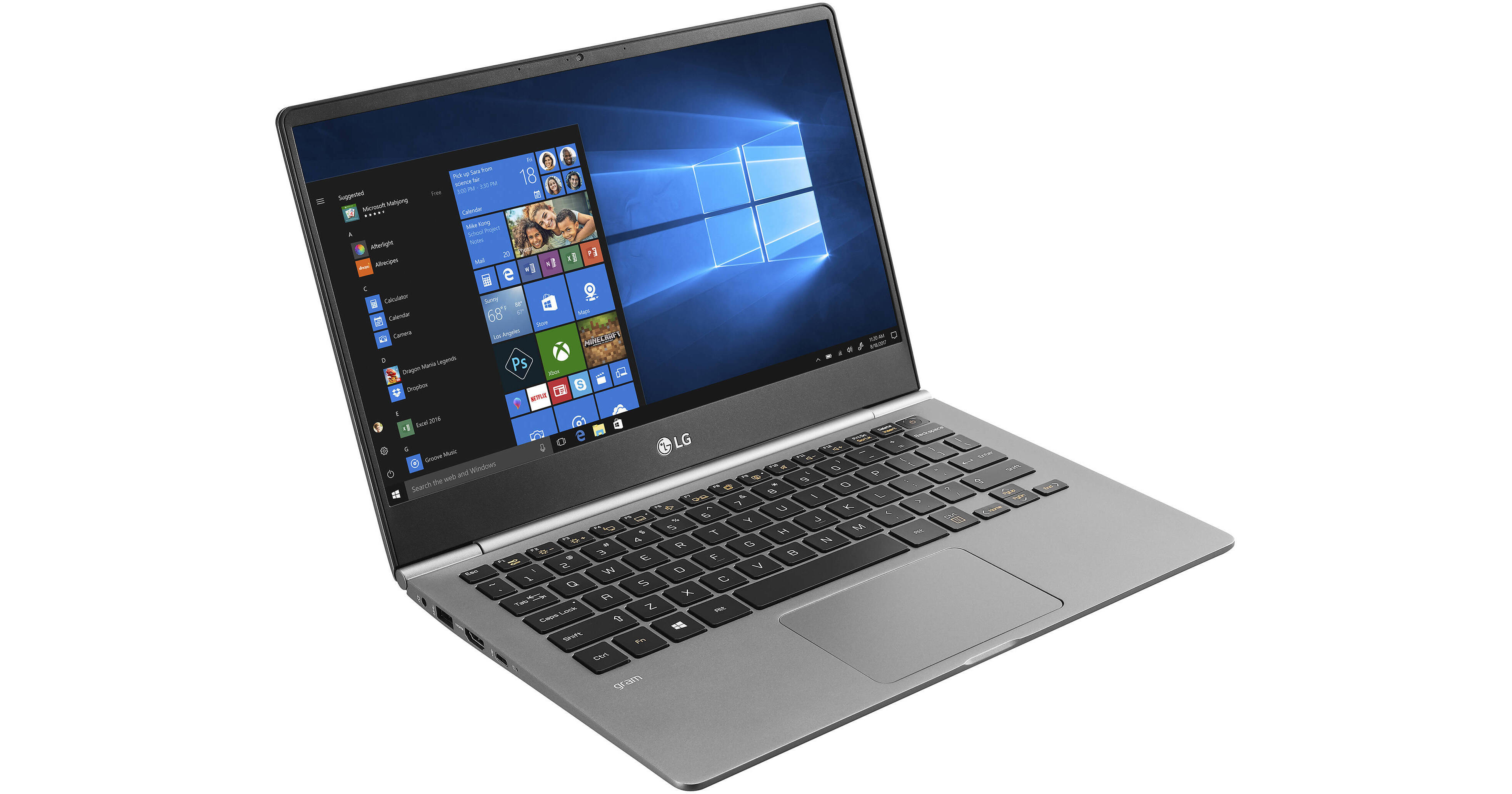
LG 13.3" gram Multi-Touch Notebook

BH #AXLG13Z980AA
Print
LG 13.3" gram Multi-Touch Notebook
Key Features
  • 1.8 GHz Intel Core i7-8550U Quad-Core
  • 8GB DDR4 | 256GB M.2 SATA SSD
  • 1920 x 1080 Multi-Touch IPS Display
  • Integrated Intel UHD Graphics 620
The 13.3" gram Multi-Touch Notebook from LG is a thin and light system designed to keep up with you throughout the day. It's powered by a 1.8 GHz Intel Core i7-8550U quad-core processor, 8GB of DDR4 RAM, and 256GB M.2 SATA SSD for efficient multitasking and quick access to frequently used programs. The gram's 13.3" 1920 x 1080 IPS display is driven by integrated Intel UHD graphics, and it even has an HDMI port, so you can connect an external display for larger viewing and enhanced multitasking.
More Details
No Longer Available
No Store Display
Ask an Expert
800-606-6969

13.3" gram Multi-Touch Notebook Overview

The 13.3" gram Multi-Touch Notebook from LG is a thin and light system designed to keep up with you throughout the day. It's powered by a 1.8 GHz Intel Core i7-8550U quad-core processor, 8GB of DDR4 RAM, and 256GB M.2 SATA SSD for efficient multitasking and quick access to frequently used programs. The gram's 13.3" 1920 x 1080 IPS display is driven by integrated Intel UHD graphics, and it even has an HDMI port, so you can connect an external display for larger viewing and enhanced multitasking.

Connect to the Internet via 802.11ac Wi-Fi and pair compatible wireless peripherals with Bluetooth 4.1. Other integrated features include a backlit keyboard, a USB Type-C port, two USB 3.0 Type-A ports, a microSD card reader, a webcam, speakers, a microphone, and a headphone jack. The operating system installed is Windows 10 Home (64-Bit).

sRGB 100%
With a 100% sRGB color space, the gram is ideal for photographers, graphic designers, and other users who handle color sensitive work.
Two-Way USB Type-C Charging
The gram can charge a smartphone with up to 18 W output while asleep, or even another gram, and can be recharged using a portable battery pack via the USB Type-C port. Easily switch functions with an on-screen menu.
DTS Headphone: X
DTS Headphone: X provides you with virtual surround sound through a pair of headphones for an immersive listening experience.
All-Day Battery
The battery within the gram is rated to last you through a whole day, so you can carry it around without a power adapter.
US MIL-STD 810G
The gram is designed to be strong and has a US MIL-STD 810G rating for durability in low pressure (altitude), salt fog, high and low temperatures, sand and dust, vibration, humidity, and shock.
Windows 10
Start Menu
After its hiatus in Windows 8, the Start Menu has returned. Utilizing a combination of the traditional menu system and Windows 8's Live Tiles, the improved Start Menu gives you more information at a glance, showing notification information alongside your applications and other pinned items.
Cortana
Microsoft's digital personal assistant, Cortana can answer your questions with information gleaned from both your device and the internet at large. You can type or even talk with her, if your system has a microphone. Using her Notebook, Cortana keeps track of your needs and wants, and she learns over time to improve her information gathering skills.
Microsoft Edge
After nearly 20 years, Microsoft has finally replaced its Internet Explorer web browser. With Microsoft Edge, users can write directly on web pages and share notes with friends and colleagues. It also improves the online reading experience by adding a distraction-free mode and read-it-later functionality. Edge also has built-in Cortana integration; you can have her help you find a restaurant, make a reservation, and pull up directions without leaving your browser.
Windows Store
For Windows 10, Microsoft has unified the Windows Store. Now, apps for PCs, tablets, and phones will all be accessible from one place. And with support for Universal Apps, one version of an app can work across all your compatible devices automatically.
Windows Continuum
Windows 10 was designed for a variety of screen sizes and input styles, and with its Continuum feature, it automatically adapts to fit your needs. A Windows 10 tablet on its own requires a touch-centric approach, but attaching a mouse and keyboard will shift everything to a more traditional interface. You can even attach an external monitor to your Windows 10 phone for a near-desktop experience. But it's not just the operating system; Windows Universal Apps take advantage of Continuum as well.

13.3" gram Multi-Touch Notebook Specs

Key Specs
Operating System
Windows 10 Home (64-Bit)
Installed RAM
8 GB
Display Size
13.3"
Native Resolution
1920 x 1080
Touchscreen
Yes
Total Installed Storage
256 GB
Ports
2 x USB-A 3.0 / 3.1/3.2 Gen 1
USB-C
1 x USB 3.0 / 3.1/3.2 Gen 1
Display I/O
1x HDMI
Wi-Fi
Wi-Fi 5 (802.11ac)
Weight
2.1 lb / 1 kg
Operating System
Windows 10 Home (64-Bit)
Performance
CPU
1.8 GHz Intel Core i7-8550U Quad-Core
Maximum Boost Speed
4.0 GHz
Installed RAM
8 GB
Buffered Memory
No
Graphics Type
Integrated
Display
Panel Type
IPS
Size
13.3"
Aspect Ratio
16:9
Native Resolution
1920 x 1080
Touchscreen
Yes
Refresh Rate
60 Hz
Adaptive-Sync Technology
No
Storage and Expansion
SSD Slots
1 x M.2 (Available)
Total Installed Storage
256 GB
Optical Drive
No
Inputs / Outputs
Ports
2 x USB-A 3.0 / 3.1/3.2 Gen 1
USB-C
1 x USB 3.0 / 3.1/3.2 Gen 1
Display I/O
1x HDMI
Audio I/O
1x 1/8" / 3.5 mm Headphone Output
Built-In Speakers
Yes
Built-In Microphones
Yes
Media Card Slots
1 x microSD (Unspecified Type)
Communications
Ethernet
No
Wi-Fi
Wi-Fi 5 (802.11ac)
MU-MIMO Support
2 x 2
Bluetooth
4.1
GPS
No
NFC
No
Webcam
User-Facing: 720p
Battery
Battery Chemistry
Lithium-Ion Polymer (LiPo)
Keyboard & Mouse
Keyboard
Chiclet-Style Keyboard with Backlight
Pointing Device
TouchPad
General
Security
Fingerprint Reader
Dimensions
12 x 0.6 x 8.3" / 304.8 x 15.2 x 210.8 mm
Weight
2.1 lb / 1 kg
Packaging Info
Package Weight
4.25 lb

13.3" gram Multi-Touch Notebook Reviews

See any errors on this page?
Whatever You Need, We've Got It