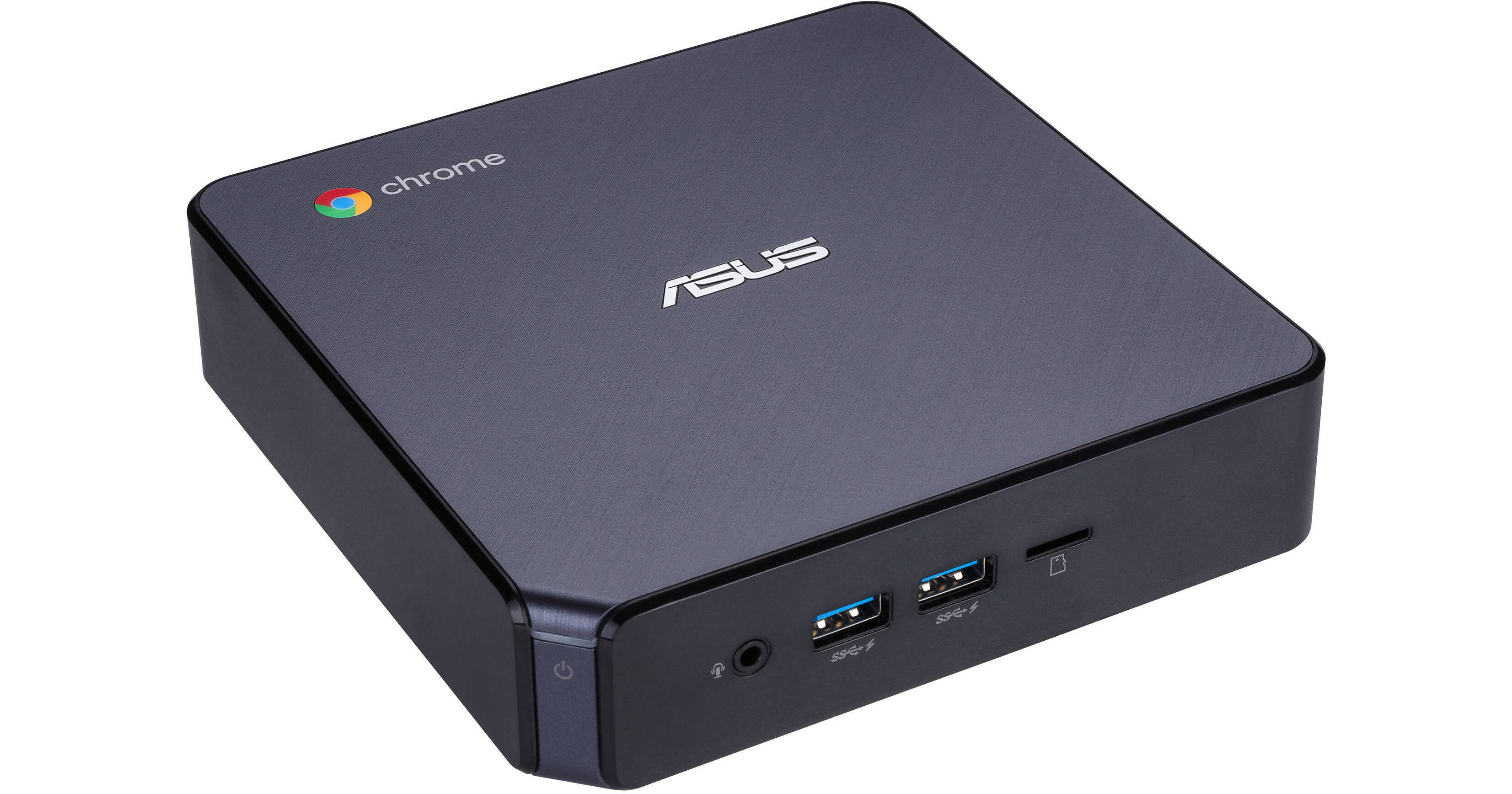
The Chromebox 3 Mini Desktop Computer from Asus is a compact system with a small footprint that runs the Chrome OS, which relies on internet connectivity for full access to its features. It's plenty capable of handling everyday tasks such as browsing the internet, composing and editing documents, and streaming online content. Specs-wise, it's equipped with a 1.8 GHz Intel Celeron 3865U dual-core processor, 4GB of DDR4 RAM, and integrated Intel HD graphics. Like most Chrome OS-based systems, storage space is limited, so the Chromebox 3 is only equipped with a 32GB M.2 SATA SSD. Should you need more space, you can attach external storage solutions using its multiple USB ports as well as its microSD card reader. Other integrated features include a HDMI port, Gigabit LAN, 802.11ac Wi-Fi, Bluetooth 4.0, and a 3.5mm headset jack.
Ask Our Experts800-606-6969
Hello, Log InAccount & Orders
Key Features
- 1.8 GHz Intel Celeron 3865U Dual-Core
- 4GB DDR4 | 32GB M.2 SATA SSD
- Integrated Intel HD Graphics 610
- MicroSD Media Card Reader
The Chromebox 3 Mini Desktop Computer from Asus is a compact system with a small footprint that runs the Chrome OS, which relies on internet connectivity for full access to its features. It's plenty capable of handling everyday tasks such as browsing the internet, composing and editing documents, and streaming online content. Specs-wise, it's equipped with a 1.8 GHz Intel Celeron 3865U dual-core processor, 4GB of DDR4 RAM, and integrated Intel HD graphics. Like most Chrome OS-based systems, storage space is limited, so the Chromebox 3 is only equipped with a 32GB M.2 SATA SSD. Should you need more space, you can attach external storage solutions using its multiple USB ports as well as its microSD card reader. Other integrated features include a HDMI port, Gigabit LAN, 802.11ac Wi-Fi, Bluetooth 4.0, and a 3.5mm headset jack.
More DetailsNo Longer Available
ASUS Chromebox 3 Overview
Chrome OS
Using Linux as a base, Google designed Chrome OS to work exclusively with web applications. The user interface takes a minimalist approach, which greatly resembles the Google Chrome web browser. Chrome OS was built for people who spend a majority, if not all, of their time on the computer connected to the internet. The only application that comes installed on Chrome OS is a special Google Chrome web browser with an integrated media player and file manager. All other applications are accessed by adding apps from the Google Chrome Web Store. Since Chrome OS relies entirely on Google's web apps and access to Google's services, it is highly recommended that you connect to the internet to optimize your Chrome OS experience.
Full Google Play Support
The Chromebox 3 supports Google Play, which lets you download and use the same Android apps that you have on your phone or tablet.
Dual Display Output
Equipped with a HDMI and DisplayPort outputs over USB Type-C, the Chromebox 3 supports up to two external displays for larger viewing and enhanced multitasking.
VESA Compatible
The Chromebox 3 is VESA-compatible for alternate space-saving mounting options.
ASUS Chromebox 3 Specs
| Operating System |
Performance
| CPU | |
| L3 Cache | |
| Memory Type | |
| Installed RAM | |
| Memory Configuration | |
| Memory Slot Type | |
| Memory Slots | |
| Graphics Type | |
| GPU |
Storage and Expansion
| Solid State Storage | |
| Optical Drive |
I/O
| Ports | |
| USB-C | |
| Display I/O | |
| Audio I/O |
Communications
| Network I/O | |
| Wi-Fi | |
| Bluetooth |
General
| Dimensions | |
| Weight |
Packaging Info
| Package Weight | |
| Box Dimensions (LxWxH) |
ASUS Chromebox 3 Reviews
See any errors on this page?