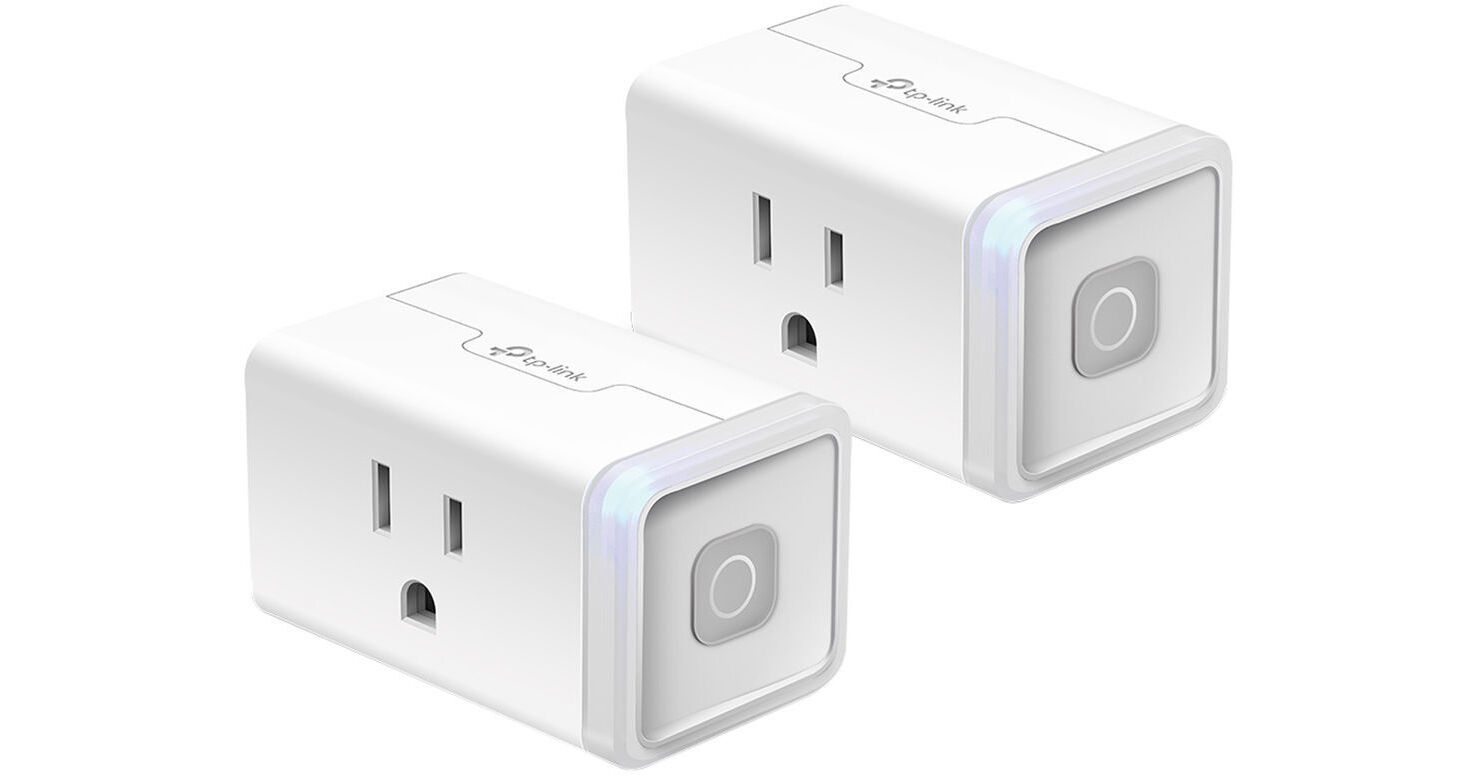
TP-Link HS103P2 Wi-Fi Smart Plug Lite (2-Pack)

BH #TPHS103P2 • MFR #HS103P2
Print
TP-Link HS103P2 Wi-Fi Smart Plug Lite (2-Pack)
Key Features
  • Remotely Turn On/Off Two Devices
  • 2.4 GHz Wi-Fi Connectivity
  • Scheduled Usage
  • Away Mode
Control up to two devices in your home from anywhere by plugging them into the 2-pack HS103P2 Wi-Fi Smart Plug Lite from TP-Link. Each plug enables you to turn on and off devices such as a lamp, fan, television, or stereo. The plugs connect to your iOS or Android device via Wi-Fi, giving you access to any item plugged into the outlet through the free Kasa app.
More Details
In Stock
No Store Display
$14.99
$17.99
Save $3.00
Offer ends at
Protect Your Gear
Add a protection plan from $3.99
Ask an Expert
800-606-6969

TP-Link HS103 Overview

Control up to two devices in your home from anywhere by plugging them into the 2-pack HS103P2 Wi-Fi Smart Plug Lite from TP-Link. Each plug enables you to turn on and off devices such as a lamp, fan, television, or stereo. The plugs connect to your iOS or Android device via Wi-Fi, giving you access to any item plugged into the outlet through the free Kasa app.

Once connected, you'll be able to control, schedule, and/or create scenes for your plugged-in devices from anywhere in the world. The plugs are compatible with Alexa, Google Assistant, and Microsoft Cortana, making controlling your plugged-in devices with voice commands seamless. No hub is required for operation thanks to Wi-Fi connectivity.

Compatible with Alexa, Google Assistant, Microsoft Cortana, IFTTT, and Nest
No hub required thanks to Wi-Fi connectivity
Remote access via Kasa app for iOS and Android
Kasa app compatible with Android 4.1 or higher and iOS 9 or higher
100 to 120 VAC power
Power and reset buttons
LED indicators for power and status
Compact design doesn't block the second available outlet
FCC, IC, UL, and RoHS certified
UPC: 845973084387

TP-Link HS103 Specs

Key Specs
Supported Services
Alexa, Cortana, Google, IFTTT, Nest
AC Outlet
1x 3-Prong
Mobile App Compatible
Yes: Android & iOS
Functionality: Adjust Settings, Firmware Update, Remote Control, Setup
Wireless
Wi-Fi 4 (802.11n)
General
Supported Services
Alexa, Cortana, Google, IFTTT, Nest
AC Outlet
1x 3-Prong
Dimensions (W x H x D)
1.57 x 2.62 x 1.5" / 40 x 66.5 x 38 mm
Mobile App Compatible
Yes: Android & iOS
Functionality: Adjust Settings, Firmware Update, Remote Control, Setup
Wireless
Wi-Fi 4 (802.11n)
Electrical
Input Power
120 VAC, 60 Hz
Maximum Load
12 A
Maximum Wattage
1200 W at 120 VAC
Physical
Material of Construction
Polycarbonate
LED Indicators
Power, Status
Buttons
Power, Reset
Certifications
FCC, IC, RoHS, UL
Weight
0.3 lb / 136.08 g
Packaging Info
Package Weight
0.43 lb
Box Dimensions (LxWxH)
4.6 x 3.15 x 2.6"

TP-Link HS103 Reviews

Great device...

By John
Rated 5 out of 5
Date: 2026-05-17

Makes life easier.... as we age!

works well at a great price

By David
Rated 5 out of 5
Date: 2025-02-16

These plugs work well and quickly. PSA: you will need to turn off VPN during setup񚠮 I have them controlled by Alexa which was simple to link.

See any errors on this page?

What is the difference between HS103 and HS105?

What is the difference between HS103 and HS105?
Asked by: Philip
12A vs 15A
Answered by: Anonymous
Date published: 2019-07-01

Is this safe to use with a 12,000 btu air ...

Is this safe to use with a 12,000 btu air conditioner?
Asked by: Christopher
It depends on your A/C specifications. This unit is rated for 12A according to manufacturer but to be on the safe side you would want to keep it to no more than 10A. Also, not all A/C units will turn on and start working when power is added to it, sometimes you still have to manually press a button, either on the unit or a remote.
Answered by: Ezra
Date published: 2020-06-15

What is the range? can you use it upstairs and ...

What is the range? can you use it upstairs and connect to the router/modem on the first floor?
Asked by: Khosro
They work anywhere that your phone/laptop/device can connect to the 2.4GHz band of your router. I have a router in the middle of the first floor and there is no issue using these in multiple locations upstairs or in the basement. Each floor of my home is approximately 1,000 square feet.
Answered by: Scott
Date published: 2020-12-29

Can I schedule different on/off times for each of ...

Can I schedule different on/off times for each of the plugs, or do they turn on/off at the same time?
Asked by: Monica
Yes. Each module can be programmed individually.
Answered by: Edgar
Date published: 2022-05-03

Can this be used outside?

Can this be used outside?
Asked by: Robert
NO
Answered by: Edgar
Date published: 2020-12-07

It appears these are compatible for Alexa voice ...

It appears these are compatible for Alexa voice commands BUT are they accessible in the Alexa app to control on/off schedule?
Asked by: Cynthia
Control/scheduling of these TP-Link HS103 devices would be via theTP-Link Kasa Smart app for iOS or Android. They are not accesible from within the Alexa app.
Answered by: Mark S
Date published: 2021-11-10

How many watts does each smart plug use? When on? ...

How many watts does each smart plug use? When on? When in off mode?
Asked by: Larry
Hi! Generally, when on and idle (without any load through the smart plug), these smart plugs will use approximately 1W.
Answered by: TPLinkSupport
Date published: 2022-06-28

can Alexa be used to control these smart plugs?

can Alexa be used to control these smart plugs?
Asked by: Edward
Yes. The plugs are compatible with Alexa, Google Assistant, and Microsoft Cortana, making controlling your plugged-in devices with voice commands seamless. No hub is required for operation thanks to Wi-Fi connectivity.
Answered by: Mark S
Date published: 2021-03-08
  • y_2026, m_6, d_4, h_10CST
  • bvseo_bulk, prod_bvqa, vn_bulk_3.0.46
  • cp_1, bvpage1
  • co_hasquestionsanswers, tq_9
  • loc_en_US, sid_1448900, prod, sort_[SortEntry(order=HAS_STAFF_ANSWERS, direction=DESCENDING)]
  • clientName_bhphotovideo
Whatever You Need, We've Got It