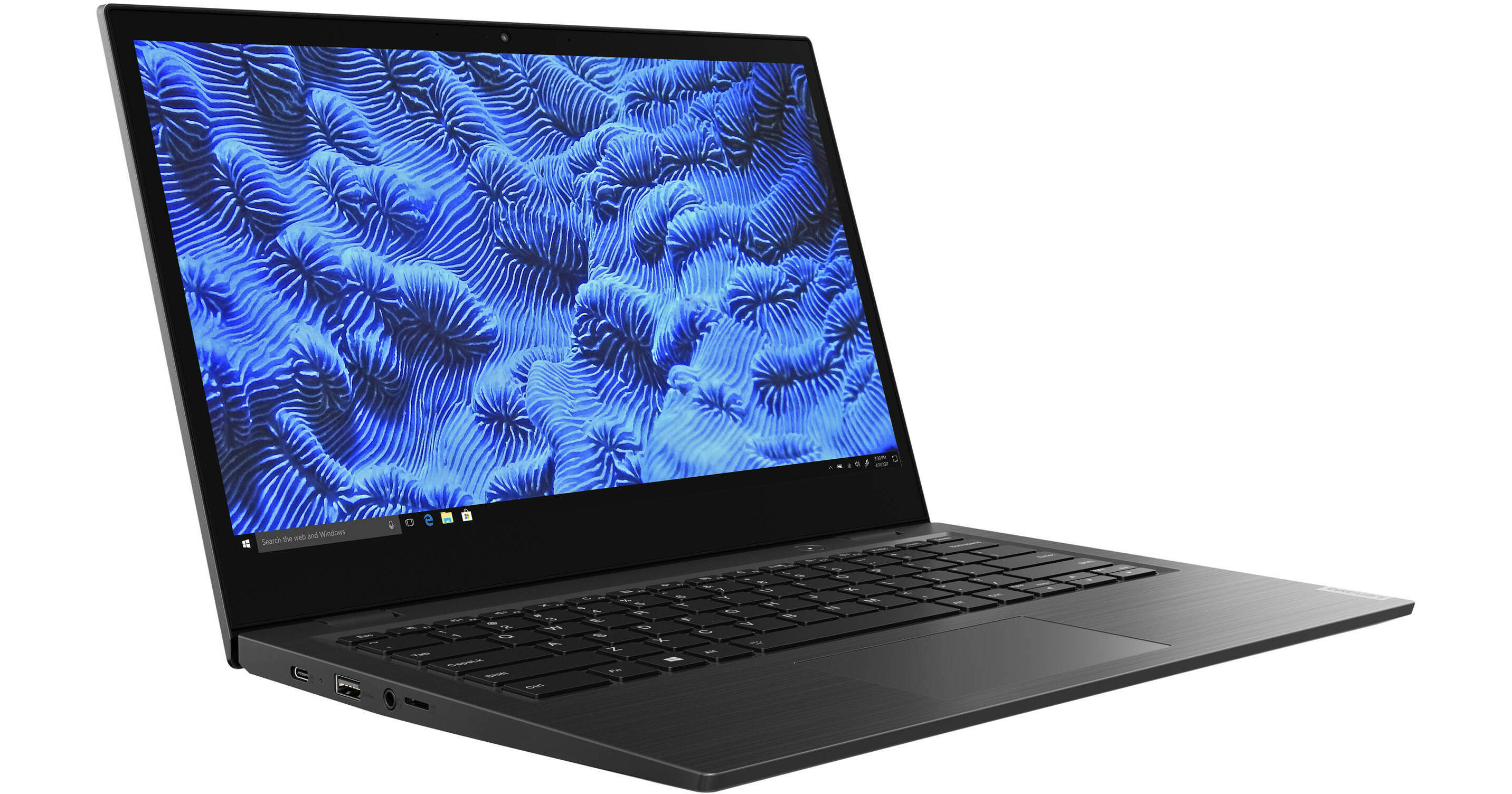
Lenovo 14" 14w Laptop

BH #LE14W81MQNUS • MFR #81MQ000NUS
Print
Lenovo 14" 14w Laptop
Key Features
  • 1.8 GHz AMD A6-9220C Dual-Core
  • 4GB DDR4 | 64GB eMMC Flash Storage
  • 14" Full HD 1920 x 1080 TN Display
  • Integrated AMD Radeon R5 Graphics
The Lenovo 14" 14w Laptop is an education-focused system designed for students and teachers. Specs-wise, it's powered by a 1.8 GHz AMD A6-9220C dual-core processor, 4GB of DDR4 RAM, 64GB eMMC flash storage, and an integrated AMD Radeon R5 Graphics chipset. Should you need more room, you can attach external storage solutions using its USB ports as well as its microSD card reader. For extending or replicating your display, you can do so with this device's HDMI port.
More Details
No Longer Available
No Store Display
Ask an Expert
800-606-6969

Lenovo 14w 14" Overview

The Lenovo 14" 14w Laptop is an education-focused system designed for students and teachers. Specs-wise, it's powered by a 1.8 GHz AMD A6-9220C dual-core processor, 4GB of DDR4 RAM, 64GB eMMC flash storage, and an integrated AMD Radeon R5 Graphics chipset. Should you need more room, you can attach external storage solutions using its USB ports as well as its microSD card reader. For extending or replicating your display, you can do so with this device's HDMI port.

Its 14", 220-nit TN display has a 1920 x 1080 resolution for crisp and clear HD playback. Other integrated features include Wi-Fi 5 (802.11ac), Bluetooth 4.2, a 720p HD webcam, two built-in microphones and speakers, and a mic/headphone combo jack. Additionally, this laptop comes with an integrated Kensington lock slot and an included 45W USB Type-C power adapter, so you can keep it secure and charged. The operating system installed is Windows 10 Pro in S Mode (64-Bit).

Breaking Down the Barriers to Success
Powered by AMD A6 dual-core processing and Windows 10, the Lenovo 14w is designed to perform seamlessly. It supports thousands of educational and business apps at the Microsoft Store, it also encourages greater collaboration. Through OneNote, OneDrive, and Office 365, everyone can work on the same documents at the same time, whether in the same building or across the world.
Teamwork, Making the Dream Work
Microsoft Teams is the digital hub that brings conversations, ideas, and apps together in one place. Together with the 14w laptop, it helps your teams to achieve more by enabling them to communicate more effectively and work better together in a customized, secure online workspace.
Easy on the Eyes
Behind the stamped aluminum shell cover, the 14" Full HD display boasts a 6mm narrow bezel, plus IPS and antiglare technology. The result is a larger, more vibrant screen with wide-angle viewing that's less of a strain on your eyes.
Because Things Happen
With military-grade durability, the 14w laptop can more than handle the bumps and knocks of everyday life. Its full-sized keyboard and mechanically anchored keys are spill resistant up to 1.4 cups.
Mobile Device Management, Made Easy
With Microsoft Intune, managing mobile devices and deploying apps for students, teachers, or employees couldn't be easier. This cloud-based service is secure and integrates seamlessly across key applications, like Microsoft Teams and OneNote.
Windows 10 Pro in S Mode (64-Bit)
Start Menu
After its hiatus in Windows 8, the Start Menu has returned. Utilizing a combination of the traditional menu system and Windows 8's Live Tiles, the improved Start Menu gives you more information at a glance, showing notification information alongside your applications and other pinned items.
Cortana
Microsoft's digital personal assistant, Cortana, can answer your questions with information gleaned from both your device and the Internet at large. You can type or even talk with her, if your system has a microphone. Using her Notebook, Cortana keeps track of your needs and wants, and she learns over time to improve her information-gathering skills.
Microsoft Edge
After nearly 20 years, Microsoft has finally replaced its Internet Explorer web browser. With Microsoft Edge, users can write directly on web pages and share notes with friends and colleagues. It also improves the online reading experience by adding a distraction-free mode and read-it-later functionality. Edge also has built-in Cortana integration; you can have her help you find a restaurant, make a reservation, and pull up directions without leaving your browser.
Windows Store
For Windows 10, Microsoft has unified the Windows Store. Now, apps for PCs, tablets, and phones will all be accessible from one place. And with support for Universal Apps, one version of an app can work across all your compatible devices automatically.
Windows Continuum
Windows 10 was designed for a variety of screen sizes and input styles, and with its Continuum feature, it automatically adapts to fit your needs. A Windows 10 tablet on its own requires a touch-centric approach, but attaching a mouse and keyboard will shift everything to a more traditional interface. You can even attach an external monitor to your Windows 10 phone for a near-desktop experience. But it's not just the operating system; Windows Universal Apps take advantage of Continuum as well.
Xbox on Windows 10
Gaming is a big focus of Windows 10. Xbox integration allows for PC players to match up against Xbox One players on supported games, and if you have an Xbox One, you can even stream compatible titles to your PC. Native support for recording with the new Game DVR feature makes it easy to capture and share your gameplay. The new DirectX12 takes better advantage of multi-core processors, giving games a performance boost, even on older hardware. Windows 10 also features native support for virtual reality headsets, such as the Oculus Rift.
Windows 10 Pro
The Pro version of Windows 10 includes all of the features of Windows 10 Home plus many designed specifically for business users, including Hyper-V virtualization, BitLocker disk encryption, and remote desktop access. Devices will also be able to join domains and the Azure Active Directory, and they can even access a specialized version of the Windows Store featuring custom, company-specific applications.
Note:
Windows 10 Pro in S Mode: Built to make life easier for users and IT system administrators, Windows 10 Pro in S Mode is an enhanced security mode of Windows 10. Streamlined for security and superior performance, it enables quicker boot up times, faster app performance, and automatic cloud backups.

Lenovo 14w 14" Specs

Key Specs
Operating System
Windows 10 Pro (64-Bit)
Processor
AMD A6-9220C
Installed RAM
4 GB
Display Size
14"
Native Resolution
1920 x 1080
Touchscreen
No
Total Installed Storage
64 GB
Ports
2 x USB-A 3.0 / 3.1/3.2 Gen 1
USB-C
1 x Charging Only
Display I/O
1x HDMI
Wi-Fi
Wi-Fi 5 (802.11ac)
Weight
3.4 lb / 1.54 kg
Operating System
Windows 10 Pro (64-Bit)
Performance
Processor
AMD A6-9220C
L3 Cache
1 MB
Installed RAM
4 GB
Buffered Memory
No
Graphics Type
Integrated
Display
Size
14"
Native Resolution
1920 x 1080
Touchscreen
No
Maximum Brightness
220 nits / cd/m2
Variable Refresh Technology
No
Storage and Expansion
Total Installed Storage
64 GB
Optical Drive
No
Inputs / Outputs
Ports
2 x USB-A 3.0 / 3.1/3.2 Gen 1
USB-C
1 x Charging Only
Display I/O
1x HDMI
Audio I/O
1x 1/8" / 3.5 mm Headphone/Microphone Input/Output
Built-In Speakers
Yes
Built-In Microphones
Yes
Communications
Ethernet
No
Wi-Fi
Wi-Fi 5 (802.11ac)
MU-MIMO Support
2 x 2
Bluetooth
4.2
GPS
No
NFC
No
Webcam
User-Facing: 720p
Battery
Battery Chemistry
Lithium-Ion Polymer (LiPo)
Capacity
3-Cell: 57 Wh
Keyboard & Mouse
Keyboard
Full-Size Keyboard
Pointing Device
TouchPad
General
Security
Kensington Lock Slot
Power Supply
45 W with USB Type-C
Dimensions
12.9 x 8.9 x 0.7" / 327.66 x 226.06 x 17.78 mm
Weight
3.4 lb / 1.54 kg

Lenovo 14w 14" Reviews

See any errors on this page?
Whatever You Need, We've Got It