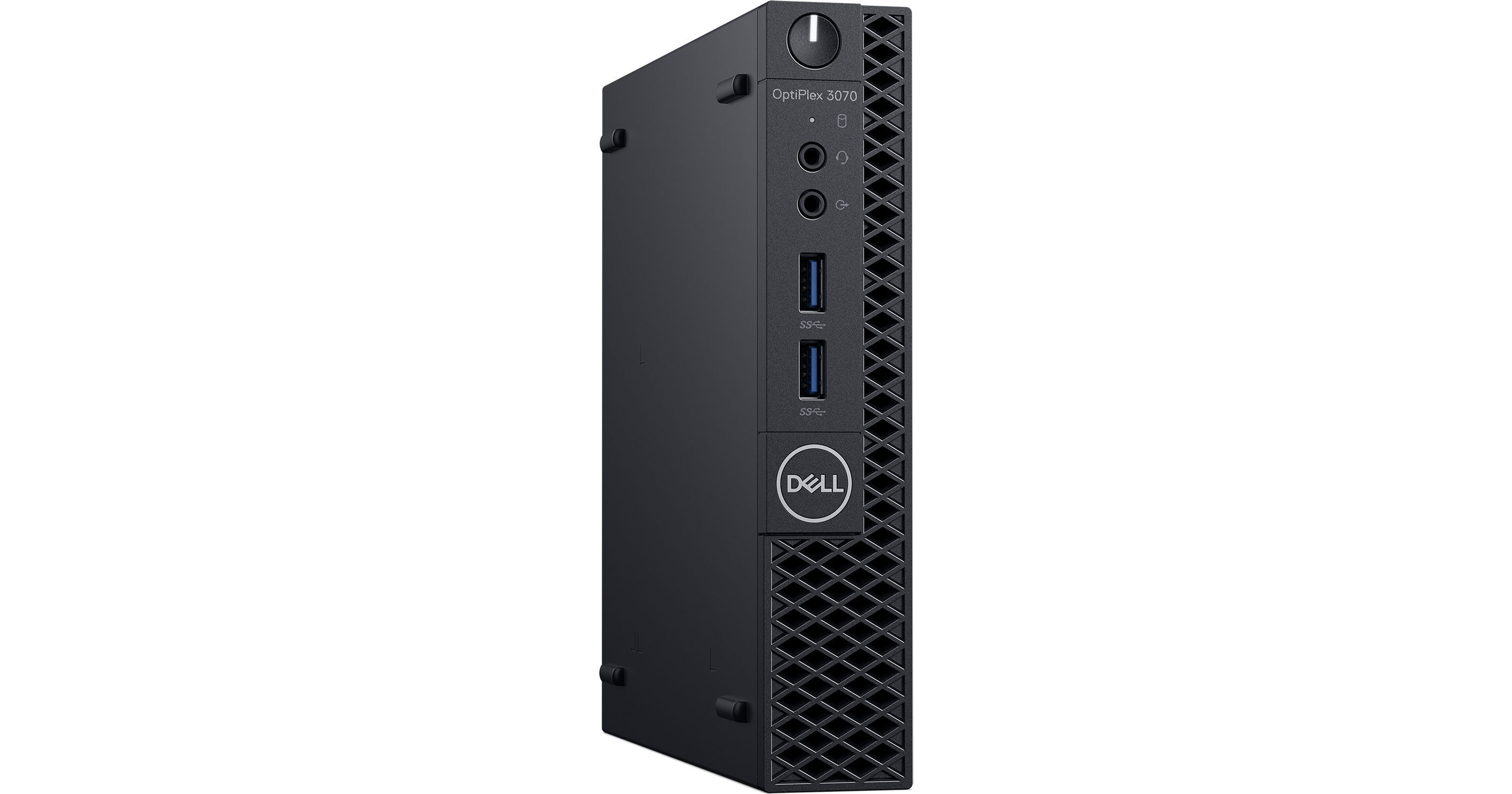
Dell OptiPlex 3070 Micro Desktop Computer

BH #DEO3070545P2 • MFR #545P2
Print
Dell OptiPlex 3070 Micro Desktop Computer
Key Features
  • 3.1 GHz Intel Core i3-9100T Quad-Core
  • 8GB of 2666 MHz DDR4 RAM
  • Integrated Intel UHD Graphics 630
  • 128GB NVMe PCIe M.2 SSD
With a micro design and Intel Quad-Core processor, the Dell OptiPlex 3070 Micro Desktop Computer provides the performance you need without taking up too much desk space.
More Details
No Longer Available
No Store Display
Microsoft 365 Subscription not included: add to your purchase
Ask an Expert
800-606-6969

Dell 3070 Micro Overview

With a micro design and Intel Quad-Core processor, the Dell OptiPlex 3070 Micro Desktop Computer provides the performance you need without taking up too much desk space.

The system is powered by a 9th Gen 3.1 GHz Intel Core i3-9100T Quad-Core processor with integrated Intel UHD Graphics 630. It also has 8GB of 2666 GHz DDR4 RAM, a 128GB NVMe PCIe M.2 SSD, Gigabit Ethernet, DisplayPort 1.2, HDMI 1.4, USB 3.1 Gen 1 Type-A, and USB 2.0 Type-A. A USB keyboard and mouse are included.

Windows 10 Pro (64-bit) includes all of the features of Windows 10 Home plus many designed specifically for business users, including Hyper-V virtualization, BitLocker disk encryption, and remote desktop access. Devices will also be able to join domains and the Azure Active Directory, and they can even access a specialized version of the Windows Store featuring custom, company-specific applications.

General Features
Compact Without Compromise
With full-power features in a space-saving design, more workers choose the OptiPlex Micro than ever before. It takes up less surface area so you can increase productivity with an organized workspace.
Mount It and Forget It
With smart, custom mounting options, including a VESA mount or the OptiPlex Micro All-in-One Stand, this system adapts to your environment, giving you the freedom to work how you want.
Power Is a Priority
With a 3.1 GHz Intel Core i3-9100T Quad-Core processor, you'll be able to work fast and efficiently.
Smooth Sailing
With 8GB of 2666 MHz DDR4 memory and support for up to 32GB, you can expect improved performance.
Seamless Connectivity
Work confidently with smooth connectivity thanks to plenty of port options, including DisplayPort 1.2, HDMI 1.4, USB 3.1 Gen 1 Type-A, and USB 2.0 Type-A.
Convenience
Manage all your Windows 10 endpoints from one console with Dell Client Command Suite and VMware Workspace ONE integration.
Be Secure
This OptiPlex features TPM 2.0, chassis intrusion switches, and optional cable and port covers. In a world of growing attacks, keep your competitive advantage yours with Dell Trusted Devices that have embedded and optional security solutions and services.
Work Confidently
Dell SafeBIOS provides the assurance that the BIOS has not been tampered with or adjusted unknowingly. Additionally, Dell SafeData gives end users the freedom to smartly collaborate knowing data they create is protected, even when it is created and stored in the cloud.
ProDeploy Client Suite
Dell helps you deploy systems with greater speed, less effort, and more control. You will direct every detail of your deployment with their TechDirect portal with an great level of control, automation, and simplicity.
ProSupport
Let Dell make hardware and software support easy. ProSupport offers 24x7 access to in-region advanced technology experts who contact you when critical issues arise, all so you can focus on the strategic work that moves your business ahead.
ProSupport Plus
With Dell's most complete support service, you get all the capabilities of ProSupport plus hard drive failure prevention, repair for drops, spills and surges, and hard drive retention in the case of replacement. In today's fast moving culture, there's no time for downtime. Dell has your back. Upgrade to ProSupport Plus.
Windows 10 Pro
Start Menu
After its hiatus in Windows 8, the Start Menu has returned. Utilizing a combination of the traditional menu system and Windows 8's Live Tiles, the improved Start Menu gives you more information at a glance, showing notification information alongside your applications and other pinned items.
Cortana
Microsoft's digital personal assistant, Cortana can answer your questions with information gleaned from both your device and the internet at large. You can type or even talk with her, if your system has a microphone. Using her Notebook, Cortana keeps track of your needs and wants, and she learns over time to improve her information gathering skills.
Microsoft Edge
After nearly 20 years, Microsoft has finally replaced its Internet Explorer web browser. With Microsoft Edge, users can write directly on web pages and share notes with friends and colleagues. It also improves the online reading experience by adding a distraction-free mode and read-it-later functionality. Edge also has built-in Cortana integration; you can have her help you find a restaurant, make a reservation, and pull up directions without leaving your browser.
Windows Store
For Windows 10, Microsoft has unified the Windows Store. Now, apps for PCs, tablets, and phones will all be accessible from one place. And with support for Universal Apps, one version of an app can work across all your compatible devices automatically.
Windows Continuum
Windows 10 was designed for a variety of screen sizes and input styles, and with its Continuum feature, it automatically adapts to fit your needs. A Windows 10 tablet on its own requires a touch-centric approach, but attaching a mouse and keyboard will shift everything to a more traditional interface. You can even attach an external monitor to your Windows 10 phone for a near-desktop experience. But it's not just the operating system; Windows Universal Apps take advantage of Continuum as well.
Xbox on Windows 10
Gaming is a big focus of Windows 10. Xbox integration allows for PC players to match up against Xbox One players on supported games, and if you have an Xbox One, you can even stream compatible titles to your PC. Native support for recording with the new Game DVR feature makes it easy to capture and share your gameplay. The new DirectX12 takes better advantage of multi-core processors, giving games a performance boost, even on older hardware. Windows 10 also features native support for virtual reality headsets, such as the Oculus Rift.

Dell 3070 Micro Specs

Key Specs
Operating System
Windows 10 Pro (64-Bit)
Installed RAM
8 GB
GPU
Intel UHD Graphics 630
Total Installed Storage
128 GB
Ports
4 x USB-A 3.0 / 3.1/3.2 Gen 1
2 x USB-A 2.0
Display I/O
1x DisplayPort 1.2
1x HDMI 1.4
Audio I/O
1x 1/8" / 3.5 mm Line Output
1x 1/8" / 3.5 mm Headphone/Microphone Input/Output
Keyboard
USB Full-Size Keyboard with Number Pad
Pointing Device
USB Mouse
Power Supply
65 W with
Operating System
Windows 10 Pro (64-Bit)
Performance
Processor
Intel H370
CPU Socket
LGA 1151
CPU
3.1 GHz Intel Core i3-9100T Quad-Core
Maximum Boost Speed
3.7 GHz
L3 Cache
6 MB
Installed RAM
8 GB
Graphics Type
Integrated
GPU
Intel UHD Graphics 630
Storage and Expansion
Total Drive Bays
1 x 2.5" (Internal)
SSD Slots
1 x M.2 2280 SATA / PCIe (In Use)
Total Installed Storage
128 GB
Solid State Storage
1 x 128 GB M.2 NVMe PCIe
Hard Disk Storage
1 x 500 GB 2.5" SATA (7200 rpm)
PCI Expansion
1x M.2 2230 (E-Key)
Inputs / Outputs
Ports
4 x USB-A 3.0 / 3.1/3.2 Gen 1
2 x USB-A 2.0
Display I/O
1x DisplayPort 1.2
1x HDMI 1.4
Audio I/O
1x 1/8" / 3.5 mm Line Output
1x 1/8" / 3.5 mm Headphone/Microphone Input/Output
Built-In Speakers
:
Built-In Microphones
No
Communications
Network I/O
1x RJ45 (Gigabit Ethernet)
Wi-Fi
No
MU-MIMO Support
No
Bluetooth
No
NFC
No
Keyboard & Mouse
Keyboard
USB Full-Size Keyboard with Number Pad
Pointing Device
USB Mouse
General
Security
Infineon TPM Software Professional Package
Power Supply
65 W with
AC Input Power
90 to 264 VAC, 50 / 60 Hz at 1.7 to 1.0 A
Dimensions
7.2 x 7 x 1.4" / 18.29 x 17.78 x 3.56 cm
Weight
2.6 lb / 1.18 kg
Warranty Length
Limited 3-Year Warranty
Packaging Info
Package Weight
5.965 lb
Box Dimensions (LxWxH)
19.8 x 9.4 x 5.1"

Dell 3070 Micro Reviews

See any errors on this page?
Whatever You Need, We've Got It