Video Chat with a Pro Audio Expert - Live

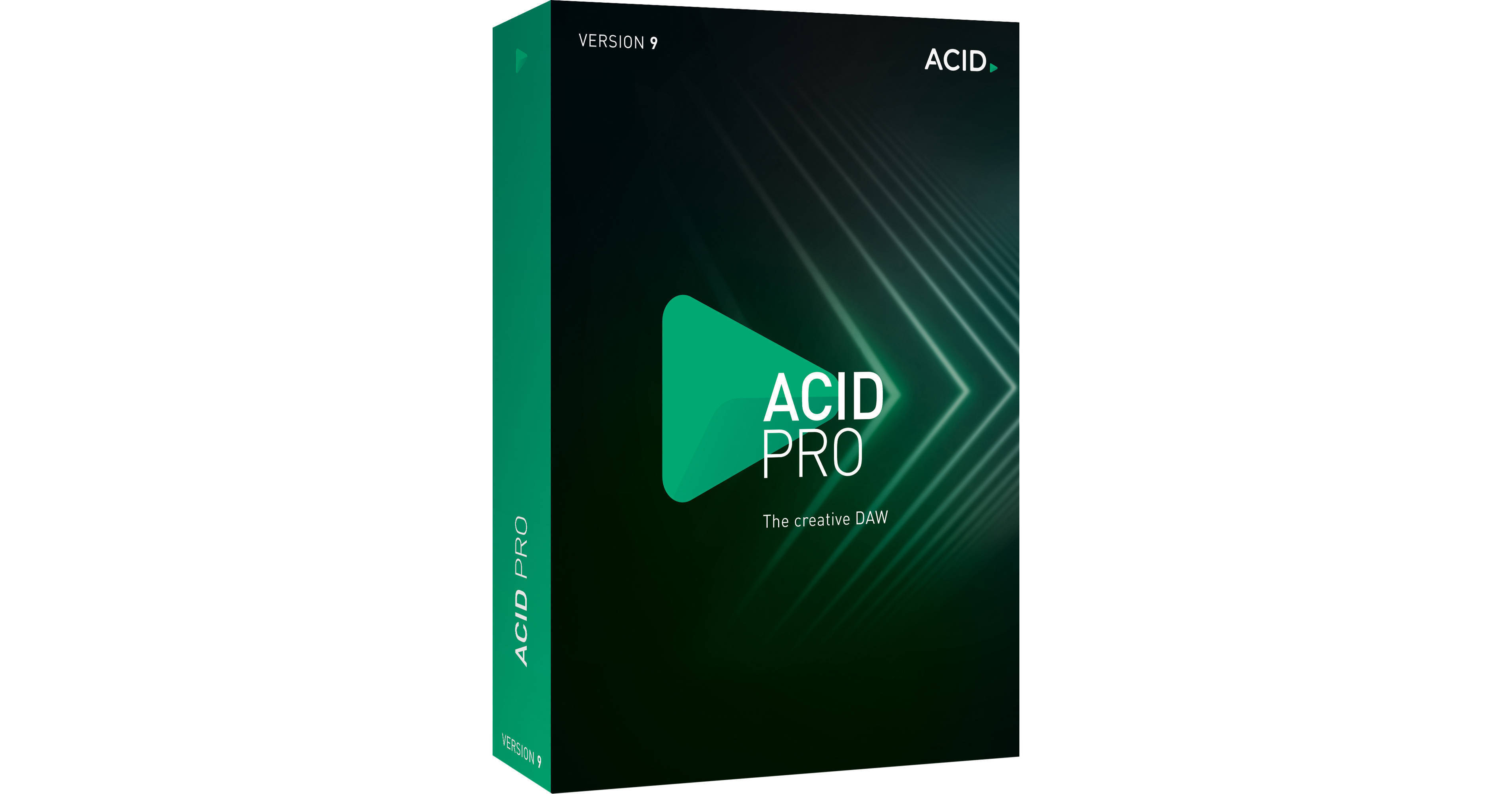
MAGIX ACID Pro 9 (Download)

BH #MA9057ATC • MFR #ANR009057ATC
Print
MAGIX ACID Pro 9 (Download)
Key Features
  • 24-bit / 192 kHz Multitrack Recording
  • 64-Bit Engine for Complex Projects
  • 9GB of ACIDized loops
  • Dozens of Instruments, Sampler
The electronic download of MAGIX Entertainment ACID Pro 9 is a creative DAW that marries an easy-to-use workflow with pro-level features to provide artists and musicians with an inspiring, loop-based environment to compose, remix, record, edit, and mix their songs. The software features a 64-bit engine that utilizes the full power of your Windows computer to handle multitrack recording of high-fidelity audio at up to 24-bit / 192 kHz or compose and mix with dozens of instrument and effects plug-ins running in real-time, all with low latency.
More Details
Digital
No Longer Available
No Store Display
Ask an Expert
800-606-6969

MAGIX ANR009057ATC Overview

The electronic download of MAGIX Entertainment ACID Pro 9 is a creative DAW that marries an easy-to-use workflow with pro-level features to provide artists and musicians with an inspiring, loop-based environment to compose, remix, record, edit, and mix their songs. The software features a 64-bit engine that utilizes the full power of your Windows computer to handle multitrack recording of high-fidelity audio at up to 24-bit / 192 kHz or compose and mix with dozens of instrument and effects plug-ins running in real-time, all with low latency.

At its heart, ACID Pro 9 uses ACIDized loops, which are at the core of creative loop-based music production. They contain pitch, length, and transient data and can be edited and manipulated in real-time and easily mixed together to make complete pieces of music. Remixing is fast and easy with powerful tools such as Beatmapper, which identifies the tempo and time signature information in external audio files and applies it to your project, and Chopper, which slices and dices audio files to create rhythmic variations of the original audio or new samples from the original loop, all in sync with your project. Also included is zplane élastique for real-time and artifact-free time stretching and pitchshifting of your audio files.

The mixing console looks like a traditional studio mixer but can be customized to match your unique workflow. It provides a flexible recording environment with a variety of routing options that lets you assign plug-in effects, work with external MIDI devices, use external effect processors on tracks and busses, create complex submixes with bus-to-bus routing, while monitoring everything in real-time. The CoreFX Suite provides a collection of essential studio effects including reverb, delay, EQ, compressor, modulation, de-esser, and more. Also available are the am|track SE vintage analog compressor plug-in and the Vandal SE suite of guitar and bass effects racks, which accurately model stompboxes, guitar amps, and speaker cabinets.

When you're ready to share your music, ACID Pro 9 lets you burn audio CDs directly from the timeline, or encode your mixes in all the popular streaming formats used online and in portable media players.

What's New
ACID Pro 9 is as easy to use as ever, and packed with more loops, instruments, and effects plus the latest audio technology. Play ACID like an MPC instrument with the MIDI playable chopper, explore a new world of plug-ins with the VST2/3 engine, and enjoy rock-solid timestretching with élastiquePro v3.
ACID Interface
You can now change the ACID interface with a customizable skin tones. Work the way you like, and see your projects come to life using tools that sit side-by-side to help you.
MIDI Playable Chopper
With the MIDI playable chopper feature, you can perform with ACID like it's an instrument. Chop loops, play beats, jam and record new remixes. Create beats from loops and play them just like you would with a legendary MPC sampler.
More Compatibility
The upgraded 32-bit VST bridge allows you to load older plug-ins and run them in the 64-bit ACID environment.
More Virtual Instruments
ACID Pro 9 comes with two added synthesizer instruments—Analog Synths 2 and Vita Lead Synth. You now have access to all the classic basses and tearing leads you need for electronic music production.
ACIDized Loops
ACID Pro 9 comes with a range of fresh loops, covering a range of music genres including Hip Hop, House, Grime, and Trap. Load them in, mix them with ease by key and tempo, add effects, and your music is made.
Multitrack Recording
ACID Pro 9 offers uncompromising 24-bit, 192 kHz multitrack audio recording. With an array of pro-level features, it is equally at home on the road, at home, or in the studio. Use it for recording an entire band or creating loop and MIDI-based compositions alike.
High-Fidelity Audio
Built with a 64-bit engine that works with your PC to bring maximum power and efficiency to your music making. Whether you are making 24-bit, 192 kHz multitrack recordings, mixing with multiple effects in real time, or composing with the dozens of included plug-in instruments, ACID Pro 9 steps up to the plate and offers you the latency-free power you need.
Superior Mixing
ACID Pro 9 offers a flexible recording environment. It's easy to assign plug-in effects, adjust the routing, or work with external effects and MIDI devices. ACID Pro 9 supports control surfaces such as Mackie Control and Frontier Design TranzPort so you can enjoy a more traditional hardware mixing experience.
Flexible Routing
ACID Pro 9's mixing console might look like a traditional studio mixer but you can easily customize it to make it more suited to your workflow. An array of routing options allows for total recording flexibility. It's easy to record external audio utilizing ACID Pro 9's effects. You can also use external effects processors on tracks and busses, create complex submixes with bus-to-bus routing, and monitor everything in real-time. ACID Pro 9 is set up for mixing surround projects too, with a surround panner for precise control over channel positions.
Control Surface Support
ACID Pro 9 supports Mackie Control Universal and Frontier Design TranzPort MIDI controllers. You can use one Mackie Control Universal (with up to four Mackie Control Universal Extenders), one Frontier TranzPort, and up to five generic control surfaces with ACID. Control surfaces can be custom mapped and help you stay organized by knowing which channels are dedicated to external control.
Arrange Tools
ACID Pro 9 offers many creative tools for today's producer. It's easy to divide your project into logical sections and then arrange them on the timeline. Tracks can be organized by placing them into Track Folders. Then, use cluster editing to drag, pitch-shift, cut, copy, and paste whole sections of an arrangement, helping you easily create complete tunes.
Beatmapper
Beatmapper offers a fast process to remix music in ACID Pro 9. It identifies the tempo and time signature information in external audio files—including MP3s and complete songs—and allows you to label and edit the file with that information. You can then create Beatmap songs and when other clips are added, they all lock to the tempo of the imported file allowing quick and easy remixing. Beatmapped audio files can also have their tempos and pitches edited for maximum flexibility.
Chopper
Chopper is a tool that allows you to slice and dice an audio file so you can reorder, remix, change its groove, and replay it. It creates rhythmic variations of the original audio and you can create many of your own customized samples from one original loop. Chopped events will play in sync with your ACID Pro 9 projects, and you can even use keyboard commands to drop events from the Chopper onto the timeline, all in real-time.
Virtual Instruments
Analog Synth 2 gives you the sound of the analogue synth, which is very much back in vogue. From synth wave to dance music, Analog Synths 2 offers vintage synth sounds, covering deep bass thrills and hard, edgy leads.

Lead Synth produces electronic sounds that will cut through any mix. With its virtual analog heart, you can produce high-end, high-quality leads for all genres of music.

MIDI without the Mess
Inline Editing allows you alter MIDI data directly in ACID's timeline within traditional piano roll and drum grid interfaces. You can edit note positions, velocities, pitch bends and controller information all on the main multitrack interface so there's no need to open another edit window.

Drum Grid Mode is ACID Pro 9's easy and intuitive way of editing beats directly on the software's timeline. The grid style edit window shows all the drum parts and you can easily move, add or delete beats.

MIDI Track Freeze allows you to turn MIDI tracks that are being triggered by software instruments into audio. Freezing a track like this means less instruments need to be running in real time so it conserves valuable CPU processing power.

MIDI Filtering and Processing of multiple events or tracks of MIDI data can also be done directly on the ACID Pro 9 timeline. You can use quantization and global editing of velocity values, note event duration and more.

With MIDI Track Envelopes and Keyframes, ACID Pro 9 utilizes envelope and keyframe automation features. All MIDI continuous controller data used to edit parameters like pitch, modulation and expression—or indeed the controls of a soft synth—can be modified with smooth transitions. You can also use envelopes and keyframes on individual clips or make larger, project-wide changes.

Using Drum and Patch Map Editors within ACID Pro 9, you can efficiently create and edit drum maps. This means that you can use templates to label patch and drum names for hardware or software-based MIDI synthesizers and drum machines. Templates can also be easily saved and recalled.

The VST2/VST3 Engine with 32-bit Bridge in both the updated VST2/VST3 engine and the 32-bit bridge, you can run the latest plug-ins in ACID Pro and even bring your favorite older plug-ins into its sleek 64-bit ACID environment.

Get Into the Groove
A Single Click for You
Take complete control over your groove! Give your music a completely new feel with ACID Pro 9's Groove Mapping and Groove Cloning quantization technology. You can apply preset grooves to a clip or track to give it a fresh sound or extract the groove from one track and apply it to another. You can even create your own custom grooves from scratch or edit existing ones for total groove control.
zplane élastique
ACID Pro 9 features zplane élastiquePro technology to ensure maximum sound quality and flexibility when dealing with pitch- and time-shifting of clips. It also ensures real-time, artifact-free time-stretching and pitch-shifting of Beatmapped tracks.
Groove Mapping
ACID Pro 9 allows you to choose your own groove from many genres. You can completely change the feel of your loops and MIDI files or simply add a more human or soulful feel to your music. Simply choose your groove and apply it to loops or entire tracks.
Groove Cloning
If you like the feel or rhythm of a loop you can extract its groove using ACID Pro 9's Groove Cloning feature. ACID analyses the groove in a clip's audio and extracts it so you can apply it to your own loops and MIDI files.
Envelope Control
ACID Pro 9 uses envelopes to help you automate global parameters or modify pitch, modulation, expression or other MIDI data within a track. Envelopes can also be used to automate the controls on a plug-in instrument or create Tempo Curves for smooth tempo variations across a project. All envelopes can be drawn using a mouse or external control surface and then tidied up with keyframes or envelope thinners that help smooth them out. You can also use keyframes to help automate your 5.1 mixes on the timeline and use envelopes and keyframes to implement MIDI continuous controller data and program changes.
ReWire Support
ReWire technology allows compatible music packages to work with one another so you can route audio and MIDI data between them. ACID Pro 9 works as both a ReWire host and a device so you can set it up with other ReWire applications such as Sonar, Reason, Cubase, Live, or Pro Tools. You could then use Reason, for example, as a virtual instrument routed into ACID Pro 9 or route ACID Pro's output directly into Pro Tools.
Audio Plug-In Manager
ACID Pro 9's Plug-In Manager gives you complete control over all of your audio plug-ins. You can quickly add effects to a track, bus, assignable effects chain or soft synth bus. You can also easily rename and organize plug-ins so creating a customized plug-in environment that helps your workflow.
First-Class Studio Rack
The essentialFX Suite is a collection of 11 first-class plug-in effects suitable for all studio applications. Each of the effects uses high quality algorithms for a great sound and highly efficient operation. Clear controls for easy operation combined with low resource consumption and high-quality output make it the perfect suite of studio tools.

CoreFX Delay and Reverb Effects allow you to create echoes with the Delay. The simple delay effect is based on analog circuits and produces time-delayed copies of the original input signal to create the echo effect.

CoreFX Chorus give you a fuller sound, Chorus produces a time-delayed duplicate of the audio signal with a slight pitch difference. A perceptible doubling and beating effect is created.

CoreFX Flanger creates a dynamic, colder sound. By superimposing the original signal and its time-delayed copies, sweeping effects are created for the classic 'wandering' sound.

Integrated CD Burning
ACID Pro 9 software has integrated track-at-once and disc-at-once CD burning, so you can burn audio CDs directly from the timeline at any point in the production process.
Easy Audio Encoding
ACID Pro 9 features powerful encoding functionality, so you can save your songs in all the popular streaming formats used on the web and by your favorite portable players. Supported formats include MP3, WMA, WMV, AAC, FLAC, and more.

MAGIX ANR009057ATC Specs

Delivery Format
Download
Memory Requirement
1 GB (8 GB Recommended)

MAGIX ANR009057ATC Reviews

See any errors on this page?
Whatever You Need, We've Got It