Video Chat with a Pro Audio Expert - Live

AUDIFIED RecAll Live Recording Software (Download)

BH #AUDREC • MFR #AUD-REC
Print
AUDIFIED RecAll Live Recording Software (Download)
Key Features
  • Easy Setup and Control
  • Maximum 256 Stereo and Mono Tracks
  • Instant Playback of Recorded Tracks
  • Stereo Mix Recorded Aside
The electronic download of RecAll Live Recording Software from AUDIFIED is a standalone app designed to quickly capture up to 256 stereo and mono audio tracks simultaneously for recording a live show on a Mac OS X computer (sold separately). Open the application, select the setup from a template and press record. it's that easy. In addition, a secondary recording allows you to record to two drives simultaneously.
More Details
Digital
No Longer Available
No Store Display
Ask an Expert
866-842-7675

AUDIFIED ReCall Live Overview

The electronic download of RecAll Live Recording Software from AUDIFIED is a standalone app designed to quickly capture up to 256 stereo and mono audio tracks simultaneously for recording a live show on a Mac OS X computer (sold separately). Open the application, select the setup from a template and press record. it's that easy. In addition, a secondary recording allows you to record to two drives simultaneously.

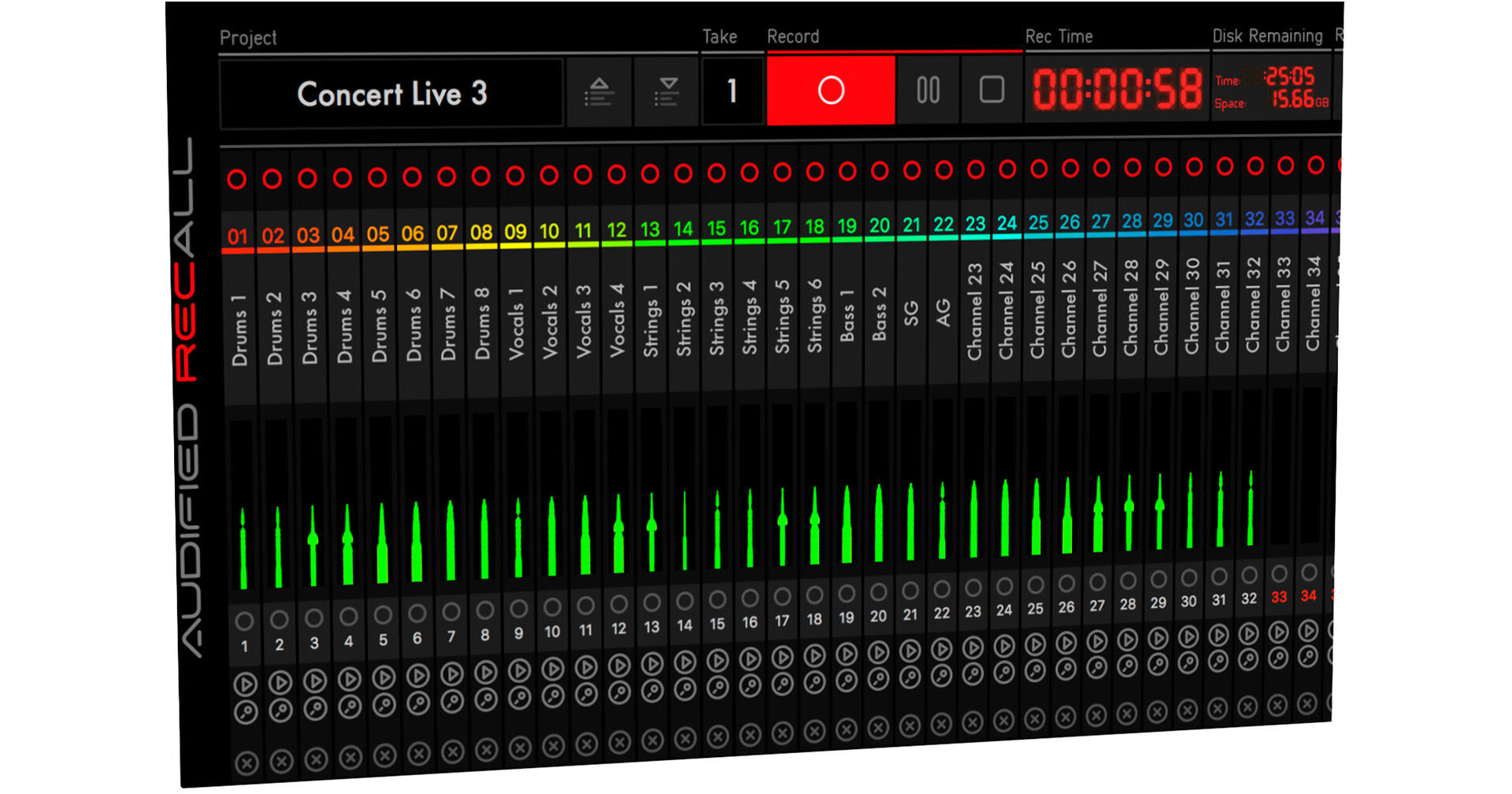
RecAll is aware of the recording process so it handles projects, sessions, takes, channels, and files. It provides two types of meters, automatically toggling during the recording process. When the recording is off you see the standard meters showing the signal level at the given time. If you start recording, the meters show the signal history so you don't need to check the meters all the time, and also works well if the RecAll window is hidden.

Project settings for all formats and interfaces are accessible from the main panel.
Many new formats with detailed settings including bit resolution, bit rate, and float point / fixed point.
Secondary recording allows you to record to two drives simultaneously.
Open the application, select the setup from a template, and press record. It's that easy.
RecAll provides two types of meters, automatically toggling during the recording process. When the recording is off, you see the standard meters showing the signal level at the given time. If you start recording, the meters show the signal history, so you don't need to check the meters all the time, especially if the RecAll window is hidden.

AUDIFIED ReCall Live Specs

Delivery Format
Download

AUDIFIED ReCall Live Reviews

See any errors on this page?
Whatever You Need, We've Got It