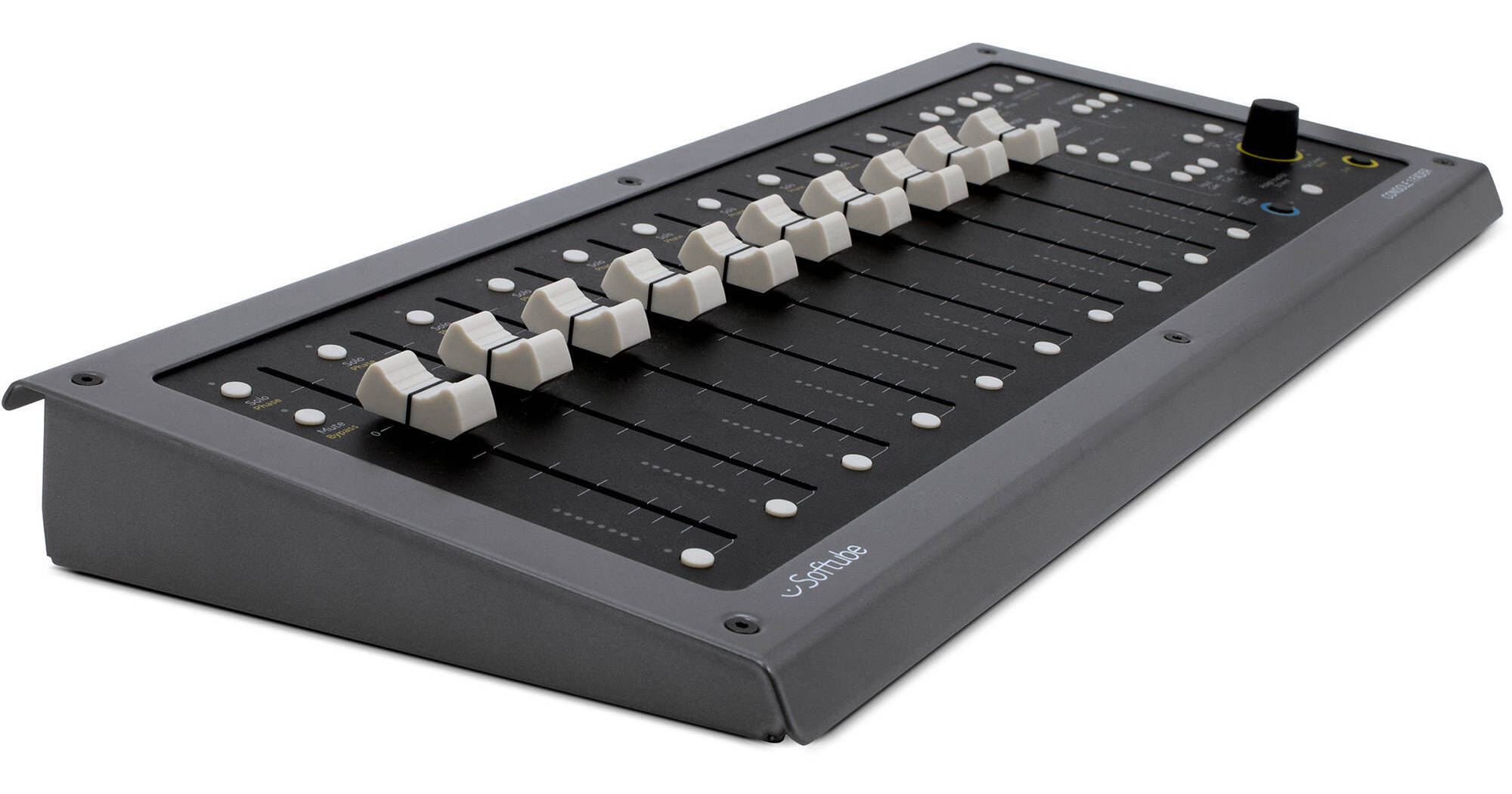
Softube Console 1 Fader gives you ten 100mm faders for use in your DAW or for controlling UA Apollo console software while tracking. Use it to control aspects of your mix simultaneously, effectively gain-riding the mix as though it were an instrument. Pair it with Console 1 for an analog experience in the digital world, or use it on its own as an intuitive fader bank.
Each fader gives you a solo button, a mute button, a polarity-invert switch, and a bypass button. The fader can be USB powered, but if you use the included power supply, you can take advantage of the motorized capabilities and touch sensitivity.
Console 1 Fader corresponds with certain select Softube plug-ins to give you functionalities beyond level control. When paired with Drive or Channel Strip plug-ins, you can use the faders to push Drive and Character parameters, as well as high-cut, and low-cut. You can effectively control the sound of the plug-in itself with your fader.
A pan control is provided, but if you hold shift on your keyboard while twisting the knob, it becomes a stereo-width control. Layer Mode allows you to create VCA-like groups for the faders, so you can create drum groups, vocal groups, and instrument groups irrespective of the DAWs layout.
You'll note transport controls that also double as place-holders for assignable key commands. If you want to patch your undo function to a transport button, you can easily do that. It's also possible to send directly from each fader to a bus, which is useful for sending tracks to reverb, delay, or parallel compression, all from the Console 1 Fader.
Ask Our Experts800-606-6969
Hello, Log InAccount & Orders
Video Chat with a Pro Audio Expert - Live
Softube Console 1 Fader - 10-Channel Fader Bank for DAWs, UA Apollo, and Softube Console Plug-Ins
Key Features
- Ten 100mm Faders
- Motorized & Touch-Sensitive when Powered
- Transport with Assignable Key Commands
- Control UA Apollo During Tracking
Softube Console 1 Fader gives you ten 100mm faders for use in your DAW or for controlling UA Apollo console software while tracking. Use it to control aspects of your mix simultaneously, effectively gain-riding the mix as though it were an instrument. Pair it with Console 1 for an analog experience in the digital world, or use it on its own as an intuitive fader bank.
More DetailsNo Longer Available
Softube CONSOLE 1 FADER Overview
Transport Controls
The assignable transport buttons work as a regular keyboard and allow you to assign key-commands (undo, save, etc.) to a button. By default, these buttons are transport controls and compatible with major DAWs, but they can be configured and customized.
Fader Modes
The faders can be used for output volume. They can also be assigned to control parameters such as Drive, Drive Character, High Cut, Low Cut, Input Gain, and Sends. These are configurable depending on the plug-in present on a given track.
Page Up/Down
Use Page Up or Page Down faders toggle among banks of ten faders each. This is especially useful for large mixes.
Layer Mode
This feature allows you to create layers of tracks, rearrange tracks, or organize tracks with another layout than the track order in your DAW. This makes it easy to create a page with a drum group, guitar group, vocal group, and more, so you can organize your mix more effectively.
Softube CONSOLE 1 FADER Specs
| Computer Connection | |
| Faders | |
| Meters | |
| Encoder | |
| Panel | |
| Chassis | |
| Dimensions (Approx.) | |
| Weight |
Packaging Info
| Package Weight | |
| Box Dimensions (LxWxH) |
Softube CONSOLE 1 FADER Reviews
See any errors on this page?