Video Chat with a Pro Video Expert - Live
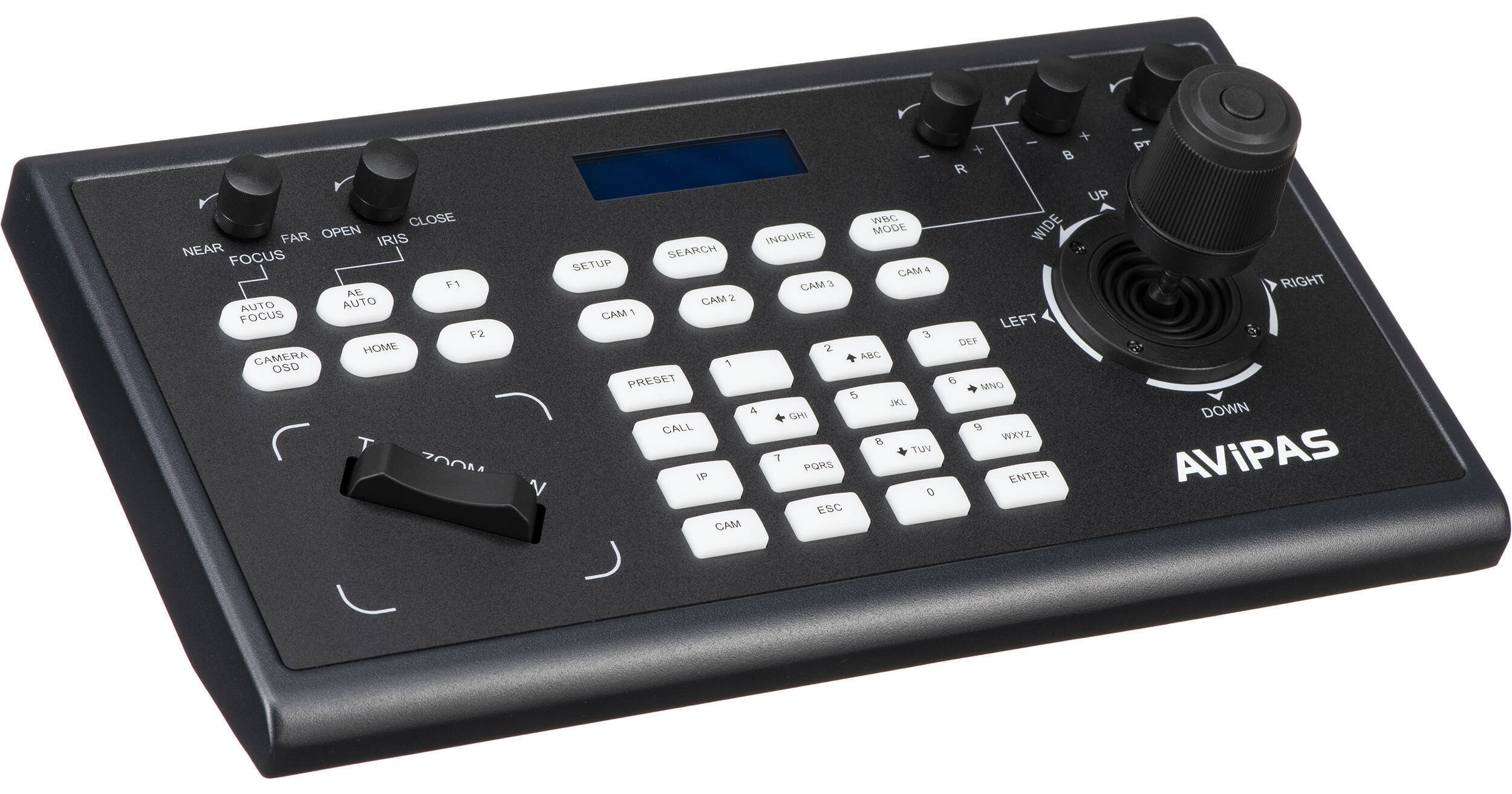
AViPAS AV-3104IP 4D Joystick PTZ Controller

BH #AV3104IP • MFR #AV-3104IP
Print
AViPAS AV-3104IP 4D Joystick PTZ Controller
Key Features
  • 4D Pan / Tilt / Zoom / Lock PTZ Control
  • IP & Serial RS-232/422/485 Communication
  • 2 x IP & 2 x Serial Control Modes
  • VISCA/VISCA IP/Pelco-P & D/ONVIF Support
The AV-3104IP 4D Keyboard Controller from AViPAS offers joystick and button control for your PTZ cameras with support for VISCA, VISCA IP, Pelco-P, Pelco-D, and ONVIF protocols over IP and serial RS-232, RS-422, and RS-485 communication. It enables you to control the speed of your pan, tilt, zoom, and lock moves and incorporates an LCD screen.
More Details
In Stock
No Store Display
Free Expedited Shipping
Protect Your Gear
Add a protection plan from $44.99
Ask an Expert
800-606-6969
See any errors on this page?

Can it control Bolin 7 Series cameras?

Can it control Bolin 7 Series cameras?
Asked by: Darrell
Yes, The AViPAS AV-3104IP 4D Joystick PTZ Controller should work. The Avipas controller supports VISCA/VISCA IP/Pelco-P & D/ONVIF protocols which are listed as supported by Bolin cameras.
Answered by: Chris H
Date published: 2022-03-04

Can I use multiple protocols at the same time? ...

Can I use multiple protocols at the same time? ie; can I connect an RS 422 camera and an IP camera? Or do I need to have all cameras use the same protocol?
Asked by: Patrick
the cameras being controlled all need to be the same protocol. The protocols can NOT be mixed
Answered by: Sean
Date published: 2020-09-01

How do I setup the ability to preview the other ...

How do I setup the ability to preview the other cameras? Will I need to get a black magic mini? Or can I connect a monitor to the controller?
Asked by: Dj
Connect the AViPAS AV-3104IP 4D Joystick PTZ Controller BH #AV3104IP to a network switch which connects to all your cameras. The controller and PTZ camera must be connected within the same LAN. IP addresses need to be set at the same segment. For example: If your camera is set to 192.168.1.123, the keyboard should be set to 192.168.1.xxx. Keep the first 3 sections the same. The default setting of AV-3104IP controller is obtaining IP address dynamically.
Answered by: Mark S
Date published: 2022-06-14

Whats the differences between 3D and 4D ...

Whats the differences between 3D and 4D comtrollers?
Asked by: Luis
The 4D has Pan / Tilt / Zoom and Lock PTZ Control. Lock is the 4th thing that the 3D version does not offer. Along with the 3D version not being IP.
Answered by: Joe P
Date published: 2021-03-08

Does this controller allow you to control or ...

Does this controller allow you to control or adjust the pan speed? It looks so mechanical when using the remote
Asked by: Maria
Yes it most certainly will be able to adjust the speed. Please see Page 5 for pan speed adjustment. https://bit.ly/3eM6MKl
Answered by: Chris H
Date published: 2022-10-21

Will this control more than one camera at a time?

Will this control more than one camera at a time?
Asked by: Ben
This can control multiple cameras but they will have to be controlled individually
Answered by: Sean
Date published: 2020-08-17

Will this control a Panasonic AW-HE60S?

Will this control a Panasonic AW-HE60S?
Asked by: Scott
Panasonic recommends use of a AW-RP50E controller for IP control of the AW-HE60S camera. Although 3rd party IP controllers may be able to communicate with IP controllable PTZ cameras, the Panasonic controllers are coded specifically for use with their cameras and are recommended for full compatibility.
Answered by: Eric
Date published: 2020-11-16

Are you able to control or adjust the Pan speed? ...

Are you able to control or adjust the Pan speed? It is fast and looks mechanical when controlled by the remote.
Asked by: Maria
Yes, the pan speed can be adjusted by twisting the "PTZ Speed" knob on the keyboard of the AViPAS AV-3104IP 4D Joystick PTZ Controller.
Answered by: Elliot
Date published: 2024-05-17
  • y_2026, m_9, d_4, h_7CST
  • bvseo_bulk, prod_bvqa, vn_bulk_3.0.48
  • cp_1, bvpage1
  • co_hasquestionsanswers, tq_14
  • loc_en_US, sid_1513207, prod, sort_[SortEntry(order=HAS_STAFF_ANSWERS, direction=DESCENDING)]
  • clientName_bhphotovideo
Whatever You Need, We've Got It
