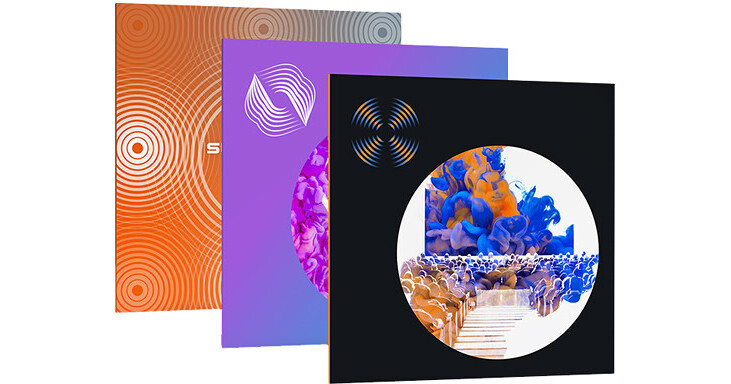


The iZotope RX Advanced Reverb Bundle packages three pieces of software together into one convenient download. First, you get RX 7 Advanced, which offers a hefty set of tools to restore, de-noise, clean, or otherwise fix troublesome audio signals. Next, you get Exponential Audio Stratus, which offers stunning surround sound reverbs. Finally, you get Dialogue Match, which uses many iZotope tools to automatically match looped dialogue with audio recorded on set.
All three of these tools are very well suited for post-production sound editing in TV, film, radio, podcasting, and anywhere else sound is heard. This software supports Mac and Windows platforms. Stratus and RX 7 Advanced operate in AU, AAX, and VST formats, while Dialogue Match only operates in the Pro Tools AudioSuite format.
Available for download, iZotope RX 7 Advanced is the latest update to their audio-repair software, which is considered a staple within the recording, mastering, and audio-for-video, post-production communities. The software can operate either as a standalone application or plug-in for both Mac- and Windows-based DAWs and NLEs. From fixing common audio problems like noises, distortions, and inconsistent recordings, to repairing severely damaged audio using Spectral Repair, the software can transform previously unusable audio into something usable.
The advanced edition of RX 7 takes nearly all of the modules provided in RX 6 Advanced and implements a graphic overhaul more in line with iZotope's current aesthetic. You'll also find many new and powerful modules, including Dialogue Contour, Dialogue De-reverb, Variable Time, Variable Pitch, Music Rebalance, and the Repair Assistant.
Dialogue Contour can fix the intonation of an otherwise usable line of dialogue, while Dialogue De-reverb can intelligently separate unwanted ambiance from an otherwise wonderful vocal take Variable Time lets you change the time stretch of an audio selection without affecting its pitch, while Variable Pitch does the opposite, allowing you to adjust the pitch of an audio selection without negatively impacting its duration. Previously, these processes were combined into one module.
Music Rebalance analyzes a full mix of music and allows you to rebalance the levels of its bass, vocals, drums, and harmonic content, doing so with four dedicated sliders. Do you have a bit of background music whose vocal line interferes with the dialogue? Use the Music Rebalance module to lower the offending vocal. Need to beef up the bass in an anemic mix that came your way? Use this tool to emphasize the bass with the bass slider.
Repair Assistant takes the concept behind iZotope's Mixing and Mastering Assistants and applies them to the restoration of audio. Simply select the audio you need to process, click on the Repair Assistant button, and let the program analyze your audio. It will offer you three options for processing (light, medium, and aggressive), and you can choose among them after auditioning each one. Next, hit render, and the Repair Assistant will automatically fix the issue.
All of the tools work as they did in earlier versions of RX, allowing you to paint away audio problems on the spectrogram. Multichannel processing is now available up to Dolby Atmos (7.1.2). Many algorithms which did not provide real-time preview now do, which makes working a bit faster. Additionally, many modules which did not previously work as plug-ins within your DAW or NLE now will.
High-quality resampling and dithering are once again provided, as is batch processing. A detailed spectrum analyzer detects peaks automatically, and a suite of automatic, intelligent modules reduce manual tasks in the audio production workflow. RX 7 can be used as a standalone audio editor (including standalone but connected to your host via RX Connect or as your DAW's audio editor, in the case of Logic Pro), though much of it can be used as a suite of plug-ins.
- De-plosive eliminates every plosive from any dialogue track with transparency
- Leveler smooths any volume inconsistencies with an automatic clip-gain envelope; leveler is optimized for dialogue using intelligent De-breath and De-ess algorithms
- Instant Process tool is a one-click eraser for removing unwanted coughs, scene-interrupting sirens, and more
- Module Chain can process multiple modules at once, save your customized chains as presets, and execute them all with a single click, enhancing workflow and reducing mouse clicks
- Sync and integrate the RX Audio Editor with any DAW or NLE timeline using RX Connect
- Pro Tools support for clip-by-clip and handles, which preserves the boundaries of clips, allowing for simpler conformation to future picture changes
- Corrective EQ for removing harsh high frequencies, whines, rumbles, resonances, and distortion artifacts, and for accurately homing in on any problem-frequency areas
- Sixty problem-oriented presets across several modules
- Signal Generator creates accurate test tones, calibration tones for post-production delivery specs, and bleep tones for eliminating obscenities in dialogue
- Markers and regions (search) provide greater flexibility for those longer edits, with the ability to perform text-based searches of any markers, regions, and comments in the metadata of the audio
- Turn flawed audio into usable material by removing noises, distortions, and more
- Edit audio with visual editing techniques using precision drawing tools, such as a brush and magic wand
- Salvage unusable material by filling in audio gaps instantly with Spectral Repair
- Seamlessly integrates with audio- or video-editing software, both as a standalone application or plug-in
- EQ Match allows for quickly learning the EQ of a source audio clip and applying that EQ curve to a target audio clip, enabling sonic balance and smooth transitions between multiple audio sources with different EQ qualities
- Ambience Match for matching the environment noise of two different audio recordings
- Learn the ambient noise from a source audio clip and apply it to another audio clip, and create long sections of constant ambient noise to insert under inconsistent dialogue recordings
- Loudness module processes whole program mixes or segments to comply with international industry standards, ensuring mixes never fail network specifications
- High-quality resampling using the SRC sample-rate conversion algorithm
- Reduce bit resolution for final delivery of a project without sacrificing quality with the MBIT+ Dither algorithm
- Rebuild distorted audio caused by analog and digital overload, and get through projects faster with the automatic Suggest feature
- Spectrum Analyzer delivers a detailed spectral display that detects peaks automatically
- Adaptive Hum Removal notches out fundamental hum frequencies that may change over time, like when recording a shot in multiple locations
- Non-destructive Clip Gain allows you to easily adjust and balance the volume of vocals and instrumentals
- Export marker regions as files
- Metadata display (see ID3 tags and broadcast WAV metadata like source timecode, etc.)
- Time-reverse audio
- Updated timeline ruler that displays original recorded source timecode
- Movable tabs
- Full-screen support for Mac
Audio professionals looking for a top-level reverb will be impressed with the iZotope Exponential Audio Stratus, an algorithmic reverb that can add depth, dimension, and even complexity to sound sources. The plug-in offers support up to 7.1 surround for both music and postproduction. This product is compatible with Mac and Windows platforms and operates in AU, VST, and AAX formats. An iLok account is required for authorizing the plug-in, though an iLok key is not strictly necessary.
- Natural surround reverb with support up to 7.1
- Channel-specific control over reverb delay and gain
- Advanced control of reverb tail and early reflections
- Predelay and reverb delay adjustable by tempo
- Over 1700 presets (rooms, plates, halls, chambers, and more)
- Early Reflections: Tailor the sound to your needs in highly specific ways.
- Tails: Offer a whole new set of controls over the late reflections.
- Input Filtering: Provides high-, low-, and band-pass filtering on global inputs, early reflection inputs, and tail inputs.
- Warp: Adds compression and overdrive while facilitating other effects, such as bit-reduction for a vintage-digital sound.
- Balance: Tweaks the signal for each channel independently. This section offers controls over levels and delays on a per-channel basis. Go into this tab when you want to create compelling soundscapes for surround-sound formats.
Available for download, iZotope Dialogue Match is a tool designed to make the lives of post-production engineers easier, specifically by matching the timbre and ambience of ADR dialogue with material recorded in production. Using iZotope's machine learning, the company's forensic technologies, and Exponential Audio's reverb algorithms, Dialogue Match expertly massages looped dialogue so that it naturally matches the tone of the original scene.
Operating has been made streamlined and simple: first, you capture a reference profile from a desired track such as a character's dialogue as recorded within the scene itself from a boom or lapel microphone. Then in Pro Tools, you highlight the audio you're intending to affect, such as the ADR. Hit the Capture button in the GUI, and the software will automatically calibrate an EQ curve and an ambience and reverb profile, creating the perfect match.
From here, you can tweak the EQ curve, the reverb, and the ambience by ear if need be. Hit render, and the processing is completed.
Dialogue Match allows you to save snapshots as presets, so you don't have to keep tweaking the chain every time you're working with similar audio. You can also save captured references for storage. This speeds up your workflow, because you won't have to keep recapturing the same audio for targeting.
This software is only available as an AudioSuite process in Pro Tools 11 or later. It is compatible with Mac and Windows operating systems.
- Amount: Controls the dry/wet ratio for your processed audio file
- Up to 8 frequency band nodes for sonic flexibility and versatility
- 5 shapes for each band node: Bell, High Pass, High Shelf, Low Pass, and Low Shelf
- Individual Enable/Bypass controls on each band node for easy A-to-B comparisons
- Wet and Dry controls: Presented as individual parameters to better balance your desired reverb tone
- Bypass: Enables and disables the Reverb module
- Early Reflections: Controls the Level (gain) and Time (length) of the first reverb reflections
- Tail: Controls the Predelay, Level, Attack, and Time (length) of the reverb tail
- Reverb types: Choose from Chamber, Hall, or Plate reflections to tailor the right reverb for your project
- Output Filter: Offers high and low pass filtering for your reverb signal
- Density: Colors your reverb for even more precise fine-tuning