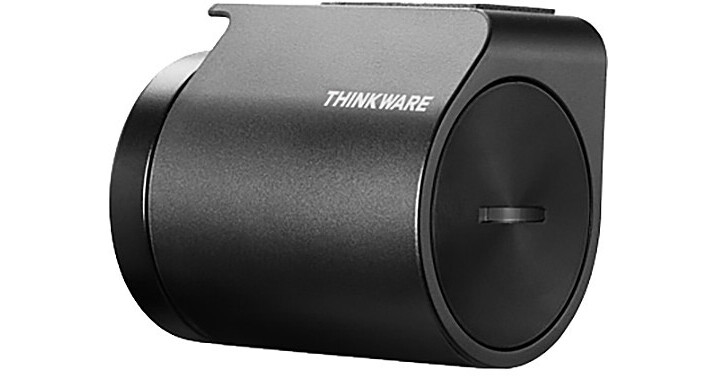
Thinkware TWA-RDR Radar Module

BH #THTWARDR • MFR #TWA-RADS
Print
Thinkware TWA-RDR Radar Module
Key Features
  • Extends the Parking Surveillance Duration of the U1000 Dash Cam
The TWA-RDR Radar Module from Thinkware reduces power consumption by the U1000 dash cam when set to Energy Saving Parking Mode 2.0 to extend its duration. It detects motion to enable the U1000 to save a 20-second video clip that captures 10 seconds of video before and after an impact to a microSD card.
More Details
Special Order
Expected availability: 7-10 Business Days
No Store Display
Free Standard Shipping
Ask an Expert
800-606-6969

Thinkware TWA-RADS Overview

The TWA-RDR Radar Module from Thinkware reduces power consumption by the U1000 dash cam when set to Energy Saving Parking Mode 2.0 to extend its duration. It detects motion to enable the U1000 to save a 20-second video clip that captures 10 seconds of video before and after an impact to a microSD card.

This device should be installed away from the metal parts of your rearview mirror and ADAS sensors. Professional installation is recommended.

UPC: 888622015639

Thinkware TWA-RADS Specs

Compatibility
Thinkware U1000
Detection Range
Approximately 23' / 7 m
Detection Angle
Horizontal: 80°
Vertical: 35°
Operating Temperature
-22 to 167°F / -30 to 75°C
Dimensions
1.89 x 1.42 x 1.65" / 48 x 36 x 42 mm
Weight
2 oz / 57.4 g
Packaging Info
Package Weight
0.14 lb
Box Dimensions (LxWxH)
5.1 x 3.2 x 1.8"

Thinkware TWA-RADS Reviews

Another piece of the puzzle

By Mark
Rated 5 out of 5
Date: 2023-05-08

These days you need all the help you can get...Both units worked as reported

See any errors on this page?

just purchased the camera and came across this ...

just purchased the camera and came across this item. can this be installed at a later date after the dashcam has been installed. or should they both be installed at the same time
Asked by: jerry
The Radar Module can be installed at any time and doesn't require professional installation. You'll just need to plug the Radar to the Radar Port on the Front Cam and mount it beside the Front Cam. In the settings, enable Parking Mode for Energy Saving and then enable the Radar option.
Answered by: Thinkware Product Expert
Date published: 2022-03-25

What is the purpose of the radar modular for the ...

What is the purpose of the radar modular for the Thinkware U1000 dashcam?
Asked by: JaJa
The TWA-RDR Radar Module from Thinkware reduces power consumption by the U1000 dash cam when set to Energy Saving Parking Mode 2.0 to extend its duration. It detects motion to enable the U1000 to save a 20-second video clip that captures 10 seconds of video before and after an impact to a microSD card. Please note: This device should be installed away from the metal parts of your rearview mirror and ADAS sensors. Professional installation is recommended.
Answered by: Moe
Date published: 2020-07-05
  • y_2026, m_6, d_3, h_11CST
  • bvseo_bulk, prod_bvqa, vn_bulk_3.0.46
  • cp_1, bvpage1
  • co_hasquestionsanswers, tq_2
  • loc_en_US, sid_1519125, prod, sort_[SortEntry(order=HAS_STAFF_ANSWERS, direction=DESCENDING)]
  • clientName_bhphotovideo
Whatever You Need, We've Got It