
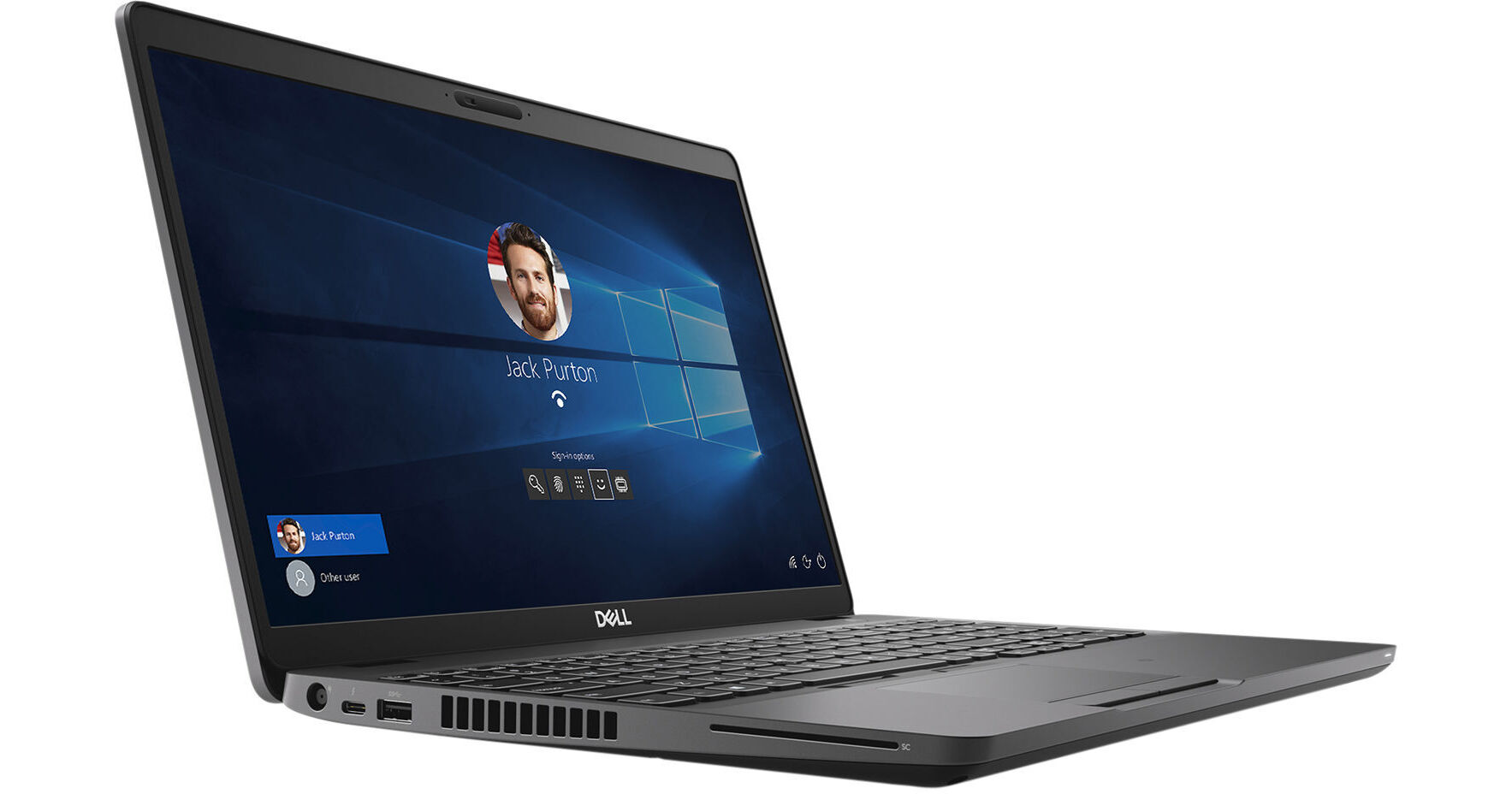
Bring your ideas to life while traveling using the Dell Precision 3540 Mobile Workstation. This laptop features a 1.8 GHz Intel Core i7-8665U Quad-Core processor with 16GB of DDR4-2400 memory to run demanding applications. The 15.6" FHD 1920x1080 anti-glare screen is driven by an AMD Radeon Pro WX 2100 graphics card with 2GB of RAM, which is designed with artists, designers, and engineers in mind. Projects, images, videos, and other files can be stored on the 512GB M.2 PCIe NVMe SSD or using the built-in SD and microSD memory card readers.
Screens up to 1920 x 1080 resolution can be connected to the laptop's HDMI port to expand your virtual desktop space. Devices such as keyboards, mice, and external storage drives can be connected to the USB 3.1 Gen 1 Type-A and USB 3.1 Gen 2 Type-C ports. The designated PowerShare port lets you charge USB devices such as phones, portable music players, and more from the laptop's 4-cell 68Wh lithium-ion ExpressCharge battery, even when the system is turned off. Additionally, the Precision 3540 has a fingerprint reader and a Noble Wedge lock slot for added security. This mobile workstation connects to your network using the Gigabit Ethernet port or through the 802.11ac Wi-Fi adapter. The Precision 3540 comes with Windows 10 Pro installed, and its performance can be further increased with Dell's Precision Optimizer, which automatically tunes your workstation to run programs at their fastest speeds.General Features
Dell Precision Optimizer
The Dell Precision Optimizer is included free with your mobile workstation. It automatically tunes your computer to run specific programs at their fastest speeds and allows you to configure your system settings for top performance. This utility also gathers extensive information about your computer for troubleshooting and can be configured to automatically download and apply software updates. Upgrading to the Dell Precision Optimizer Premium version enables an artificial intelligence-driven program that learns the behavior of any user-specified application. It uses machine learning to identify optimization opportunities and apply performance improvements.
USB PowerShare
Dell USB PowerShare technology allows you to charge USB-powered devices such as phones, portable music players, and more using the laptop's battery even when the system is turned off.
Dell ExpressCharge
With the Dell ExpressCharge feature, the laptop's battery will usually have an 80% charge or more after about one hour of charging. An empty battery should be fully charged after about two hours with the laptop turned off.
USB 3.1 Gen 1
USB 3.1 Gen 1 features a maximum throughput of 5 Gb/s. USB 3.1 Gen 1 and USB 3.0 are synonymous.
Thunderbolt 3
Thunderbolt 3 is a hardware interface that utilizes the reversible USB Type-C connector. Doubling the speed of its predecessor, Thunderbolt 3 features a maximum throughput of 40 Gb/s when used with compatible devices. The connector also transmits data via USB 3.1 at up to 10 Gb/s, and dual-bandwidth DisplayPort 1.2 allows you to connect two 4K displays simultaneously. Additionally, you can daisy chain up to six devices from a single Thunderbolt 3 port.
Windows 10
Start Menu
After its hiatus in Windows 8, the Start Menu has returned. Utilizing a combination of the traditional menu system and Windows 8's Live Tiles, the improved Start Menu gives you more information at a glance, showing notification information alongside your applications and other pinned items.
Cortana
Microsoft's digital personal assistant, Cortana can answer your questions with information gleaned from both your device and the internet at large. You can type or even talk with her, if your system has a microphone. Using her Notebook, Cortana keeps track of your needs and wants, and she learns over time to improve her information gathering skills.
Microsoft Edge
After nearly 20 years, Microsoft has finally replaced its Internet Explorer web browser. With Microsoft Edge, users can write directly on web pages and share notes with friends and colleagues. It also improves the online reading experience by adding a distraction-free mode and read-it-later functionality. Edge also has built-in Cortana integration; you can have her help you find a restaurant, make a reservation, and pull up directions without leaving your browser.
Windows Store
For Windows 10, Microsoft has unified the Windows Store. Now, apps for PCs, tablets, and phones will all be accessible from one place. And with support for Universal Apps, one version of an app can work across all your compatible devices automatically.
Windows Continuum
Windows 10 was designed for a variety of screen sizes and input styles, and with its Continuum feature, it automatically adapts to fit your needs. A Windows 10 tablet on its own requires a touch-centric approach but attaching a mouse and keyboard will shift everything to a more traditional interface. You can even attach an external monitor to your Windows 10 phone for a near-desktop experience. But it's not just the operating system; Windows Universal Apps take advantage of Continuum as well.
Xbox on Windows 10
Gaming is a big focus of Windows 10. Xbox integration allows for PC players to match up against Xbox One players on supported games, and if you have an Xbox One, you can even stream compatible titles to your PC. Native support for recording with the new Game DVR feature makes it easy to capture and share your gameplay. The new DirectX12 takes better advantage of multi-core processors, giving games a performance boost, even on older hardware. Windows 10 also features native support for virtual reality headsets, such as the Oculus Rift.
Additional Windows 10 Pro Features
The Pro version of Windows 10 includes all the features of Windows 10 Home plus many designed specifically for business users, including Hyper-V virtualization, BitLocker disk encryption, and remote desktop access. Devices will also be able to join domains and the Azure Active Directory, and they can even access a specialized version of the Windows Store featuring custom, company-specific applications.