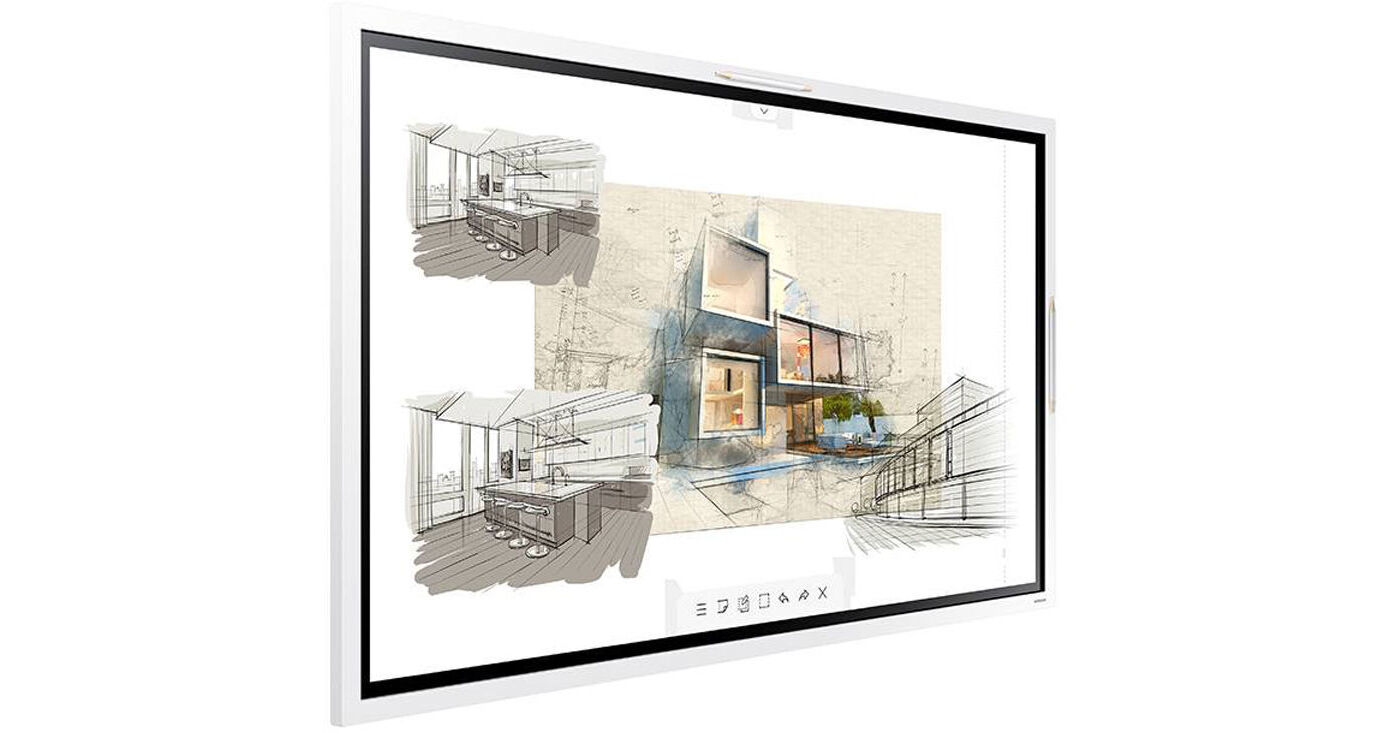
Samsung Flip 2 55" Digital Flip Chart

BH #SAWM55R • MFR #WM55R
Print
Samsung Flip 2 55" Digital Flip Chart
Key Features
  • 4K UHD (3840 x 2160) Resolution
  • 350 cd/m² Maximum Brightness
  • 4000:1 Contrast Ratio
  • 178° Viewing Angles
Bring yesterday's paper flip chart for drawing at meetings into the present with the Flip 2 55" Digital Flip Chart from Samsung. The Flip 2 is much more than an electronic whiteboard, it is a true creative tool that can be written on simultaneously by up to four people, supercharging the collaborative process. You can collaborate in portrait or landscape mode.
More Details
No Longer Available
No Store Display
Ask an Expert
800-606-6969

Sam ung WM-R Overview

Bring yesterday's paper flip chart for drawing at meetings into the present with the Flip 2 55" Digital Flip Chart from Samsung. The Flip 2 is much more than an electronic whiteboard, it is a true creative tool that can be written on simultaneously by up to four people, supercharging the collaborative process. You can collaborate in portrait or landscape mode.

The Flip 2 includes two pens that provide you with the smooth pen-on-paper writing feel that you are used to, and allows you to change the color and brush type, all while providing the advantages of working in a non-destructive digital workspace. Build your presentation beforehand or create it on the fly, and clicking on the note layer button allows you to annotate and draw on your presentation without affecting the material you are drawing on. If you need to erase, just swipe with a finger or your palm.

Connect to devices and peripherals on the back of the Flip 2. You can expand upon the Flip 2's connectivity and mounting options with the separately available expansion tray, which adds connections to the front of the flip chart. This allows you to then use the optional wall mount to place the Flip 2 on a wall and have easy access to device connectivity. You can even mount the Flip 2 on an optional rolling stand, which still allows you to change the orientation while mounted on the stand, and start working with your team or students.

From Art to Commerce
Brush Mode
The Samsung Flip 2 recognizes a wide range of thicknesses, so you can create art at the stroke of a brush. Water and oil painting modes allow different styles and textures, while the Flip 2 also gives you a full, vibrant color palette, even allowing for flexible color mixing.
4K UHD
Every presentation, every image, and every video will be reproduced clearly and accurately using 4K UHD resolution and Samsung picture technologies. Backed by the powerful Tizen 5.0 operating system for a seamless user experience, embedded sensors automatically activate the display when the screen is touched.
Flexible Image Editing
With the Samsung Flip 2 display, you can quickly and easily select, move, crop, capture, and edit any number of images. Each image can also be merged to the digital note roll with just one click of a button, allowing it to be edited or erased.
Collaboration
Import Content
The touch-out functionality allows your team to sync their personal devices with the Samsung Flip 2 for real-time content sharing and control. Any changes made on the digital flip chart will be mirrored on the connected device, and vice versa, for efficient collaboration.
Distribute Meeting Notes
The Samsung Flip 2 makes it simple to save and distribute notes to all attendees and colleagues. No more taking pictures of paper pads and whiteboards or tasking one person to accurately consolidate all the notes. This digital flip chart stores your meeting securely, then lets you share all the notes via email, network, thumb drive or even printouts if you want.
Screen Sharing
You can share and display the content on the Samsung Flip 2 on another large digital display in real time using a Wi-Fi network or HDMI output. This feature is ideal for large meeting environments to deliver information to bigger audiences.
Versatile Connectivity
Remote Connection
The Samsung Flip 2 allows you to connect your PC to the board remotely, meaning any meeting can be started without a PC in the room to avoid delays and help to ensure efficiency. A Bluetooth keyboard, mouse and speaker can also be connected.
Connection Options
USB, HDMI, NFC, and screen-sharing capabilities enable optimum collaboration and provide interactive content visibility, notation and sharing.
Details
The Samsung Flip 2 offers a host of capabilities, including secure wireless connection, automatic firmware updates, LDAP synchronization, file security, and remote management—helping to ensure a convenient and productive meeting experience.
Up to 20 pages of writing space per roll, allowing users to seamlessly scroll through pages
User-friendly menu simplifies navigation and saves time
Quick finder feature allows users to preview content and make instant changes directly on the screen
Supports web browsing and allows users to access the internet directly through the display
Can open Microsoft Word, Microsoft PowerPoint, Microsoft Excel, and PDF files directly with a built-in document viewer
Select a custom image to be shown on the Flip as a screensaver
Use the Flip as a calendar, scheduler, note, or checklist board
Supports wireless cloud service access, Microsoft Office 365 access, and control of a PC without the need for a physical connection
Backed by Samsung's Knox security
Connect a Bluetooth keyboard and mouse to the Flip, creating a convenient and efficient meeting environment by enabling the use of familiar devices and tools for each user
Following any meeting, users can distribute recaps to all attendees and colleagues via email
6-digit lock system allows each in-office team to safeguard sensitive content, lock the display, and remove critical content from view
Remotely control critical display settings of the Flip through Samsung's Remote Management solution (available separately)
Secure wireless connection, automatic firmware updates, and LDAP synchronization when connected to network database
Magnetic pen holder

Sam ung WM-R Specs

Display
Size
55"
Panel Type
LCD
Aspect Ratio
16:9
Native Resolution
3840 x 2160
Contrast Ratio
4000:1
Refresh Rate
60 Hz
Viewing Angle (H x V)
178 x 178°
Pixels Per Inch (ppi)
80 ppi
Multi-Touch Points
4
Connectivity
USB I/O
Rear:
1x USB-A (Unspecified Version) (Control)
Rear:
1x Mini-USB (Unspecified Version)
Other I/O
1x Control
1x 1/8" / 3.5 mm Control Input
Built-In Speakers
Yes, 2x 10 W
Hardware
Storage
8 GB
Supported Document File Types
PDF
Electrical
Dimensions
51.1 x 30.2 x 2.4" / 1297.4 x 768.2 x 59.9 mm
Weight
62.17 lb / 28.2 kg
Packaging Info
Package Weight
77 lb
Box Dimensions (LxWxH)
57 x 35.25 x 7.5"

Sam ung WM-R Reviews

See any errors on this page?
Whatever You Need, We've Got It