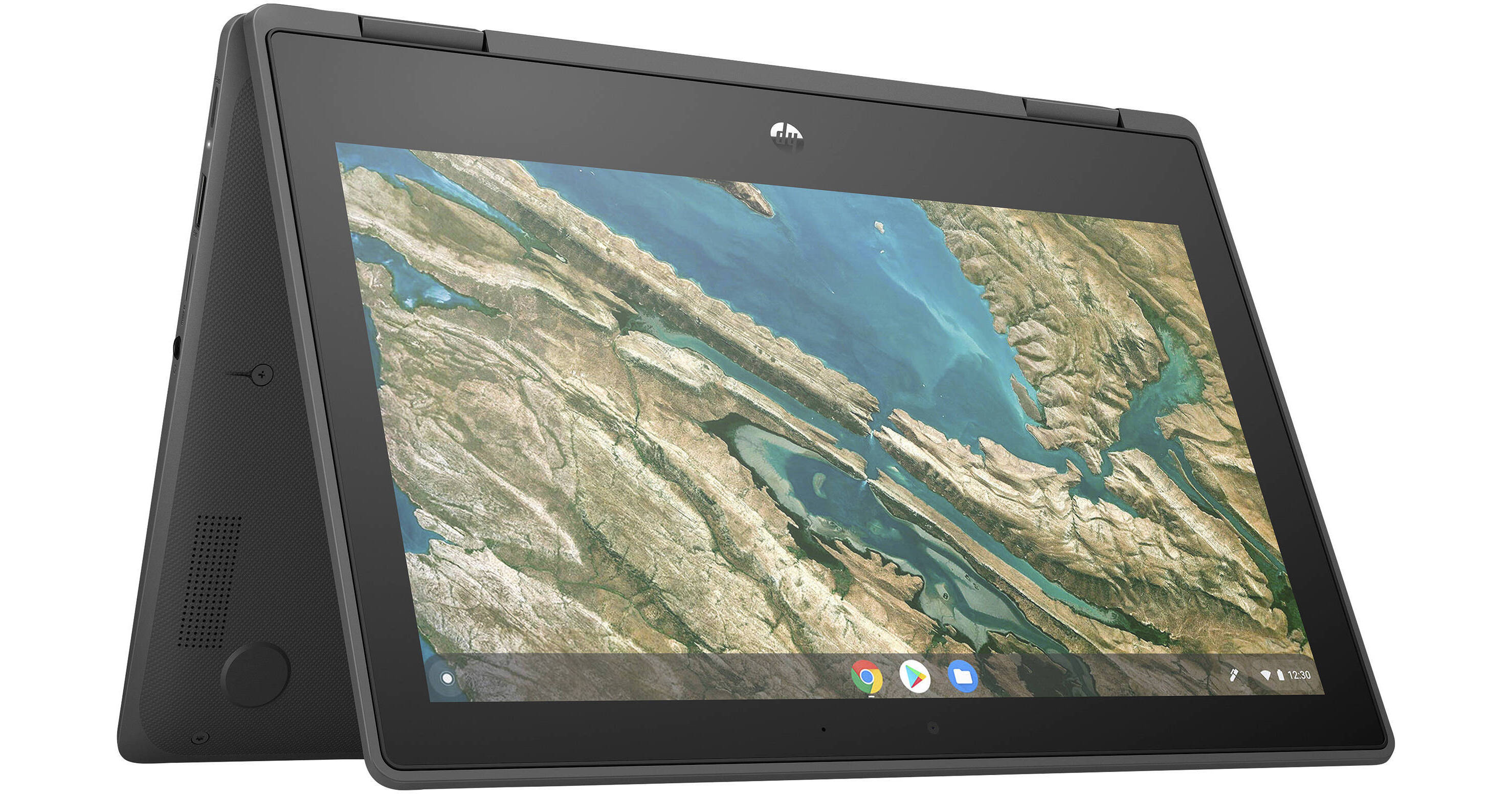
HP 11.6" 32GB Chromebook X360 11 G3 EE Multi-Touch 2-in-1 Laptop

BH #HECBX360G367 • MFR #1A767UT#ABA
Print
HP 11.6" 32GB Chromebook X360 11 G3 EE Multi-Touch 2-in-1 Laptop
Key Features
  • 1.1 GHz Intel Celeron N4020 Dual-Core
  • 4GB LPDDR4 RAM | 32GB eMMC SSD
  • 11.6" 1366 x 768 IPS Touchscreen
  • Integrated Intel UHD Graphics 600
Enhance your classroom with the HP 11.6" Chromebook X360 11 G3 EE Multi-Touch 2-in-1 Laptop. Designed for educators and students, this durable laptop is drop tested for up to 4', is spill resistant, and features a 1.1 GHz Intel Celeron N4020 Dual-Core processor with 4GB of LPDDR4-2400 RAM, and a dual-band 802.11ac wireless network connection to access books, tests, and more via the Google Chrome browser and G Suite applications. Integrated Intel UHD Graphics power the 11.6" 1366 x 768 resolution IPS (In-Plane Switching) touchscreen, which has a 360° hinge for four different setup modes. They include the traditional laptop mode, a stand mode with the keyboard folded back, a flat tablet mode, and a tent mode where the computer stands on its screen edges. Use the configuration that best suits your needs.
More Details
No Longer Available
No Store Display
Ask an Expert
800-606-6969

HP X360 11 G3 EE Overview

Enhance your classroom with the HP 11.6" Chromebook X360 11 G3 EE Multi-Touch 2-in-1 Laptop. Designed for educators and students, this durable laptop is drop tested for up to 4', is spill resistant, and features a 1.1 GHz Intel Celeron N4020 Dual-Core processor with 4GB of LPDDR4-2400 RAM, and a dual-band 802.11ac wireless network connection to access books, tests, and more via the Google Chrome browser and G Suite applications. Integrated Intel UHD Graphics power the 11.6" 1366 x 768 resolution IPS (In-Plane Switching) touchscreen, which has a 360° hinge for four different setup modes. They include the traditional laptop mode, a stand mode with the keyboard folded back, a flat tablet mode, and a tent mode where the computer stands on its screen edges. Use the configuration that best suits your needs.

A 32GB eMMC solid-state drive is built into the Chromebook in addition to a microSD memory card reader for transferring files. Peripherals such as flash drives, keyboards, mice, and more can be connected to the system's USB 3.1 Gen 1 ports. Two USB Type-C ports are available for power delivery and to connect compatible external displays for more efficient multitasking or to have a larger screen for work and presenting.

Durable Design
This Chromebook is built with metal reinforced corners to withstand everyday wear and tear. It withstood 4' drop tests and its keyboard resists spills.
Flexible Viewing
The 360° hinge allows you to configure the Chromebook to best suit your comfort and needs, whether it be the the traditional laptop mode, a stand mode, a flat tablet mode, or a tent mode.
Take It On-the-Go
Weighing just over 3 pounds, the HP X360 11 G3 EE lets you take lessons on the go with its long-lasting 47Wh battery.
Stay Connected
Collaborate with others by hosting video chats using the integrated 720p webcam, built-in microphone, and stereo speakers. You can plug a wired headset into the 3.5mm connector for increased privacy or connect wireless Bluetooth headphones, speakers, and more.
USB 3.1 Gen 1
USB 3.1 Gen 1 features a maximum throughput of 5 Gb/s. USB 3.1 Gen 1 and USB 3.0 are synonymous.
Chrome OS
Using Linux as a base, Google designed Chrome OS to work exclusively with web applications. The user interface takes a minimalist approach, which greatly resembles the Google Chrome web browser. Chrome OS was built for people who spend a majority, if not all, of their time on the computer connected to the internet. The only application that comes installed on Chrome OS is a special Google Chrome web browser with an integrated media player and file manager. All other applications are accessed by adding apps from the Google Chrome Web Store. Since Chrome OS relies entirely on Google's web apps and access to Google's services, it is highly recommended that you connect to the internet to optimize your Chrome OS experience.

HP X360 11 G3 EE Specs

Key Specs
Operating System
Chrome OS (64-Bit)
Processor
Intel Celeron N4020
Installed RAM
4 GB
Display Size
11.6"
Native Resolution
1366 x 768
Touchscreen
Yes
Total Installed Storage
32 GB
Ports
2 x USB-A 3.0 / 3.1/3.2 Gen 1
USB-C
2 x USB 3.0 / 3.1/3.2 Gen 1 (Supports DisplayPort and Power Delivery)
Wi-Fi
Wi-Fi 5 (802.11ac); Dual-Band (2.4 & 5 GHz)
Weight
3.19 lb / 1.45 kg
Operating System
Chrome OS (64-Bit)
Performance
Processor
Intel Celeron N4020
CPU
1.1 to 2.8 GHz Dual-Core
L3 Cache
4 MB
Installed RAM
4 GB
Buffered Memory
No
Graphics Type
Integrated
Display
Panel Type
IPS-Type LCD
Size
11.6"
Aspect Ratio
16:9
Native Resolution
1366 x 768
Touchscreen
Yes
Finish
Glossy
Maximum Brightness
220 nits / cd/m2
Color Gamut
50% NTSC
Variable Refresh Technology
No
Storage and Expansion
Total Installed Storage
32 GB
Optical Drive
No
Inputs / Outputs
Ports
2 x USB-A 3.0 / 3.1/3.2 Gen 1
USB-C
2 x USB 3.0 / 3.1/3.2 Gen 1 (Supports DisplayPort and Power Delivery)
Audio I/O
1x 1/8" / 3.5 mm Headphone/Microphone Input/Output
Built-In Speakers
:
Built-In Microphones
:
Media/Memory Card Slot
Single Slot: microSD/microSDHC/microSDXC
Communications
Ethernet
No
Wi-Fi
Wi-Fi 5 (802.11ac); Dual-Band (2.4 & 5 GHz)
MU-MIMO Support
2 x 2
Bluetooth
5.0
GPS
No
NFC
No
Webcam
User-Facing: 720p
Battery
Battery Chemistry
Lithium-Ion Polymer (LiPo)
Capacity
2-Cell: 47 Wh
Keyboard & Mouse
Keyboard
Chiclet-Style Keyboard
Pointing Device
TouchPad
General
Security
Accepts 3rd Party Security Lock Devices, Dedicated TPM Security Chip
Power Supply
45 W with USB Type-C
Dimensions
11.61 x 8.08 x 0.82" / 29.49 x 20.52 x 2.08 cm
Weight
3.19 lb / 1.45 kg
Packaging Info
Package Weight
4.42 lb
Box Dimensions (LxWxH)
17.2 x 10.3 x 2.6"

HP X360 11 G3 EE Reviews

See any errors on this page?
Whatever You Need, We've Got It