Enhance the capabilities of your Windows, Mac, or Chromebook computer by connecting the SD4750P USB Type-C Docking Station from Kensington to your computer's available USB Type-C or Type-A port. This dock adds five USB 3.1 Gen 1 Type-A ports and one Type-C port to your system. Plug in USB peripherals such keyboards, mice, and compatible external storage drives at up to 5 Gb/s. The dock also supports two 3840 x 2160 resolution 4K monitors via its dual DisplayPort connectors and two HDMI ports for an increased desktop size and more efficient multitasking. Additional features include 3.5mm headphone and microphone jacks and a Gigabit Ethernet port for a high-speed wired internet connection. Please note that this docking station only supports a single video output with M1 MacBooks systems.
Ask Our Experts800-606-6969
Hello, Log InAccount & Orders
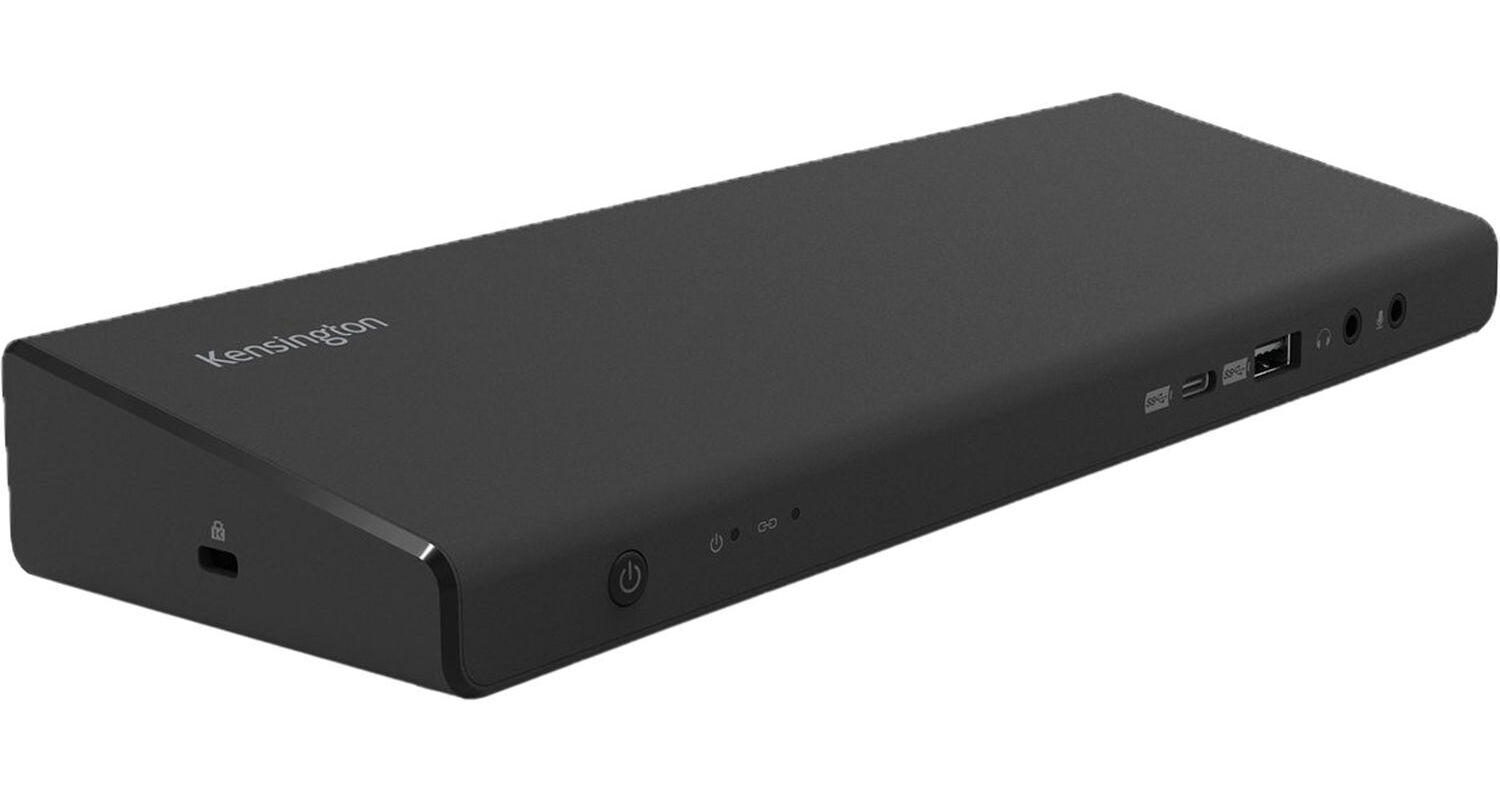
Key Features
- USB Type-C Connection
- USB Type-A Adapter Included
- 5 x USB 3.1 Type-A | 1 x USB 3.1 Type-C
- 2 x HDMI | 2 x DisplayPort
Enhance the capabilities of your Windows, Mac, or Chromebook computer by connecting the SD4750P USB Type-C Docking Station from Kensington to your computer's available USB Type-C or Type-A port. This dock adds five USB 3.1 Gen 1 Type-A ports and one Type-C port to your system. Plug in USB peripherals such keyboards, mice, and compatible external storage drives at up to 5 Gb/s. The dock also supports two 3840 x 2160 resolution 4K monitors via its dual DisplayPort connectors and two HDMI ports for an increased desktop size and more efficient multitasking. Additional features include 3.5mm headphone and microphone jacks and a Gigabit Ethernet port for a high-speed wired internet connection. Please note that this docking station only supports a single video output with M1 MacBooks systems.
More DetailsNo Longer Available
Kensington SD4750P Overview
Dual 4K Video Output
View large projects and multitask more efficiently by connecting up to two 3840 x 2160 resolution, 60 Hz monitors to the docking station's DisplayPort 2.1 and HDMI 2.0 ports. A DisplayLink driver installation is required. Please note that only one video output is supported at a time with M1 MacBooks systems.
USB 3.1 Gen 1
USB 3.1 Gen 1 features a maximum throughput of 5 Gb/s. USB 3.1 Gen 1 and USB 3.0 are synonymous.
85W Power Delivery
Use the included AC adapter to plug the dock into a wall outlet to charge compatible laptops and devices from the rear USB Type-C port.
Kensington DockWorks
The free DockWorks software optimizes your Kensington dock's connection, performance, and security.
OS Compatibility
The Kensington SD4750P USB Type-C Docking Station works with Windows 7 or above, MacOS 10.14 or above, and ChromeOS 44 or above.
Kensington SD4750P Specs
Key Specs
| USB I/O | |
| Video I/O | |
| Audio I/O | |
| Network I/O | |
| Media Card Reader |
| USB I/O | |
| Video I/O | |
| Audio I/O | |
| Network I/O | |
| Media Card Reader | |
| OS Compatibility | |
| Enclosure Material | |
| Lock Slot | |
| Cable Length | |
| Weight |
Packaging Info
| Package Weight | |
| Box Dimensions (LxWxH) |
Kensington SD4750P Reviews
See any errors on this page?