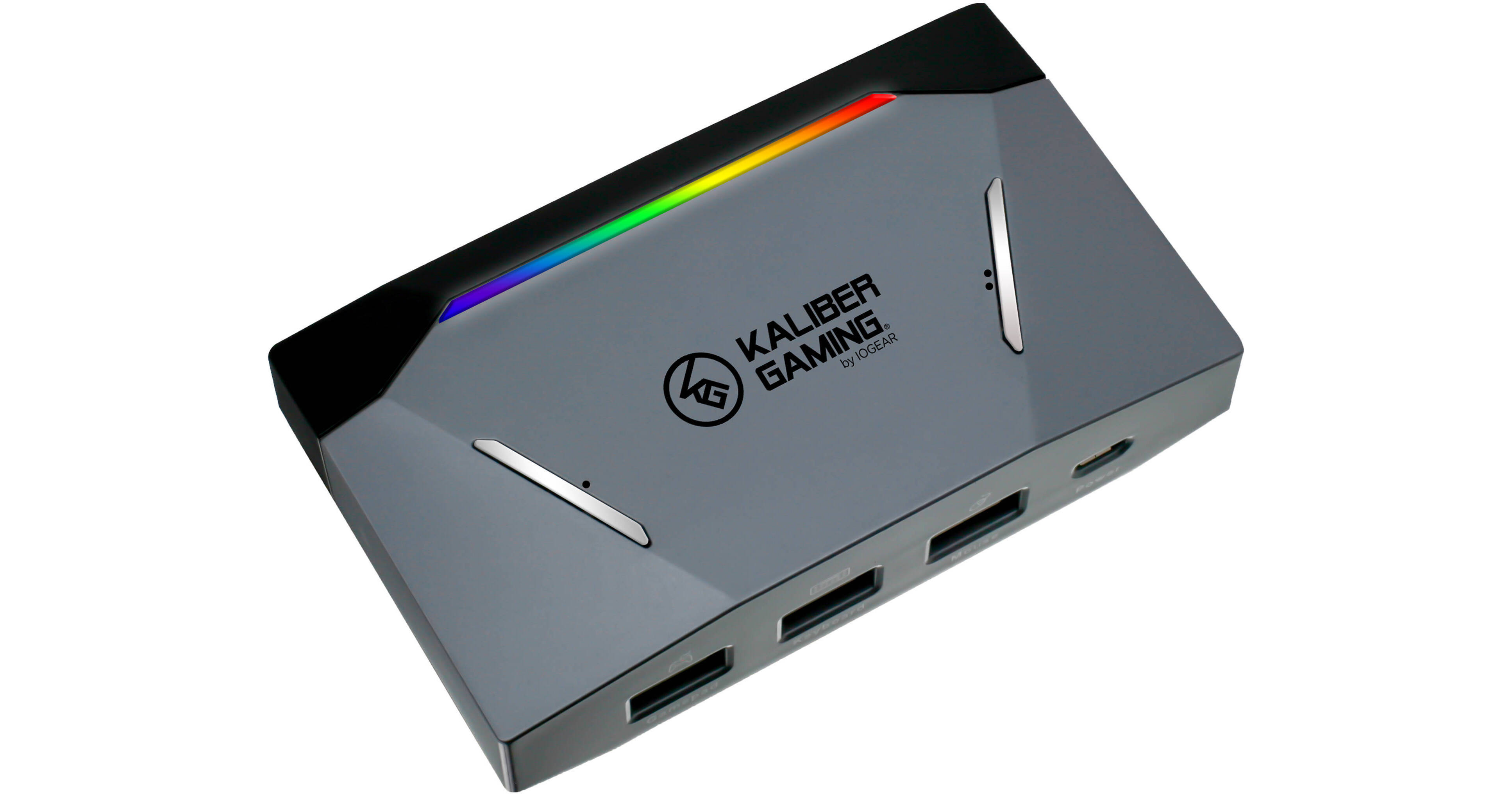
IOGEAR KeyMander 2 Keyboard and Mouse Adapter for Game Consoles

BH #IOK2KBMSADPT • MFR #GE1337P2
Print
IOGEAR KeyMander 2 Keyboard and Mouse Adapter for Game Consoles
Key Features
  • Connects Keyboard & Mouse to Console
  • Xbox 360/One, PS3/PS4 & Nintendo Switch
  • Swap Controllers Between Consoles
  • Connects Wirelessly to K2 Mobile App
Bring the speed and precision of keyboard and mouse controls to your console gaming experience with the KeyMander 2 Keyboard and Mouse Adapter for Game Consoles from IOGEAR. The KeyMander 2 allows you to connect a mouse and keyboard to the PlayStation 4, PlayStation 3, Xbox 360, Xbox One, and Nintendo Switch video game consoles and maps the controller's functions to them according to your preferences. It also features a crossover function, which allows you to use controllers from one console on another so that you'll always play using your favorite gamepad. Downloading the K2 app to your mobile device and connecting to the KeyMander 2 via Bluetooth allows you create and share custom profiles, program macros, and fine-tune your controls to each game. PC gamers will be able to enjoy their favorite first-person shooters, role-playing, and strategy games on consoles using their preferred controls.
More Details
Special Order
Expected availability: 7-14 Business Days
No Store Display
Free Shipping for this Item
Ask an Expert
800-606-6969
See any errors on this page?

can I connect a xbox one controller to a xbox 360 ...

can I connect a xbox one controller to a xbox 360 system?
Asked by: Jeffrey
The KeyMander 2 allows you to connect a mouse and keyboard to the PlayStation 4, PlayStation 3, Xbox 360, Xbox One, and Nintendo Switch video game consoles and maps the controller's functions to them according to your preferences
Answered by: Michael M
Date published: 2021-01-27

Excuse me my mouse keybind are not working how ...

Excuse me my mouse keybind are not working how can I fix it
Asked by: Acacia
Please reach us at [email protected] so we can troubleshoot.
Answered by: Miguel M
Date published: 2020-09-25

I'd like to use a controller in my left hand and ...

I'd like to use a controller in my left hand and the mouse in my right, will this allow for that?
Asked by: Adam
Yes, that will work.
Answered by: Sagi C
Date published: 2020-12-22

In the prerelease video hori flight sticks were ...

In the prerelease video hori flight sticks were mentioned, Will keymander 2 work with the Logitech x-56 as I can load keyboard game mappings profiles via the supplied apps on pc and hopefully map to key binds via KeyMander 2 on ps4 and xbox?
Asked by: Jonathan
This device is designed for keyboards and mice.
Answered by: Reuben K
Date published: 2020-09-29

Hi, my mouse keybind are not working when I plug ...

Hi, my mouse keybind are not working when I plug in the Keymander how can I fix it?
Asked by: Acacia
I would recommend reinstalling software, and updating drivers more information can be found at http://keymander2.com/.
Answered by: Nachmen
Date published: 2020-10-15

Does this have 1 ms response time?

Does this have 1 ms response time?
Asked by: Aluxu
Consoles have about 3-8ms of latency for their control input with 8ms being from the polling speed of the console's USB ports (125Hz) compared to 1ms for PC (1000Hz polling speed). This normally isn't noticed as much when using an analog controller because the stick's dead zone and ramp up speed slow your look speed anyway, however a mouse doesn't have those limitations so under the right circumstances it is possible to notice some latency.
Answered by: Michael M
Date published: 2020-04-24

Will this work on ps5

Will this work on ps5
Asked by: RSHIV_
The IOGEAR KeyMander 2 Keyboard and Mouse Adapter for Game Consoles is compatible with Ps5 when using compatible 3rd party controllers.
Answered by: Reuben K
Date published: 2022-10-31
  • y_2026, m_7, d_11, h_12CST
  • bvseo_bulk, prod_bvqa, vn_bulk_3.0.47
  • cp_1, bvpage1
  • co_hasquestionsanswers, tq_7
  • loc_en_US, sid_1545629, prod, sort_[SortEntry(order=HAS_STAFF_ANSWERS, direction=DESCENDING)]
  • clientName_bhphotovideo
Whatever You Need, We've Got It