TP-Link AC750 Dual-Band Wi-Fi Range Extender (Refurbished)

BH #TPRE220R • MFR #RE220R
Print
TP-Link AC750 Dual-Band Wi-Fi Range Extender (Refurbished)
Key Features
  • Wi-Fi 5 (802.11ac)
  • Up to 750 Mb/s Total Wi-Fi Throughput
  • 2.4 GHz / 5 GHz (Dual-Band)
  • 3 x Internal Antennas
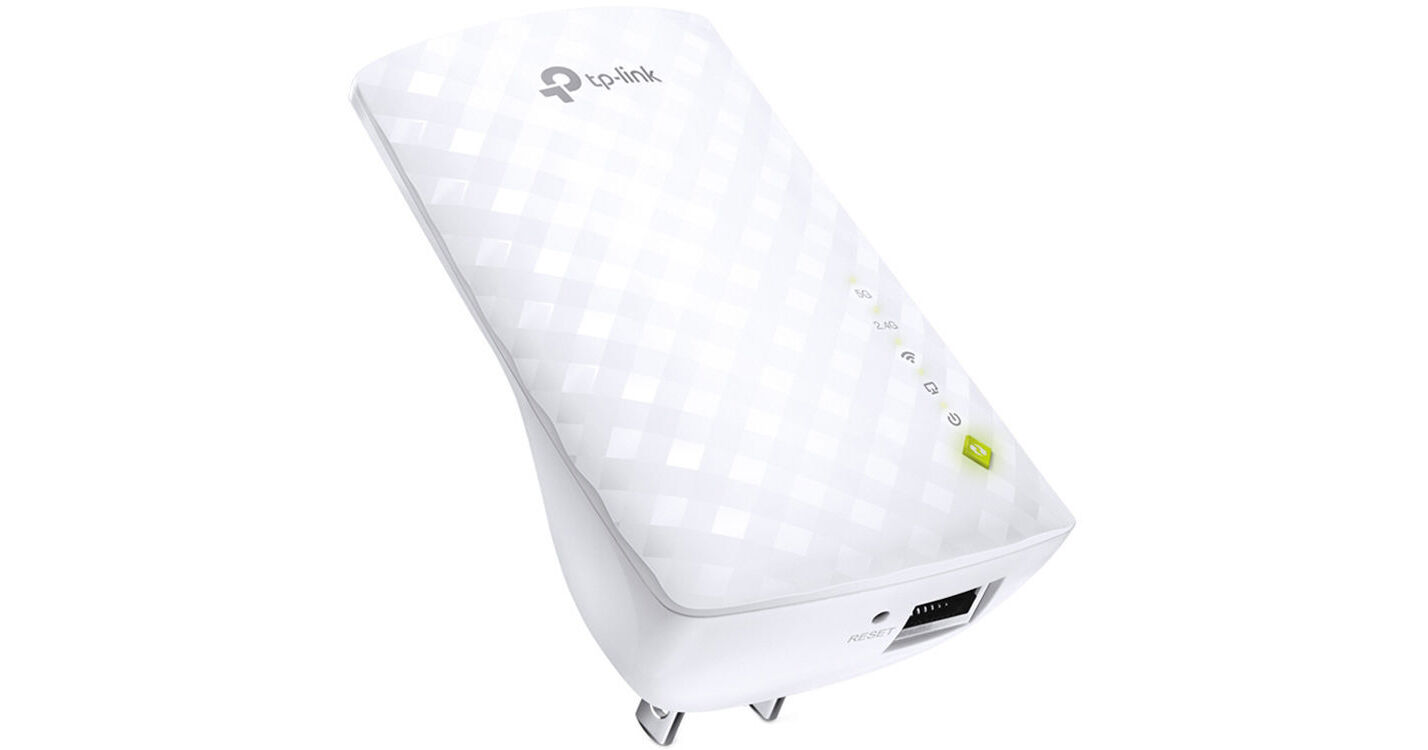
Boost the range of your Wi-Fi router or add wireless functionality to your existing wired network with the AC750 Dual-Band Wi-Fi Range Extender from TP-Link. Capable of up to 750 Mb/s of total Wi-Fi data throughput, the AC750 wireless extender plugs into a standard wall outlet, and it comes equipped with three internal antennas and a Fast Ethernet port.
More Details
Currently Unavailable
No Store Display
Free Shipping for this Item
Ask an Expert
800-606-6969

TP-Link RE220 Overview

From Manufacturer

Boost the range of your Wi-Fi router or add wireless functionality to your existing wired network with the AC750 Dual-Band Wi-Fi Range Extender from TP-Link. Capable of up to 750 Mb/s of total Wi-Fi data throughput, the AC750 wireless extender plugs into a standard wall outlet, and it comes equipped with three internal antennas and a Fast Ethernet port.

The AC750 extender boosts the range of your Wi-Fi network by piggybacking onto the signal of your existing wireless router. You can connect the extender to your router using the TP-Link Tether app for iOS and Android, or you can use one-button WPS (Wi-Fi Protected Setup) setup if your router supports WPS. An indicator light on the extender lets you know when the device is placed in an optimal location. You can also use the extender as a wireless access point for an existing wired network.

Boost Your Wi-Fi to Hard-to-Reach Areas
Place the RE220 between your wireless router and wireless devices, expanding Wi-Fi coverage while minimizing Wi-Fi dead zones. Dual-band Wi-Fi can reach speeds up to 750 Mb/s and extends wireless range up to 3200 ft2.
Stable Dual-Band Connection for More Devices
Dual 2.4 GHz and 5 GHz bands provide Wi-Fi connections for up to 32 devices, helping to deliver a stable experience on all your devices.
Simple Two-Step Setup
First, press the WPS button on your compatible router and RE220 to easily connect the extender to the network, or connect the extender via the Tether app or web interface if your router doesn't support WPS. Next, relocate the extender to a better location for optimal Wi-Fi coverage with the help of the smart signal indicator light.
An Access Point and Wireless Adapter
The Ethernet port of RE220 can turn your wired internet connection into a wireless access point. It can also function as a wireless adapter to connect wired devices.
High Speed Mode for Maximized Performance
High Speed Mode uses one dedicated Wi-Fi band as backhaul and another dedicated Wi-Fi band as an access point to maximize the bandwidth on the extender's Wi-Fi.
Compatibility
The RE220 is compatible with most Wi-Fi routers and access points, making it easy to expand and strengthen your Wi-Fi network.
Smart Management by Tether App
Set up and manage your Wi-Fi using the TP-Link Tether app for iOS and Android.
UPC: 845973085629

TP-Link RE220 Specs

Key Specs
Throughput
750 Mb/s Total
2.4 GHz: 300 Mb/s 
5 GHz: 433 Mb/s 
Wireless
Number of Antennas
3
Sensitivity
-60 to -94 dBm
Transmit Power
20 dBm
Antenna Placement
Internal
Performance
Throughput
750 Mb/s Total
2.4 GHz: 300 Mb/s 
5 GHz: 433 Mb/s 
Security
Wireless Security
WEP 64, WEP 128, WEP 152, WPA-PSK, WPA2-PSK
Management
Operation Modes
Repeater
Mobile App Compatible
Yes: Android & iOS
Electrical
Power Consumption
6.5 W
General
Certifications
FCC, RoHS
Operating Conditions
32 to 104°F / 0 to 40°C at 10 to 90% Humidity
Storage Conditions
-40 to 158°F / -40 to 70°C at 5 to 90% Humidity
Dimensions
4.3 x 3 x 2.6" / 110 x 75.2 x 65.8 mm
Packaging Info
Package Weight
0.4 lb
Box Dimensions (LxWxH)
7 x 4.5 x 4.5"

TP-Link RE220 Reviews

See any errors on this page?
Whatever You Need, We've Got It