
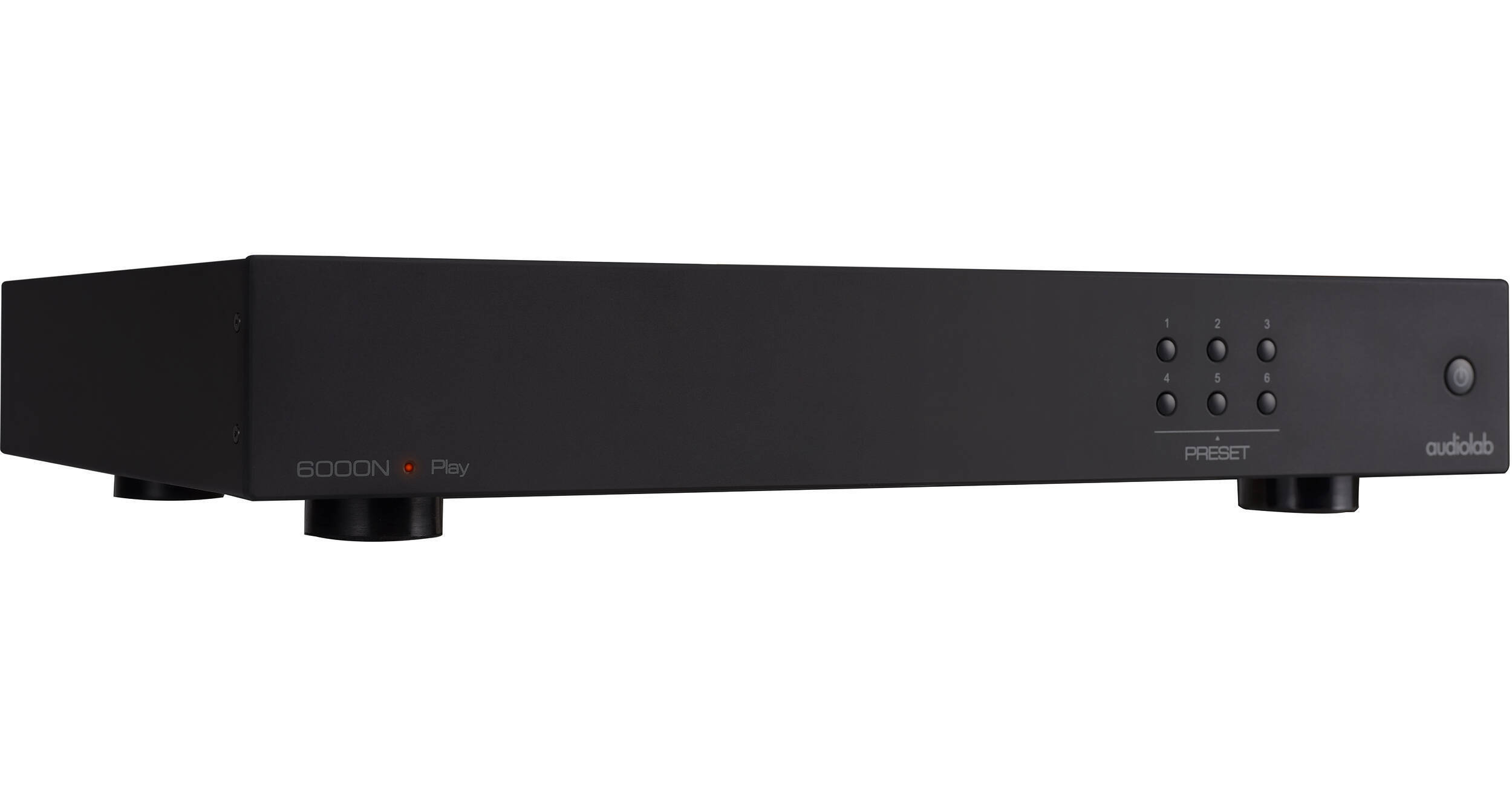
Audiolab 6000N Play Network Audio Player (Black)

BH #AU6000NBK • MFR #6000NBK
Print
Audiolab 6000N Play Network Audio Player (Black)
Key Features
  • Stream Audio to Your Home Audio System
  • Supports Ethernet & Wi-Fi Streaming
  • ES9018 SABRE32 DAC & Hi-Res Audio
  • Supports DTS Play-Fi for Multiroom Audio
Stream high-quality music to your home audio system via this 6000N Play Network Audio Player from Audiolab. The 6000N comes equipped with an ES9018 SABRE32 Reference DAC chip and support for Hi-Res Audio. The internal circuitry allows you to output content via RCA outputs to a standard amplifier or active speakers, or an optical or coaxial cable can be used to output to an external DAC or amp.
More Details
In Stock
No Store Display
Free Expedited Shipping
Protect Your Gear
Add a protection plan from $28.00
Ask an Expert
800-606-6969

Audiolab 6000N Overview

Stream high-quality music to your home audio system via this 6000N Play Network Audio Player from Audiolab. The 6000N comes equipped with an ES9018 SABRE32 Reference DAC chip and support for Hi-Res Audio. The internal circuitry allows you to output content via RCA outputs to a standard amplifier or active speakers, or an optical or coaxial cable can be used to output to an external DAC or amp.

Audio can be transmitted to the 6000N over your home network through a wired Ethernet connection or via dual-band Wi-Fi and the 6000N's dual antennas. Stream from desktop or laptop computers, smartphones, tablets, NAS drives, or music servers. It supports devices running Windows, Mac, and Android operating systems. It's also compatible with DLNA-compatible home media servers. Stream music files or from a wide variety of music services. Integrated Alexa support provides control via voice commands, or you can use the DTS Play-Fi app from a Windows, Android, iOS, or Kindle mobile device.

Streaming Service Support
In addition to files stored on your devices or network, you can stream online audio from a variety of sources, such as Internet Radio, Qobuz, Spotify, TIDAL, Apple Music, Amazon Music, Deezer, QQ Music, KKBox, Pandora, TuneIn, Napster, iHeartRadio, SiriusXM, and SoundMachine.
DTS Play-Fi Whole Home Support
DTS Play-Fi compatibility allows you to use the DTS Play-Fi app to control your audio experience, but it also lets the 6000N integrate into a whole home audio setup by connecting wirelessly to other Play-Fi-equipped devices.
Integrated Presets
A total of 6 preset buttons on the face of the 6000N component operate just like those found on an FM tuner. However, with the 6000N, you can set each preset to an online streaming service or your favorite playlist. All without the need of using a mobile app.
UPC: 703341544201

Audiolab 6000N Reviews

Great hardware, faulty app

By Andrei
Rated 3 out of 5
Date: 2023-03-18

This is really a great piece of equipment "done in" by a despondent app. Have used it for almost a year before deciding to let it go. At this price point, yes, it is hard to beat. However, despite using an Ethernet connection I've had numerous drops on the signal. It also has a nasty habit of making you look again for the album or track you were playing when you pause for a few minutes. Have used it with Amazon Music and Qobuz. I tried it with Tidal (yes, it does not decode MQA but can still do HiRes)- it was so bad, on certain days I could not even log into it. Such a pity for a streamer that otherwise should display flying colors. I have also tried Ifi (which is slightly less) and the app is even worse. At this particular price point there is not much out there. I would (if possible) seriously countenance the $500 bracket, if not for the hardware then at least the app itself. It sounds trivial but once you start using it on a daily basis, you realize the app is just as important as the hardware itself for an enjoyable experience. Again, Audiolab is done a huge disservice by DTS Play-Fi. I would look at Cambridge Audio or Bluesound Node.

Great equipment, terrible software and manual!

By Allan
Rated 4 out of 5
Date: 2021-09-01

Took me a few days to figure out how to get this to work with just one unit in my system. Still not sure if it's correct or not but sounds wonderful. I just connect using ethernet and have no other areas f\or my house. NOWHERE in the instructions does it say what to do in that situation. Poorly written manual and Play fi's instructions are just as bad. They ought to teach these people how to communicate. If I had to do it again I would buy something because of this,

See any errors on this page?

Can an external USB hardrive, e.g. 10TB, be used ...

Can an external USB hardrive, e.g. 10TB, be used with this audio streaming player? How is the individual song to be selected since it does not have an onboard LED screen? Any app required or available?
Asked by: Rong
The USB ports are for updates and control only. Update Interface: This USB interface is only to be used for upgrading the internal firmware. It cannot be used for USB media sources. USB Control Interface: If you are using 6000N with the Audiolab 6000A amplifier, connect this USB Control Interface to the 6000A 'Update' Interface with a USB B data cable. You can then use the Play-Fi APP to control the listening volume. Please note: the USB Control Interface cannot be used to link to a PC or output digital music data.
Answered by: Mark S
Date published: 2020-12-16
  • y_2026, m_8, d_8, h_9CST
  • bvseo_bulk, prod_bvqa, vn_bulk_3.0.48
  • cp_1, bvpage1
  • co_hasquestionsanswers, tq_1
  • loc_en_US, sid_1574475, prod, sort_[SortEntry(order=HAS_STAFF_ANSWERS, direction=DESCENDING)]
  • clientName_bhphotovideo
Whatever You Need, We've Got It