
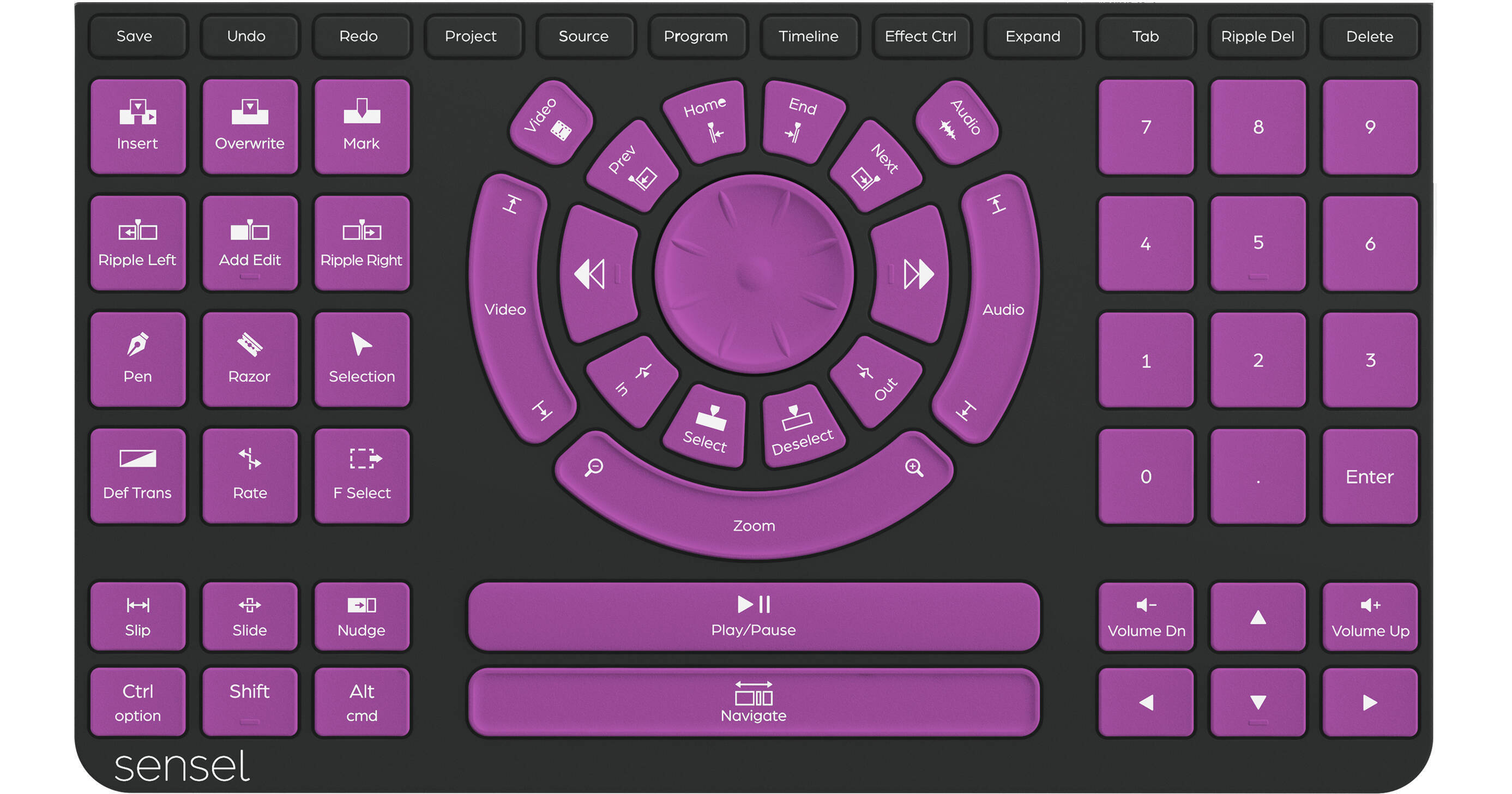
Sensel Morph Video Editing Overlay

BH #SES1006 • MFR #S1006
Print
Sensel Morph Video Editing Overlay
Key Features
  • For Sensel Morph Pressure-Sensing Pad
  • Video Editing Control Overlay
  • Magnetic Connection
  • Durable Silicone Rubber Design
The Sensel Morph Video Editing Overlay is designed to work with the Morph pressure sensing pad to transform it into a specialized keyboard to streamline your video editing workflow. This overlay features a variety of controls and shortcuts that are designed to simplify and streamline your workflow. Its jog wheel allows you to navigate through footage using force-sensitive shuttle controls. Additionally, the overlay helps to speed up your productivity by assigning awkward key combinations to single-tap buttons. The Video Editing Overlay is mapped for Adobe Premiere Pro by default, but it can be quickly adapted to programs such as Final Cut Pro, Luma Fusion, or DaVinci Resolve by using the SenselApp to customize its controls.
More Details
No Longer Available
No Store Display
Ask an Expert
800-606-6969

Sensel S1006 Overview

The Sensel Morph Video Editing Overlay is designed to work with the Morph pressure sensing pad to transform it into a specialized keyboard to streamline your video editing workflow. This overlay features a variety of controls and shortcuts that are designed to simplify and streamline your workflow. Its jog wheel allows you to navigate through footage using force-sensitive shuttle controls. Additionally, the overlay helps to speed up your productivity by assigning awkward key combinations to single-tap buttons. The Video Editing Overlay is mapped for Adobe Premiere Pro by default, but it can be quickly adapted to programs such as Final Cut Pro, Luma Fusion, or DaVinci Resolve by using the SenselApp to customize its controls.

High Versatility
This silicone rubber overlay magnetically attaches to the Sensel Morph pressure-sensing pad and can be fully customized using the SenselApp.
SenselApp
The SenselApp software for Windows and macOS allows you to fully customize your Sensel Morph experience. Use it to monitor and configure all the Morphs attached to your computer, adjust their pressure sensitivity levels, customize overlay functions, and more.

Sensel S1006 Specs

Material
Silicone Rubber
Connection
8 x Magnets
Functions
48 x Buttons
12 x Shortcut Keys
Jog Wheel
Dimensions
9.5 x 5.4 x 0.2" / 24 x 13.8 x 0.5 cm
Weight
0.2 lb / 94 g
Warranty
Limited 1-Year Warranty
Packaging Info
Package Weight
0.37 lb
Box Dimensions (LxWxH)
9.3 x 5.4 x 0.3"

Sensel S1006 Reviews

See any errors on this page?
Whatever You Need, We've Got It