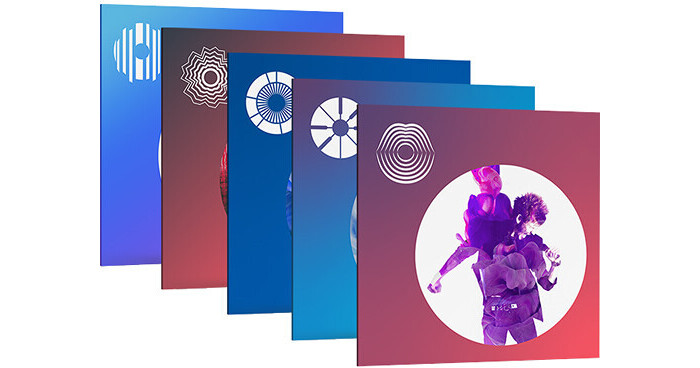


Available for download, the iZotope Creative Suite 2 bundles together five creative pro audio software tools for your convenience. These plug-ins and virtual instruments are ideal for modern production, allowing the creative realization of sounds, textures, effects, and more. If you're a sound designer, composer, or producer of music, this bundle is geared for you. It includes VocalSynth 2, Iris 2, Trash 2, BreakTweaker, and Stutter Edit 2.
VocalSynth 2 allows you to create vocoders, talkboxes, and a host of unconventional vocal-based effects. Iris 2 is a powerful spectral synth. Trash 2 is a distortion and harmonic saturation powerhouse. BreakTweaker Expanded handles all your drum sequencing needs, and Stutter Edit 2 introduces modulated glitchy chaos into the mix.
Featuring a complete graphical redesign and a whole new voice-modeling module, iZotope VocalSynth 2 is a tool designed to transform an input signal—usually a vocal—into a creative, synthetic sound. An instance of this plug-in provides access to five separate vocal engines. You get the four modules from the original Vocalsynth (Vocoder, Talkbox, Polyvox, & Compuvox), and a whole new one called Biovox.
Biovox utilizes scientific modeling of the human vocal tract, allowing you to change aspects like formants, vowel shapes, and nasality in a smooth manner. Use Biovox for subtly-changed vocal doubles when you've only got a single vocal track, or utilize this module as an eccentric sound-design tool.
The effects section has been updated to provide better sound quality, and two new stompbox-style modules have been added to the mix: Chorus and Ring Mod, the latter also serving as an idiosyncratic tremolo effect. As with the previous version of VocalSynth, you can use the plug-in in various modes, including Auto Mode (requiring no MIDI or sidechaining), MIDI Mode (imparting the consonants, formants, and vowels of a sidechain inpun upon the MIDI synth); and Sidechain Mode (applying the quality of the vocal to an audio source, say a guitar for example).
This plug-in also allows for inter-communication between iZotope plug-ins, meaning you can seamlessly integrate VocalSynth 2 with Neutron 2, Ozone 8, and Tonal Balance Control. VocalSynth 2 can be seen and manipulated within Neutron 2's Visual Mixer and Masking Meter as well. This software is compatible with Mac and Windows platforms, and supports AU, VST, and AAX formats.
Available for download, Iris 2 from iZotope is a sample-based synthesizer that combines the power of a sampler with the flexibility of a modular synthesizer, along with spectral filtering. Load one of the hundreds of patches and easily experiment with the most relevant parameters via dedicated macro controls, or develop expressive, dynamic, and evolving musical sounds with the new modulation system.
Up to four different samples can be layered from the built-in collection of analog oscillator waveforms, the 11GB sample library, or using personal audio files. Unique filters can be created by drawing, selecting, and isolating sonic components from each sample layer using the company's spectral filtering technology. Access every control from a single window, or open only what's needed with a new user interface.
- Flexible new modulation system
- New patches
- Sample pools that can load a sample and classic oscillator waveforms
- Completely redesigned interface
- Enhanced effects and filters
- Hundreds of new patches by world-class sound designers, in categories like leads, keys, bass, rhythmic, and more
- 11GB sample library all provided as 24-bit WAV files for use in any sampler
- Generate sounds from dozens of classic analog oscillator samples or oscillator waveforms (OSC WAVs) available in all four sample pools
- Import custom audio files to craft one-of-a-kind sounds
- Spectrogram display shows the frequency content of audio and sonic details a traditional waveform display doesn't
- Draw custom filter shapes with the Spectral Filter and isolate specific frequencies to discover new sonic possibilities in the sample library
- Selection tools include a lasso for free-hand drawing of any size or shape, an adjustable brush for more fluid selections, and a magic wand for intelligent selection of harmonic regions
- Over 100 modulatable parameters using up to five LFOs, five envelopes, MIDI expression controllers and macro controls
- Advanced ADSR envelopes allow you to experiment with amplitude through adjustable curves, dragging nodes, invert mode, and modulation of all four parameters
- Morph and visualize shape changes with real-time animation with LFOs that contain twenty different wavetable types, each with multiple shapes and a modulatable control to move between them
- Attach MIDI expression controls like key tracking, velocity, aftertouch, and the mod wheel, and save assignments with patches
- Create Macro controls to control multiple parameters with a single knob in perfect proportions
- Six distortion filters like tube, clipping, and aliasing, taken straight from Trash 2
- Chorus effect inspired by a classic '80s synthesizer chorus with modern flexibility and controls
- Tempo-syncable stereo delay with an analog-modeled overdrive algorithm that crunches and darkens the delayed signal like a classic tape echo or bucket-brigade pedal
- Modeled plate reverb tailored specifically for synthesizers, perfect for everything from subtle ambiences to cavernous pads
- Add smooth, sweeping sounds with seventeen different filter flavors, including classic analog low- and high-pass filters as well as exotic vocal formant, band-pass, and peak filters from Trash 2
- Completely redesigned interface with a choice of an all-in-one view, or hide/undock modules for a more streamlined view
- Macro Controls for easy customization of sounds via the Patch Browser as well as an undockable window that can always remain open
- See the effects of modulation and filters in real time for every modulated parameter
- Visualize spectral content with a spectrum analyzer from the Insight metering suite, included in the master section
- Intelligent zero crossing for seamless sample looping
The iZotope Trash 2 Distortion Plug-In is primed for an era of audio mangling, distortion, and experimentation. It features sonic architecture, optimized performance, better sound quality, and support for modern hosts and formats. Trash 2 combines the power of multiband, dual-stage distortions, and advanced post-filtering for immediate sonic transformation. Trash any track and not just guitars and basses, but drums, synths, pads, vocals, brass, woodwinds etc. Two expansion packs are included, further expanding the sonic possibilities of the software.
Design your own distortion algorithms with Trash 2's customizable Waveshaper; simply draw in, tweak, and create infinite distortions. Load one of Trash 2's 60+ distortion algorithms and adjust at will. The power to morph sound from one object to another is available with the Convolve module. Convolve includes over 100 impulse responses (IR): a collection of amps, objects, animal sounds, and mouth shapes for transforming your sound. Moreover, you can concoct a unique convolution and load any WAV or AIFF file into Trash 2.
Explore the sonic dimensions with the Filter, Delay, and Dynamics modules. Breathe life and movement into your audio using the dual filters, each with 20+ evocative filter types to shape your tone. Modulate, invigorate, and apply exotic filter sounds, and then control and manipulate each node with LFOs, envelopes, and side-chaining. With a filter bank, you are free to custom design your filter styles. Polish it all off with Trash 2's organic Delay options and the analog-modeled compressor.
The heart of Trash 2 is its dual-stage multiband waveshaping distortion, which allows you to chain pairs of distortions together for sonic manipulation. Split the signal into multiple bands and apply distortion independently to individual frequencies, each with their own custom waveshapes. Use the new Waveform Trace to see exactly how you're mangling your waveforms in real time, and DC offset filtering to keep them centered and on track.
Two redesigned filter modules to drive the frequencies you want into distortion or tame the ones you don't want. Shape the tone and customize it with re-engineered Filter shapes and Vowel Filters. Additionally, the software features realistic amp, device, cabinet, effect, and speaker convolution modeling, freeing you to place your audio into another space (or object) entirely. Choose from classics, combos, boutique models, and stacks, or play with creative synthetic impulses from a number of different sources including telephones, clock radios, sheet metal, plexiglass tubes, piano cabinets, tin cans, and more. With the Convolve module, you can teleport your sound wherever you please by loading in your own audio files.
Trash 2 includes a multiband Compressor and Noise Gate to squash the peaks, add grit and character, silence the noise, or draw out sustain. With the addition of sidechaining support, multiband processing, and an updated compression algorithm, the Dynamics module is a powerful tool. Go a step further by using a classic lo-fi Delay. Choose from delays that include tape delay with saturation and nonlinear tape machine artifacts, tape-tube delay with added tube saturation modeling, classic analog delay with analog degradation, and lo-fi digital delay with quantization noise and aliasing.
- Apply different distortion types to up to 4 frequency bands.
- Chain 2 distortion algorithms for each frequency band for up to 8 different flavors of destruction.
- Choose from over 60 different distortion algorithms.
- Design and edit your own distortions using the new graphic-based Waveshaper.
- Filter each stage with the included Post Filter.
- Further refine your distortions with the DC Offset Filter and Logarithmic Distortion modes.
- Experiment with 20+ sweepable filters for tons of tonal options that range from clean and warm to fat and juicy to harsh and clipping.
- Get twice the filter action with brand new Filter 1 and Filter 2 modules.
- Add LFO and envelope modulation per node to get wahs, wubs, tremolos, and other sweeping effects.
- Let your filter settings react dynamically to other incoming audio with new sidechaining support.
- Put both filter modules in parallel to achieve different combinations of filter settings simultaneously.
- Explore over 100 redesigned Impulse Responses, each one capturing the audio characteristics of another space or object.
- Load your own custom Impulse Response using any WAV or AIFF file.
- Adjust stereo width and placement using stereo imaging controls.
- Get analog-modeled and grit-filled compression and gating from the redesigned Dynamics module.
- Apply Dynamics to different frequency ranges independently with 4-band Multiband support.
- Trigger the Compressor or Gate via external sources with side chaining support, even to individual frequency bands in Multiband mode.
- Keep an eye on extensive Dynamics metering for immediate visual feedback.
- Determine exactly which frequencies trigger Dynamics processing using the new Detection Filter, or exploit the Filter's resonance for more creative applications of compression.
- Dig deeper into additional Dynamics options like Hard or Soft Knee compression, RMS or Peak level detection, and Auto-Gain compensation.
- Experiment with 6 Different Delay Types: Tape, Tape/Tube, Analog, Lo-fi Digital, Broken Bit, and Digital.
- Adjust the special Trash slider for distorted delay effects.
- Adjust the post filter with resonance to tweak the wet signal.
- Trash your audio quickly with over 300 new presets for both wild and subtle audio mangling.
- Trash your audio easily with a fully re-designed UI that makes more controls accessible.
- Trash your audio safely with the Output Limiter.
- Thirty plus impulses include 1940's Explosion, Reel To Reel, Classic Film, Gas Burner, Lo Fi Arcade, and more
- Seventy additional patches provide the sounds of UV Harmonics, Old Tele, Mason Jar, Fuzz Factor, Vintage Soundtrack, Cassette, and more
- Thirty impulses include Voodoo, Muck, Gravel, Big Wheel, Magnum, Taxicab, Powerman, Ignite, and more
- Seventy additional patches provide the sounds of Electric Blaze, Hard Cider, Parasite, Filter Shred, Bleached, Ugly Couch, and more
Available for download, iZotope's Stutter Edit 2 is a creative mixing and sound design tool that can accomplish anything from glitchy stacatto sound manipulations to esoteric phase-distortion effects and more. Use this tool in fashioning electronic music, in creating strange soundbed tapestries for viewable media, or to process individual elements of a mix in ideosyncratic ways. With a MIDI mode that allows you to play presets with your compatible MIDI controller, Stutter Edit 2 can also be performed in a manner similar to a virtual instrument.
For a plug-in chockfull of complicated effects, the GUI is relatively simple to understand. At the top of the window your global effects are layed out, where you can implement all the glitchy, stuttering effects the original Stutter Edit was famous for and more. Below these processors is a list of other individuated effects, such as Phaser, Flanger, Delay, Reverb, and other processing options. The effects can be reordered in nearly any series configuration you wich, and selecting each effect tabs a window of parameters that you can change.
This is where the fun begins: Corresponding to each parameter is a Curve Editor, which allows you to draw in and program the exact timing of a paramter as it progresses or cycles from its minimum to maximum values. Create phasers that modulate faster over time, distortions that get less crunchy as the effect goes on. Nearly every parameter into the plug-in can be manipulated with the Curve Editor.
This is a mammoth plug-in to understand for sure. But to get you started, iZotope has included a variety of preset banks and gestures. Some of them have been designed by the famous music producer BT.
This plug-in is compatible with Mac and Windows platforms. It will operate in AU, VST2, VST3, and AAX platforms.
Auto mode is great for quickly auditioning gestures or for when you need a little instant gratification in your mix. Using MIDI mode lets you control Stutter Edit 2 with a MIDI keyboard. Setup is a breeze, with a built-in help screen that detects your DAW and gives step-by-step instructions
Stutter controls how many slices of your audio play back with your gesture and how fast they are. Buffer controls what sections of your audio Stutter Edit 2 stores and plays back. Deep customization options let you control Rate, Quantization, and more, to keep your edits in time with your session.