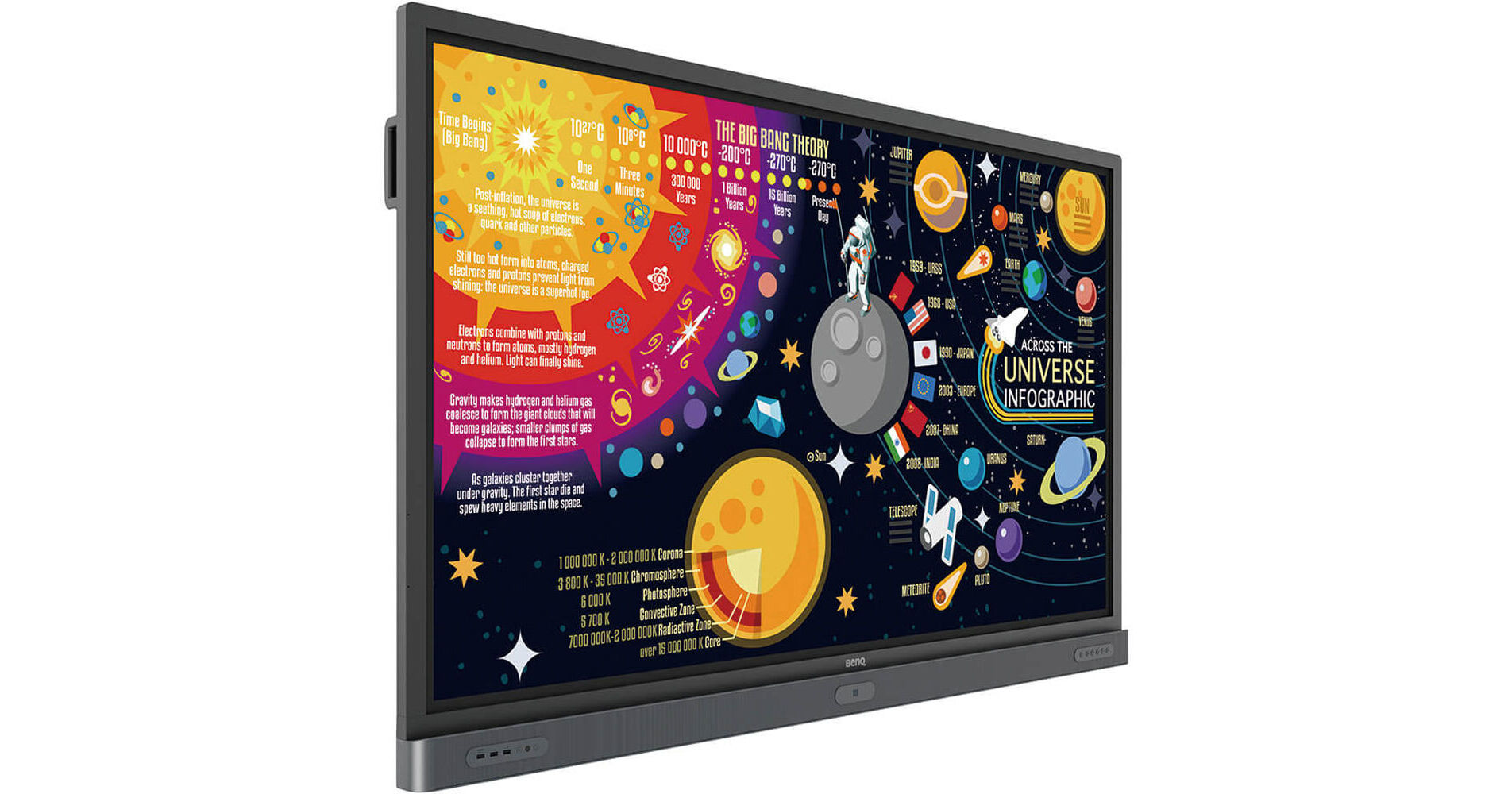
BenQ RP7501K5 75" Class 4K UHD Educational Touchscreen LED Display

BH #BERP7501K5 • MFR #RP7501K5
Print
BenQ RP7501K5 75" Class 4K UHD Educational Touchscreen LED Display
Key Features
  • 4K UHD (3840 x 2160) Resolution
  • 20-Point IR Touchscreen Functionality
  • 1200:1 Contrast Ratio
  • Built-In Ethernet Connectivity
Create engaging, interactive learning experiences with the BenQ RP7501K5 75" Class 4K UHD Educational Touchscreen LED Display. With IR touchscreen capability for up to 20 touch points, it enables multiple users to annotate on documents or solve problems on it simultaneously. Various parental control settings keep students from accessing inappropriate websites. Android apps can be installed on it via the DMS Cloud to create an experience that many users would be familiar with. Teachers can control it with just their voice with Voice Assistant or via the remote control, and administrators can control it remotely over RS232 or LAN.
More Details
No Longer Available
No Store Display
Ask an Expert
800-952-1815

BenQ RP7501 Overview

Create engaging, interactive learning experiences with the BenQ RP7501K5 75" Class 4K UHD Educational Touchscreen LED Display. With IR touchscreen capability for up to 20 touch points, it enables multiple users to annotate on documents or solve problems on it simultaneously. Various parental control settings keep students from accessing inappropriate websites. Android apps can be installed on it via the DMS Cloud to create an experience that many users would be familiar with. Teachers can control it with just their voice with Voice Assistant or via the remote control, and administrators can control it remotely over RS232 or LAN.

The RP7501K5 has front-facing speakers and a microphone input, allowing teachers to address students with extra volume. Several more traditional A/V inputs, like VGA and HDMI, allow for seamless integration with source devices like Blu-ray Disc and DVD players, cable boxes, and more. Included HDMI, VGA, and USB cables offer instant connectivity.

Annotate and Collaborate Nearly Anywhere via the Cloud
With cloud features, EZWrite 5 streamlines classroom discussions by making it easier for teachers and students to share ideas, notes, and opinions as if they are annotating on the same whiteboard, regardless of where they are. Furthermore, with AMS service, teachers can access teaching materials stored in the cloud and start the class directly with IFP.
Cloud Whiteboard and Sticky Notes for Classrooms
Use EZWrite Cloud Whiteboard to collect, categorize, edit, and share notes between the IFP and mobile devices.
Brush Mode for Creative Education
Enjoy an experience that feels like writing and drawing with actual pens and brushes.
Floating Tool
EZWrite's built-in Floating Tool enables teachers to write on top of any app, video, website, document, or image. Whether using Windows, Mac, Chrome, or Android, a teacher can take notes on top of any on-screen content and save them. With screen capture, users can capture all or part of the screen with two fingers at both hands. The Floating Tool also helps provide a smooth writing experience when used with HDMI, VGA, DisplayPort, and other signal sources for enhanced flexibility.
Intelligent Handwriting Recognition
EZWrite's handwriting recognition feature allows users to instantly convert written text, numbers, forms, and drawings into legible digital text without having to switch modes.
Tap and Create
Teachers can directly open EZWrite 5 with a simple tap of the IFP'S NFC sensor and immediately begin creating notes with various colored pencils, backgrounds, and palm erasers. This quick, convenient access helps to streamline the teaching flow and keep students focused.
High Touch Resolution
The high IR touch resolution reduces the gap between the actual landing point and the point displayed on the screen, creating a more natural touch and handwriting experience. To avoid creating cursive handwriting by accident, the display features a shorter pre-touch distance.
Designed for Instant Cloud Access
EZWrite 5 allows teachers to directly download and upload files to and from cloud services, such as Google Drive and Dropbox. This convenient cloud access helps make it easy for teachers to modify their materials and bring them everywhere.
Dual Pens for Simultaneous Collaboration with Different Colors
EZWrite 5 includes two pens that allow two users to write or draw simultaneously with different colors, making it well suited for lively classroom activities.
Smart Broadcasting System with Instant Delivery
X-Sign Broadcast is a wireless broadcast system that can push alerts, messages, and announcements to displays during class virtually immediately. It lets you manage class time content and broadcast material from nearly any device. With its grouping function, X-Sign Broadcast can send messages to a selected group of screens, a single classroom, or the whole school, helping to ensure that information is only sent to the recipients for whom it's intended while also reducing the time and labor required to send messages to multiple people.
BenQ Launcher for Uninterrupted Learning
The BenQ Launcher aggregates all its key tools in one hub, allowing teachers to start using the whiteboard and access a variety of input sources in a single tap without logging into their accounts. Teachers can also put announcements on the message board. BenQ Launcher also features SwitchQ, a task switcher that lets teachers effortlessly switch between recent apps and input signal sources.
Air Quality Sensor
This display incorporates an air quality sensor to help monitor CO2 concentration level in classrooms, reminding teachers to adopt necessary mechanisms to keep CO2 concentration at an ideal level to keep students concentrated while enjoying a healthier learning environment.
Smart Eye-Care Solution
The Smart Eye-Care solution can function intuitively with the help of the embedded motion sensor. For a smooth, comfortable viewing experience, BenQ IFP will automatically activate the Flicker-Free and Low Blue Light features by detecting the movement of users close to the screen.
Germ-Resistant Screen
The Germ-Resistant Screen uses a multilayer coating of the non-toxic, enduring nano ionic silver agent that kills most germs that accumulate on screen surfaces to help prevent cross-infection in your classrooms. The ionic silver's antimicrobial feature is designed to remain effective even after a through cleaning or long periods of use.
Hands-Free Control over the IFP with Voice Assistant
The display offers an extra level of flexibility for device control through Voice Assistant, allowing teachers to control the flow of the class, such as starting a timer or searching the internet from wherever they are in the classroom. Teachers can also control the IFP through the remote control for a smooth classroom experience.
Instant Plug and Play
Simply connect to a computer via USB and you're all set to deliver compelling IFP touch-enhanced lessons.
Account Management System for a Personalized Workspace
BenQ's IFPs support multi-account management through NFC technology, allowing users to directly access and manage their person system settings and network drive and cloud storage space (such as Google Drive and Dropbox) by simply scanning their compatible NFC cards without entering a password.
Wireless Solution for Seamless Collaboration
InstaShare is a software that's designed for seamless wireless presentation and collaboration during lectures. It allows for smooth streaming of A/V files, including Full HD videos. Users can also mirror and control digital content across their devices, including BenQ IFP, computers, tablets, and smartphones, empowering contributors to enrich their sessions with a variety of multimedia resources.
Parental Control
BenQ IFPs include a website control feature that blocks certain websites by configuring proxy server settings, which helps prevent students from accessing inappropriate content.
Front-Facing Speakers and External Microphone Capability
The display positions its two speakers to the front to provide better sound transmission to help elevate the level of audiovisual enjoyment during classes. It also features a microphone input that further facilitates an impactful and effective learning experience for students.
Multiple Display Application for Increased Teaching Efficiency
The display supports dual display application through its HDMI output, allowing teachers to share materials to more than one screen for higher efficiency.
Multi-Platform Compatibility
The display can work seamlessly with a variety of computing and mobile devices running various operating systems, including Windows, Mac, Linux, and Chrome, through it's plug-and-play feature.
Apps Management
Install Android apps for a selection of displays through DMS Cloud to mitigate repetitive installations.
OTA (Over the Air) Updates
Upgrade to the latest firmware through OTA Update support to keep them running smoothly at all times.
DMS Local
DMS Local is a device info and management software based on the Windows OS. Users who would like to control their displays remotely via LAN can download DMS Local software for their operation.
MDA (Multiple Display Administrator)
MDA allows users to control their displays remotely via RS232.
Additional Features
  • Supports Ubuntu 16.04, Fedora 28, and OpenSuse 15
  • Pen tray & handle
  • Optional trolley and USB Wi-Fi adapter available
Device Info and Management
Remotely control your displays with DMS Cloud over the internet to lower TCO and energy consumption for your organization.
Recommended Apps through BenQ Suggests
The display incorporates several recommended Android apps into BenQ Suggests, also in partnership with solution partners like Teamviewer and Blizz, which helps simplify app updates and downloading in the future.

BenQ RP7501 Specs

Display
Panel Type
LCD
Aspect Ratio
16:9
Display Orientation
Landscape
Native Resolution
3840 x 2160
Contrast Ratio
:1
Response Time
8 ms
Color Gamut
65% NTSC
Surface
Touchscreen
:
Multi-Touch Points
20
Connectivity
NFC
Yes
OPS/Expansion Slots
:
Built-In Speakers
Yes: 2x 16 W
Speaker Configuration
2-Channel
Convenience
Built-In Mic
Yes
Electrical
Power Consumption
Typical: 460.0 W
General
Dimensions
68.8 x 43.1 x 5.3" / 1747.4 x 1095.9 x 133.9 mm
Weight
146.2 lb / 66.3 kg

BenQ RP7501 Reviews

See any errors on this page?
Whatever You Need, We've Got It