
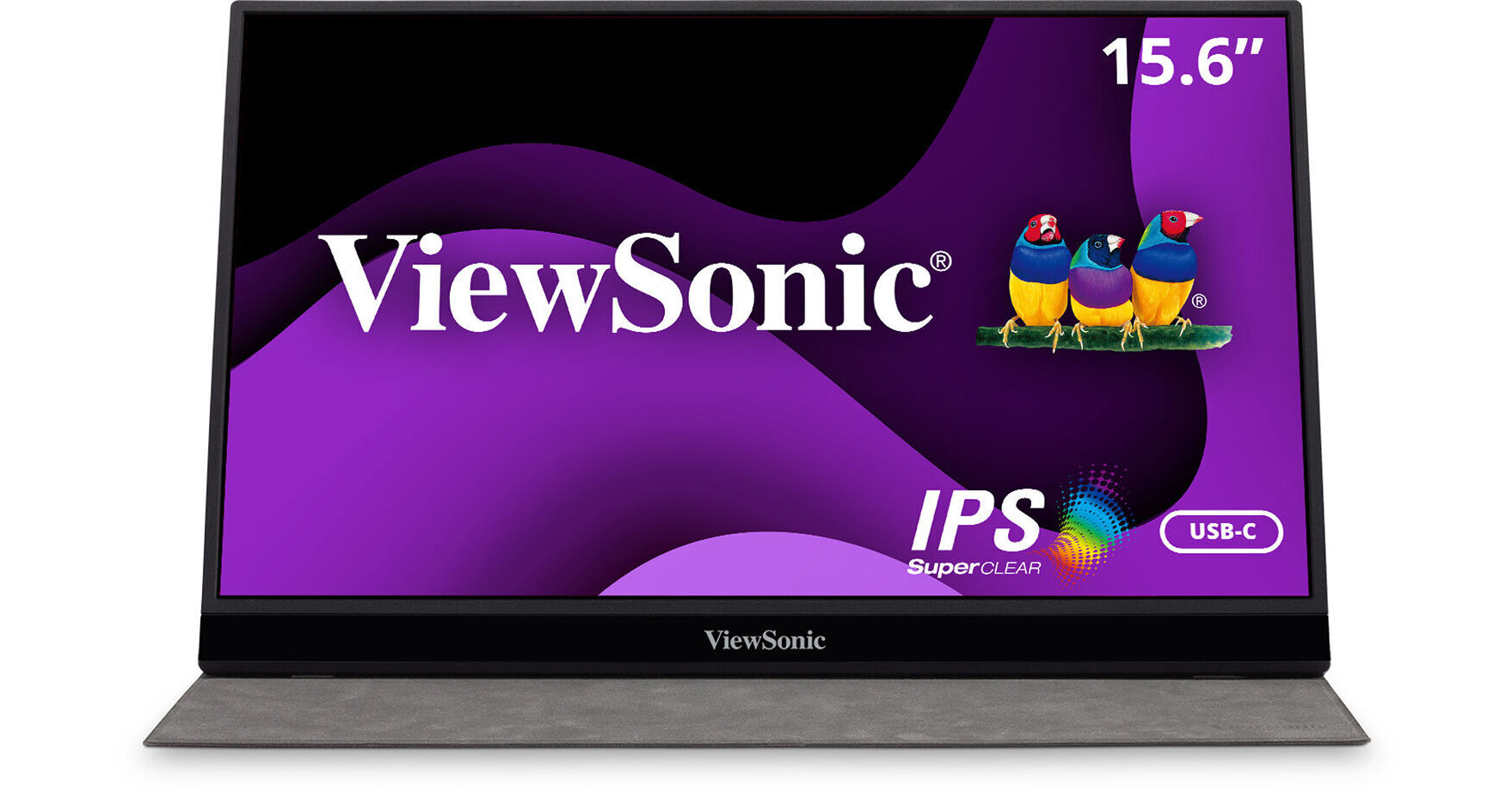
ViewSonic VG1655 15.6" 16:9 Portable IPS Monitor

BH #VIVG1655 • MFR #VG1655
Print
ViewSonic VG1655 15.6" 16:9 Portable IPS Monitor
Key Features
  • 15.6" In-Plane Switching (IPS) Panel
  • USB Type-C + Mini-HDMI Inputs
  • 1920 x 1080 Full HD Resolution
  • 800:1 Static Contrast Ratio
Enhance your productivity with the ViewSonic VG1655 15.6" 16:9 Portable IPS Monitor. Using this portable 1920 x 1080 Full HD resolution monitor as a second screen while working from your laptop provides you with extended viewing space for working on large projects, efficient multitasking, and collaboration. Computers and other sources can be connected through the mini-HDMI port or USB Type-C ports using the included cables. Reduce desktop clutter by transferring video, audio, and power through a single USB Type-C cable to compatible laptops.
More Details
In Stock
No Store Display
Free 2-Day Shipping
Protect Your Gear
Add a protection plan from $29.99
Ask an Expert
800-606-6969

ViewSonic VG1655 Overview

Enhance your productivity with the ViewSonic VG1655 15.6" 16:9 Portable IPS Monitor. Using this portable 1920 x 1080 Full HD resolution monitor as a second screen while working from your laptop provides you with extended viewing space for working on large projects, efficient multitasking, and collaboration. Computers and other sources can be connected through the mini-HDMI port or USB Type-C ports using the included cables. Reduce desktop clutter by transferring video, audio, and power through a single USB Type-C cable to compatible laptops.

An integrated fold-out stand allows you to orient the screen in either landscape or portrait mode for optimal efficiency while the included screen protector safeguards the screen surface. With its built-in stereo speakers, the ViewSonic VG1655 can also be used as a standalone monitor for entertainment when you're done working. Simply hook it up to a compatible video game console or video streaming device and sit back.

Portable Design
Measuring less than an inch thick and weighing under two pounds, the ViewSonic VG1655 portable monitor is designed to be stored quickly in a bag for easy travel.
A Clear View
The 15.6" In-Plane Switching (IPS) anti-glare screen delivers up to 16.2 million colors with support for 1920 x 1080 Full HD resolution video. Other features include a 800:1 static contrast ratio, a 250 nits brightness, 14 ms response time (6.5 ms in Overdrive mode), and 178° horizontal and vertical viewing angles that allow you to see the picture from almost any position.
Enhanced Productivity
Using the ViewSonic VG1655 as a second screen helps to expand your viewing space for improved multitasking efficiency, presentations, collaboration, and more.
Versatile Connectivity
Connect devices to the monitor through the mini-HDMI or USB Type-C ports. Both USB Type-C ports support video, audio, and power delivery with compatible laptops.
Built-In Stand
The fold-out stand works alongside the screen cover to tilt the screen up to 60° to suit your comfort. You can also orient the screen in either landscape or portrait mode to view documents and photos.
Integrated Speakers
With the 0.8W stereo speaker system, you can use the ViewSonic VG1655 as a standalone monitor to enjoy movies, shows, and games. Connect headphones to the 3.5mm audio jack for added privacy.
UPC: 766907007091

ViewSonic VG1655 Specs

Key Specs
Display Size
15.6"
Panel Type
IPS-Type LCD
Native Resolution
1920 x 1080
Maximum Brightness
250 nits / cd/m2
HDR Support
No
Touchscreen
No
A/V Inputs
Mini-HDMI 1.4
A/V Outputs
3.5 mm
USB I/O
USB-C 3.2 Gen 1
Built-In Speakers
Yes: 2x 0.8 W
Display
Size
15.6"
Panel Type
IPS-Type LCD
Aspect Ratio
16:9
Native Resolution
1920 x 1080
Maximum Brightness
250 nits / cd/m2
HDR Support
No
Contrast Ratio
800:1
Response Time
14 ms (GtG)
6.5 ms (Overdrive)
Refresh Rate
60 Hz
Variable Refresh Technology
No
Color Support
16.2 Million Colors (6-Bit+FRC)
Viewing Angle (H x V)
178 x 178°
Surface
Touchscreen
No
Connectivity
A/V Inputs
1x Mini-HDMI 1.4
A/V Outputs
1x 1/8" / 3.5 mm
HDCP Support
No
USB I/O
2x USB-C 3.0 / 3.1/3.2 Gen 1 with USB PD 60 W
Speaker
Built-In Speakers
Yes: 2x 0.8 W
Electrical
Power Consumption
Standby: 0.3 W
Eco Mode: 5.1 W
Typical: 7.6 W
Maximum: 9.6 W
Input Power
100 to 240 VAC, 50 / 60 Hz
Power Adapter Type
External
General
Operating Conditions
32 to 104°F / 0 to 40°C at 20 to 90% Humidity
Adjustments
Tilt: 60° (0 to 60°)
Lock Slot
No
Dimensions
14 x 8.8 x 0.6" / 355.6 x 223.5 x 15.2 mm
Weight
2.20 lb / 1 kg (with Stand)
1.8 lb / 0.8 kg (without Stand)
Packaging Info
Package Weight
4.58 lb
Box Dimensions (LxWxH)
17.1 x 11 x 3.9"

ViewSonic VG1655 Reviews

Very Handy

By Gary D
Rated 5 out of 5
Date: 2025-08-04

We sometimes set up a computer for testing or other short term use. The 24 inch display was way too large and took up too much room. We gave this display to our of our kids. To replace the 24 inch we bought this much smaller display. GOOD IDEA. This smaller ViewSonic is perfect. Great color. Clear text (I did set resolution a level higher than the default). Folds flat. Open takes very little space. Highly recommended.

Love these monitors!

By Kaitlyn
Rated 5 out of 5
Date: 2024-05-01

These are fantastic! Easy to connect, two way power delivery, and the thin profile makes it great for not obstructing sight lines around the room. B&H are also the only ones I’ve seen carry them in store too which is great! I was able to quickly source them for a client who saw mine and loved it.

See any errors on this page?

I have an eight-year-old Lenovo Thinkpad T430 ...

I have an eight-year-old Lenovo Thinkpad T430 with a mini DisplayPort. Windows 10. Would this monitor work? Thank you.
Asked by: Tony
Yes, the ViewSonic VG1655 15.6" 16:9 Portable IPS Monitor, with the correct cable adapters, will be fully compatible with your Thinkpad.
Answered by: Michael M
Date published: 2021-11-24

Does this monitor not work with M1 macbook air? ...

Does this monitor not work with M1 macbook air? Unable to get it working with that computer
Asked by: Pam
ViewSonic VG1655 15.6" 16:9 Portable IPS Monitor works with M1 Macbook air. Please check your display settings or contact the manufacturer for more information. www.apple.com
Answered by: Luiz O
Date published: 2021-11-16

Can you use this monitor as a primary (boot) ...

Can you use this monitor as a primary (boot) monitor when connecting via the HDMI port? (thinking of a rack-mounted computer that only occasionally needs a monitor connected)
Asked by: Robert
Yes, as long as the host device an initialize a digital video connection from boot you would be fine.
Answered by: Darius
Date published: 2021-02-04

This product isn't a touch screen right ? In the ...

This product isn't a touch screen right ? In the product video, they show it at least twice. Seems misleading.
Asked by: German P
You can add option of touch screen but for additional cost. (Similar to ordering more memory on a laptop; additional options add to the price.) Look for the button for touchscreen if that's what you want.
Answered by: Andrea
Date published: 2024-10-10

Will this portable monitor work with a Mac Mini ...

Will this portable monitor work with a Mac Mini M1 through the usb-c port?
Asked by: Mark
Yes this monitor will work with the M1 Mac mini
Answered by: jaime
Date published: 2021-02-15

Would the 3 year warranty be valid / honoured in ...

Would the 3 year warranty be valid / honoured in Canada?
Asked by: Patrick
The warranty included is USA only.
Answered by: Geoffrey
Date published: 2022-11-30

Since this looks to just be a display device and ...

Since this looks to just be a display device and nothing special, any reason it wouldn't work as a second monitor for a laptop running Linux?
Asked by: timothy
I believe it would work depending on the Linux distro and also the user's linux skills. The manufacturer lists it's compatibility only for MAC and PC. COMPATIBILITY PC RESOLUTION (MAX):1920 X 1080; - MAC® RESOLUTION (MAX) 1920 X 1080
Answered by: Luiz O
Date published: 2022-03-27

Can the usb ports send video out? For example can ...

Can the usb ports send video out? For example can I take video in via HDMI and then send video out to a webcam through USB C?
Asked by: Seth
The USB C ports on the ViewSonic VG1655 15.6" 16:9 Portable IPS Monitor, (B&H # VIVG1655), would not allow you to use a webcam. In this scenario, you would need to connect a USB C cable to power the monitor, the webcam would need to connect directly to the computer you are using the monitor with.
Answered by: Miguel M
Date published: 2023-12-06
  • y_2026, m_6, d_4, h_10CST
  • bvseo_bulk, prod_bvqa, vn_bulk_3.0.46
  • cp_1, bvpage1
  • co_hasquestionsanswers, tq_16
  • loc_en_US, sid_1602287, prod, sort_[SortEntry(order=HAS_STAFF_ANSWERS, direction=DESCENDING)]
  • clientName_bhphotovideo
Whatever You Need, We've Got It