Ask Our Experts800-606-6969
Hello, Log InAccount & Orders
Video Chat with a Photography Expert - Live
Key Features
- Canon EF Lens to FUJIFILM G (GFX) Camera
- Support for Phase-Detection AF and IBIS
- Programmable Function Button
- Transfers Exif Data to Camera
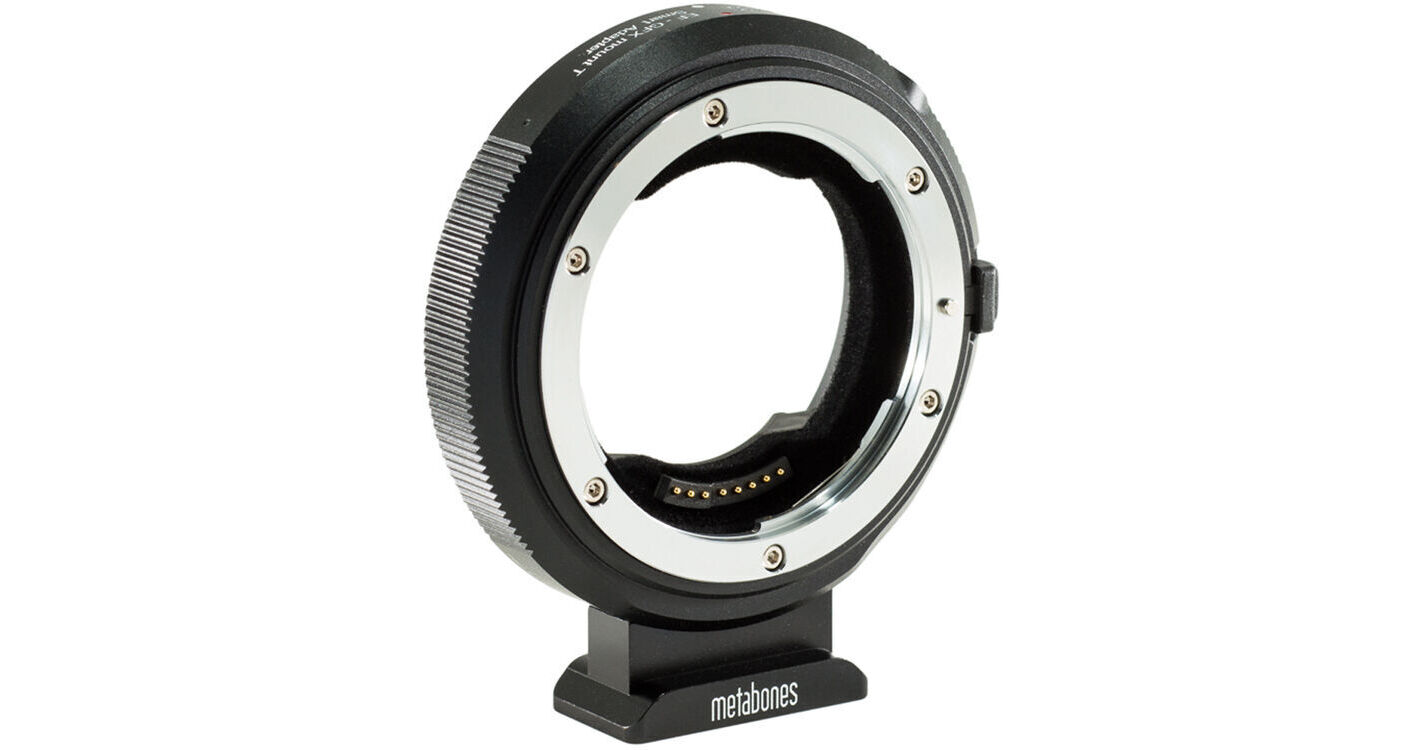
Enabling full use of Canon EF-mount lenses with FUJIFILM G (GFX) medium-format mirrorless cameras, this Metabones Smart Adapter permits using these classic, optically refined lenses with a modern camera system. The adapter affords full autofocus support when used with a camera offering phase-detection autofocus, and it also maintains five-axis image stabilization from select camera bodies to help control camera shake. There are no optical components of the adapter, so it maintains the original quality of the lenses, and it retains infinity focus.
More DetailsSpecial Order
Expected availability: 2-4 Weeks
Protect Your Gear
Add a protection plan from $59.99
See Options
See any errors on this page?
Can the adapter autofocus on Fuji GFX 50S II? It ...
Can the adapter autofocus on Fuji GFX 50S II? It has no phase detection focus, instead it has contrast autofocus.
No.
Date published: 2021-12-05
Can I change the aperture on my canon lenses ...
Can I change the aperture on my canon lenses through the GFX body?
Yes you can change the aperture on your Canon EF since the adapter has electronic contacts.
Date published: 2021-06-21
Can I change the aperture on the GFX 50S body ! ...
Can I change the aperture on the GFX 50S body ! Using Cannon mounted Sigma lenses ?
The Metabones Canon EF Lens to FUJIFILM G (GFX) Camera Body T Smart Adapter supports camera to lens communication. You will be able to change the aperture.
Date published: 2022-05-06
Can I use this on a Fuji GFX 100 II in ...
Can I use this on a Fuji GFX 100 II in combination with a Canon EF to RF adapter to use the RF 50mm f/1.2?
Unfortunately, that combination will not work. The Canon EF to RF adapter fits on a Canon RF camera. It won't fit on an adapter for a Canon EF lens.
Date published: 2023-10-18
How I can program the program button? I can't ...
How I can program the program button? I can't find such an option on GFX100s body and there is no explanation from Metabones.
Upon reaching out to Metabones, we received these instructions from them:
"Under the current firmware, the WO button(side button) of adapter of the EF-GFX or EF-X adapters can use for
1.) a shortcut key to switching between the A (Aperture Priority) and P (Program) OR switching between the S (Shutter Priority) and M (Manual) exposure modes;
2.) the quick access button to the camera menu(MOUNT ADAPTOR SETTING) for setting up the manual lens (register the non-electronic lens, etc).
You can try to press the button after attached the adapter on the camera but without the lens or attach a manual lens, once you press it the menu will pop up."
Date published: 2021-05-12
Does this adapter enable PDAF auto focus and IBIS ...
Does this adapter enable PDAF auto focus and IBIS on Gfx 100s camera body?
Yes it does.
Date published: 2021-04-21
Can this be combined with the canon Ef to R ...
Can this be combined with the canon Ef to R adapter to use my gfx lenses on a canon R5
That won't work. Metabones Canon EF Lens to FUJIFILM G (GFX) Camera Body T Smart Adapter is to be used on a Fuji GFX camera. It won't work on a Canon R5 camera.
Date published: 2022-06-21