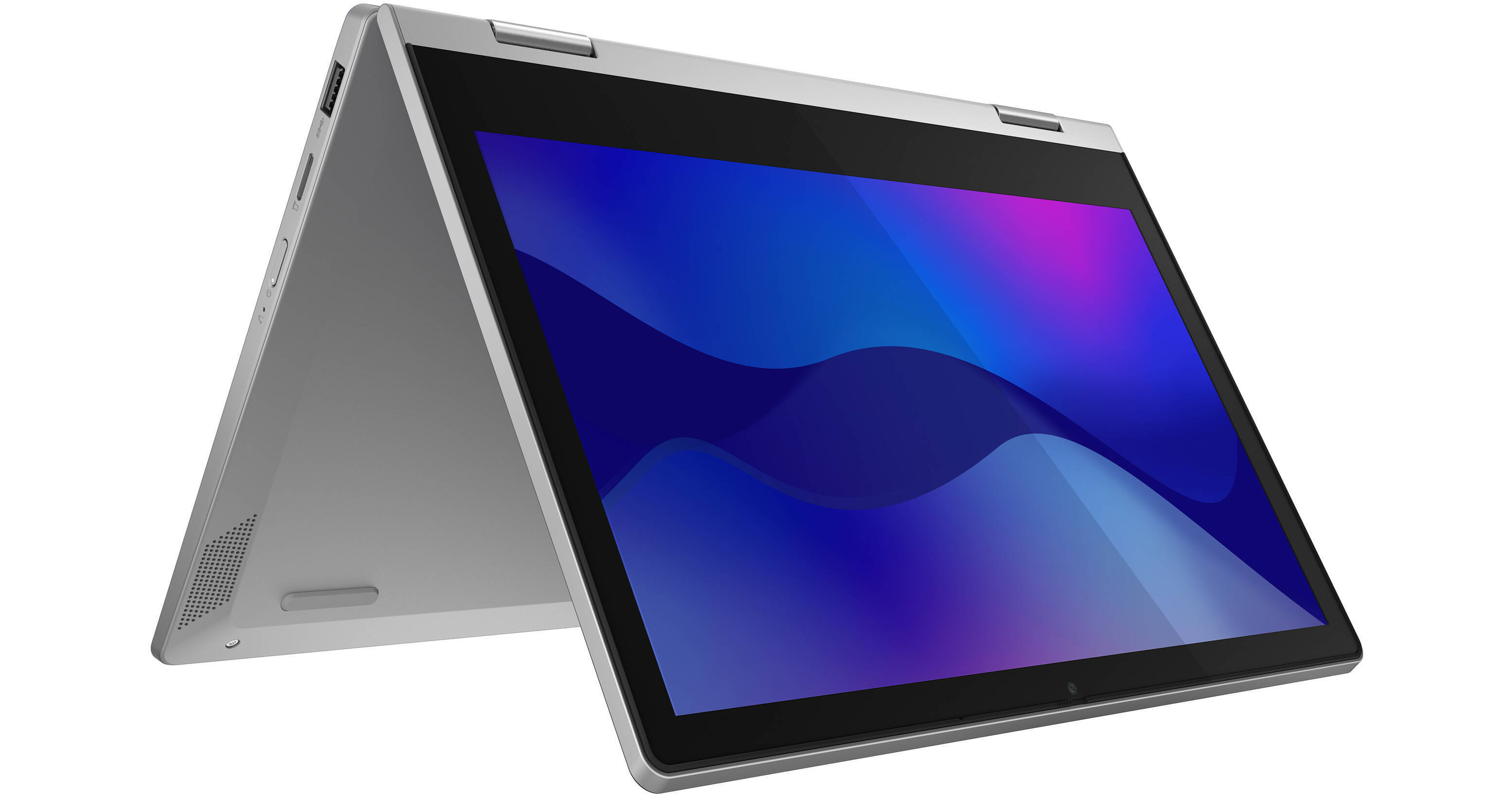
Explore the versatility of the 11.6" IdeaPad Flex 3 2-in-1 Touchscreen Notebook from Lenovo, where performance and style converge to give you a unique user experience. Sporting a 360° hinge and touchscreen controls, you can use tablet mode for handled use, tent mode for entertainment, and traditional laptop mode for everything else. This particular model uses an Intel Celeron N400 processor, 4GB of SDRAM, and has 64GB of flash memory, making this the ideal device for casual users who wish to enjoy streaming content as well as surf the net and conduct some minor word processing.
360° Hinge & Touchscreen
The lightweight design of the Flex 3 gives you the ability to transform your traditional notebook into a versatile experience with the 360° hinge and touchscreen support. Flip the display over for a tablet-like form factor or set it up in tent mode which is designed to deliver entertainment without taking up too much room on your tabletop.
Performance
The IdeaPad Flex 3 uses a 1.10 GHz Celeron N4000 Dual-core CPU, 4GB of SDRAM, and 64GB of onboard flash memory to give you performance suitable for casual use. Surf the web and stream your favorite shows on the 11.6-inch 1366 x 768 resolution in-plane switching (IPS) display powered by Intel UHD Graphics, giving you crisp details and vivid colorization.
Wireless Capabilities
Equipped with Wi-Fi 5 (802.11ac) technology, you can connect to your wireless network with ease, allowing you to stream your favorite shows directly to your device. With Bluetooth technology, you can sync up various wireless peripherals to your Flex 3, such as mice and headsets for a true cable-free experience.
Connectivity Options
Connect various wired devices such as external hard drives or mice with the two provided USB 3.1 Gen 1 ports. An HDMI port also allows you to easily connect the Flex 3 to an external monitor for larger screen support.
Windows 10 Home
Start Menu
After its hiatus in Windows 8, the Start Menu has returned. Utilizing a combination of the traditional menu system and Windows 8's Live Tiles, the improved Start Menu gives you more information at a glance, showing notification information alongside your applications and other pinned items.
Cortana
Microsoft's digital personal assistant, Cortana can answer your questions with information gleaned from both your device and the internet at large. You can type or even talk with her, if your system has a microphone. Using her Notebook, Cortana keeps track of your needs and wants, and she learns over time to improve her information gathering skills.
Microsoft Edge
After nearly 20 years, Microsoft has finally replaced its Internet Explorer web browser. With Microsoft Edge, users can write directly on web pages and share notes with friends and colleagues. It also improves the online reading experience by adding a distraction-free mode and read-it-later functionality. Edge also has built-in Cortana integration; you can have her help you find a restaurant, make a reservation, and pull up directions without leaving your browser.
Windows Store
For Windows 10, Microsoft has unified the Windows Store. Now, apps for PCs, tablets, and phones will all be accessible from one place. And with support for Universal Apps, one version of an app can work across all your compatible devices automatically.
Windows Continuum
Windows 10 was designed for a variety of screen sizes and input styles, and with its Continuum feature, it automatically adapts to fit your needs. A Windows 10 tablet on its own requires a touch-centric approach, but attaching a mouse and keyboard will shift everything to a more traditional interface. You can even attach an external monitor to your Windows 10 phone for a near-desktop experience. But it's not just the operating system; Windows Universal Apps take advantage of Continuum as well.
Xbox on Windows 10
Gaming is a big focus of Windows 10. Xbox integration allows for PC players to match up against Xbox One players on supported games, and if you have an Xbox One, you can even stream compatible titles to your PC. Native support for recording with the new Game DVR feature makes it easy to capture and share your gameplay. The new DirectX12 takes better advantage of multi-core processors, giving games a performance boost, even on older hardware. Windows 10 also features native support for virtual reality headsets, such as the Oculus Rift.