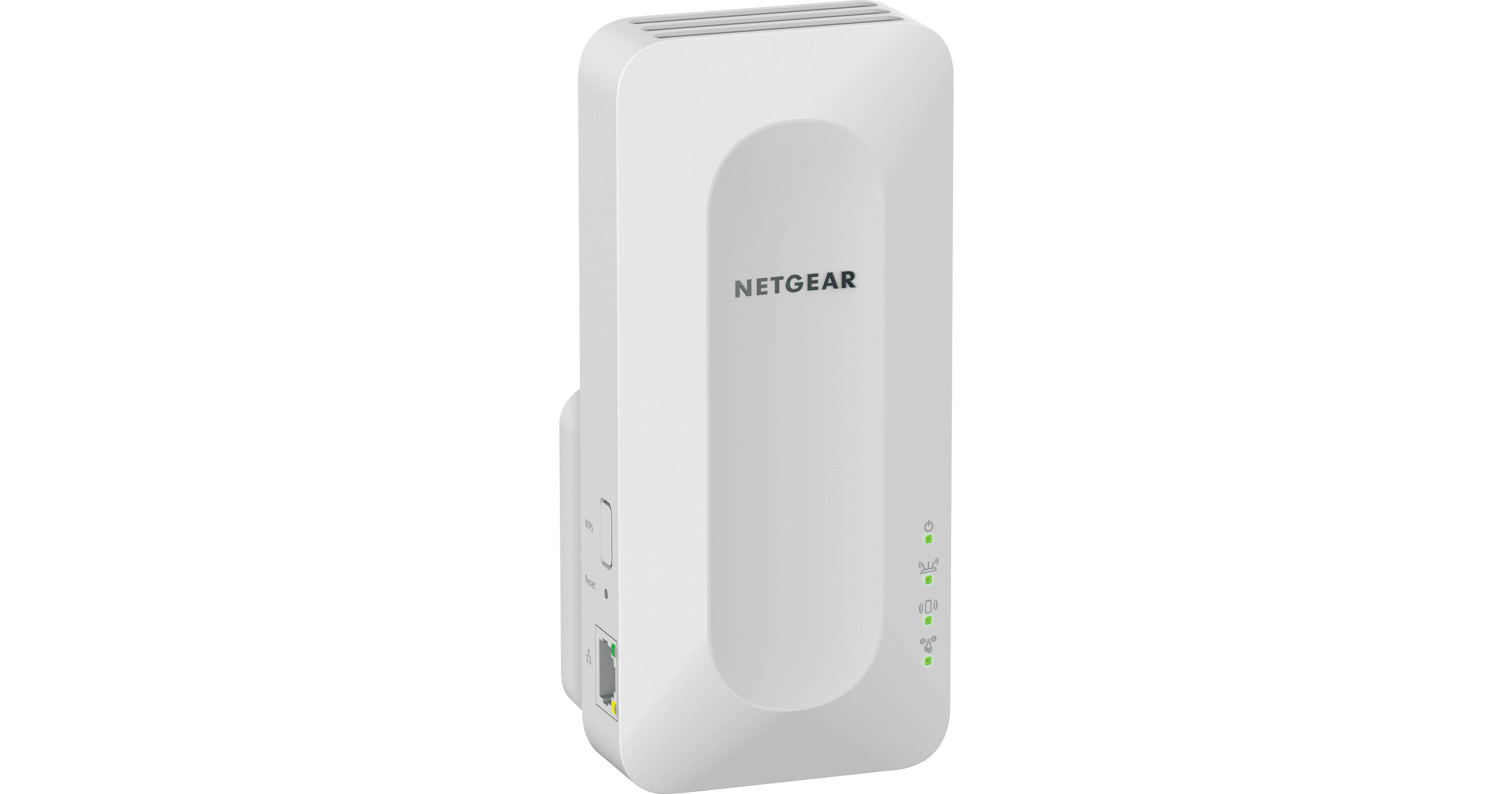
Expand your existing 802.11ax Wi-Fi coverage by converting it into a mesh network with the EAX15 AX1800 Dual-Band Mesh Wi-Fi Extender from Netgear. This dual-band range extender is designed to work with most existing wireless routers to help eliminate dead spots from your home while maintaining a single network ID (SSID) to provide you with a seamless and reliable wireless network experience as you roam from room to room while watching streaming 4K videos, playing online games, and more. Simply plug the extender into an available power outlet, then use the Nighthawk mobile app to configure it, and you're ready to go. The EAX15 also includes a Gigabit Ethernet port for connecting wired devices such as computers, smart TVs, and video game consoles.
Ask Our Experts800-606-6969
Hello, Log InAccount & Orders
Key Features
- Wi-Fi 6 (802.11ax)
- 2.4 GHz / 5 GHz (Dual-Band)
- Up to 1800 Mb/s Throughput
- Gigabit Ethernet Port
Expand your existing 802.11ax Wi-Fi coverage by converting it into a mesh network with the EAX15 AX1800 Dual-Band Mesh Wi-Fi Extender from Netgear. This dual-band range extender is designed to work with most existing wireless routers to help eliminate dead spots from your home while maintaining a single network ID (SSID) to provide you with a seamless and reliable wireless network experience as you roam from room to room while watching streaming 4K videos, playing online games, and more. Simply plug the extender into an available power outlet, then use the Nighthawk mobile app to configure it, and you're ready to go. The EAX15 also includes a Gigabit Ethernet port for connecting wired devices such as computers, smart TVs, and video game consoles.
More DetailsIn Stock
NETGEAR EAX15 Overview
Fast Networking
The Netgear EAX15 802.11ax mesh extender is designed to transfer up to 1800 Mb/s over the 2.4 GHz and 5 GHz frequencies. MU-MIMO and OFDMA technologies efficiently communicate with multiple devices simultaneously for smooth 4K video streaming, online games, and more.
Mesh Network
This range extender is designed to work with existing 802.11ax routers to create a mesh network, which uses a single network ID (SSID) to provide a seamless and reliable wireless network experience as you roam from room to room. The EAX15 is backward compatible with previous Wi-Fi standards.
Easy Setup
Simply plug the EAX15 into an available outlet and configure it with the Nighthawk mobile app to help eliminate Wi-Fi dead spots from your home. Alternatively, pushing the WPS buttons on both the range extender and compatible routers allow you to quickly pair the two.
Wired Connection
Connect wired devices such as computers, smart TVs, and video game consoles the EAX15's Gigabit Ethernet port.
UPC: 606449149814
NETGEAR EAX15 Specs
Key Specs
| Wi-Fi | |
| Throughput | |
| Networking I/O |
Wireless
| Wi-Fi | |
| Number of Antennas | |
| Antenna Placement | |
| Bluetooth |
Performance
| Throughput |
Interface
| Networking I/O |
Security
| Wireless Security |
Management
| Operation Modes | |
| Mobile App Compatible |
Hardware
| Supported IEEE Standards |
General
| Operating Conditions | |
| Dimensions | |
| Weight |
Packaging Info
| Package Weight | |
| Box Dimensions (LxWxH) |
NETGEAR EAX15 Reviews
Extender
By Tico
Rated 4 out of 5
Date: 2026-09-25
This extender works very well, but the only issue I have is that loading of a new page at start up takes a little longer now.
Great product!
By KALL
Rated 5 out of 5
Date: 2026-08-24
So easy to install even I could do it!
See any errors on this page?
Hi, is it possible to set up own password for ...
Hi, is it possible to set up own password for extended wifi? In TP-link it's not possible, password it's always the same like for the router all you can change is SSID name, not the password, maybe Netgear is different? Thanks PS
Yes, this is possible you would edit the Enable or disable the One WiFi Name
feature. More information can be found at
https://www.downloads.netgear.com/files/GDC/EAX15/EAX15_UM_EN.pdf?_ga=2.49302752.716432007.1621784599-435822328.1620916244
Date published: 2021-05-23