
Video Chat with a Pro Video Expert - Live

ikan HomeStream HDMI to USB Video Capture Device

BH #IKHSVCD2 • MFR #HS-VCD-2
Print
ikan HomeStream HDMI to USB Video Capture Device
Key Features
  • Supports up to UHD 4K30 Input
  • Supports 1080p30 Output
  • Supports 8/10/12-Bit Deep Color
  • No External Power Supply
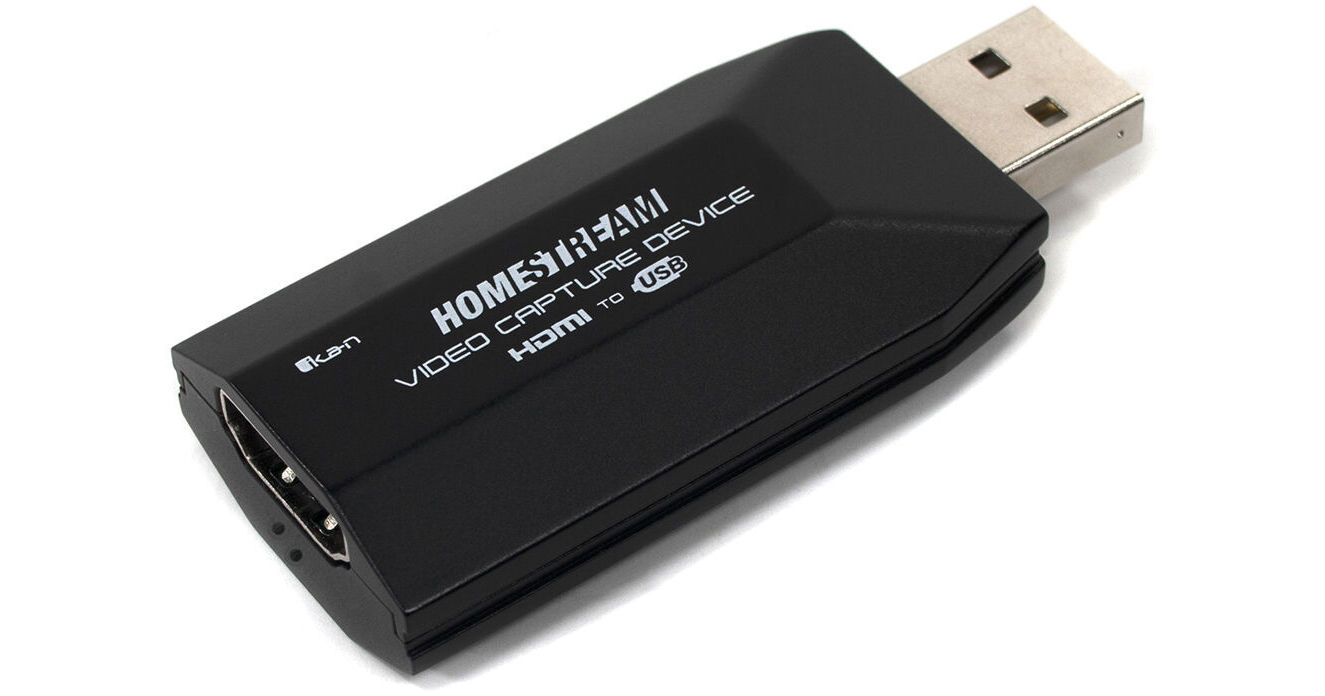
The ikan HomeStream HDMI to USB Video Capture Device is a portable HDMI to USB converter for inputting HDMI video into your computer or Android device. It is small enough to take with you almost anywhere. The converter supports input 4K video up to 30 fps, and it conforms to USB 1.0 and 1.5 standards, so it works with either Windows or Mac computers. The converter does not require external power, so that is less gear to carry. And no worries about finding additional power; just plug it into your computer and the HDMI source, and you are all set to go. A short USB cable is included to facilitate connecting to your computer.
More Details
In Stock
No Store Display
Protect Your Gear
Add a protection plan from $6.99
Ask an Expert
800-606-6969

ikan HS-VCD-2 Overview

The ikan HomeStream HDMI to USB Video Capture Device is a portable HDMI to USB converter for inputting HDMI video into your computer or Android device. It is small enough to take with you almost anywhere. The converter supports input 4K video up to 30 fps, and it conforms to USB 1.0 and 1.5 standards, so it works with either Windows or Mac computers. The converter does not require external power, so that is less gear to carry. And no worries about finding additional power; just plug it into your computer and the HDMI source, and you are all set to go. A short USB cable is included to facilitate connecting to your computer.

Plug-and-Play
The HomeStream Capture Device requires a USB 2.0 (or higher) connection to your computer and is compatible with Windows, Linux, Android, and macOS.
Broadcast in Full HD
The converter supports video input up to 4k30, converting it to 1080p30 over USB while incurring only very low levels of latency. It will also capture video signals at 24p and conform them to 30 Hz.
Software Compatibility
Compatible software applications include OBS, Zoom, Skype, UberConference, Twitch, Facebook Live, YouTube Live, DLive, vMix, and others.
Computer Hardware Requirements
CPU
PC i5-3400 or above
NB i7-3537U 2.0 GHZ or above

Graphics Card
PC NVIDIA GT630 or above
NC NVIDIA GT735M or above

Memory
RAM: 4GB
UPC: 847983032372

ikan HS-VCD-2 Specs

Inputs/Outputs
System Connection
USB-A 2.0
Video I/O
Input
1x HDMI Female
Audio I/O
No
Format Support
Video Resolution
HDMI Input
3840 x 2160 at 30 fps

USB-A Output
1920 x 1080p at 30 fps
Embedded Audio
HDMI/USB
Reclocking
No
Standards
HDR Support
No
Broadcast System Compatibility
NTSC
Hardware
OS Compatibility
Windows
macOS
Linux
General
Dimensions
2.5 x 1.1 x 0.5" / 64 x 28 x 13 mm
Weight
0.8 oz / 21.4 g
Packaging Info
Package Weight
0.16 lb
Box Dimensions (LxWxH)
5.4 x 3.75 x 1"

ikan HS-VCD-2 Reviews

Can Ace Difficult Source Problems

By Steven
Rated 5 out of 5
Date: 2024-09-02

Had a problem with a friend who wanted to get into film production again after a long hiatus and needed her collection of DVD-R demos transferred to computer for editing. I was attracted to this item in particular because it promised Linux support; ended up using Windows 10 with an upscaling blu ray player. Learned the hard way that programs like OBS Studio, Openshot, Handbrake, and Clipchamp had built-in masks for camcorder and phone aspect ratios and severely cropped the DVD player source picture. I lucked out with trying VLC Media player and it framed and I was able to record the DVD picture honest to the DVD original. VLC saved the project.

See any errors on this page?

What is the difference between Ikan HS-VCD and ...

What is the difference between Ikan HS-VCD and HS-VCD-2 besides the USB adapter cable?
Asked by: Danny
The USB adapter cable is the only difference.
Answered by: Jabari
Date published: 2021-04-22
  • y_2026, m_8, d_27, h_9CST
  • bvseo_bulk, prod_bvqa, vn_bulk_3.0.48
  • cp_1, bvpage1
  • co_hasquestionsanswers, tq_1
  • loc_en_US, sid_1619206, prod, sort_[SortEntry(order=HAS_STAFF_ANSWERS, direction=DESCENDING)]
  • clientName_bhphotovideo
Whatever You Need, We've Got It