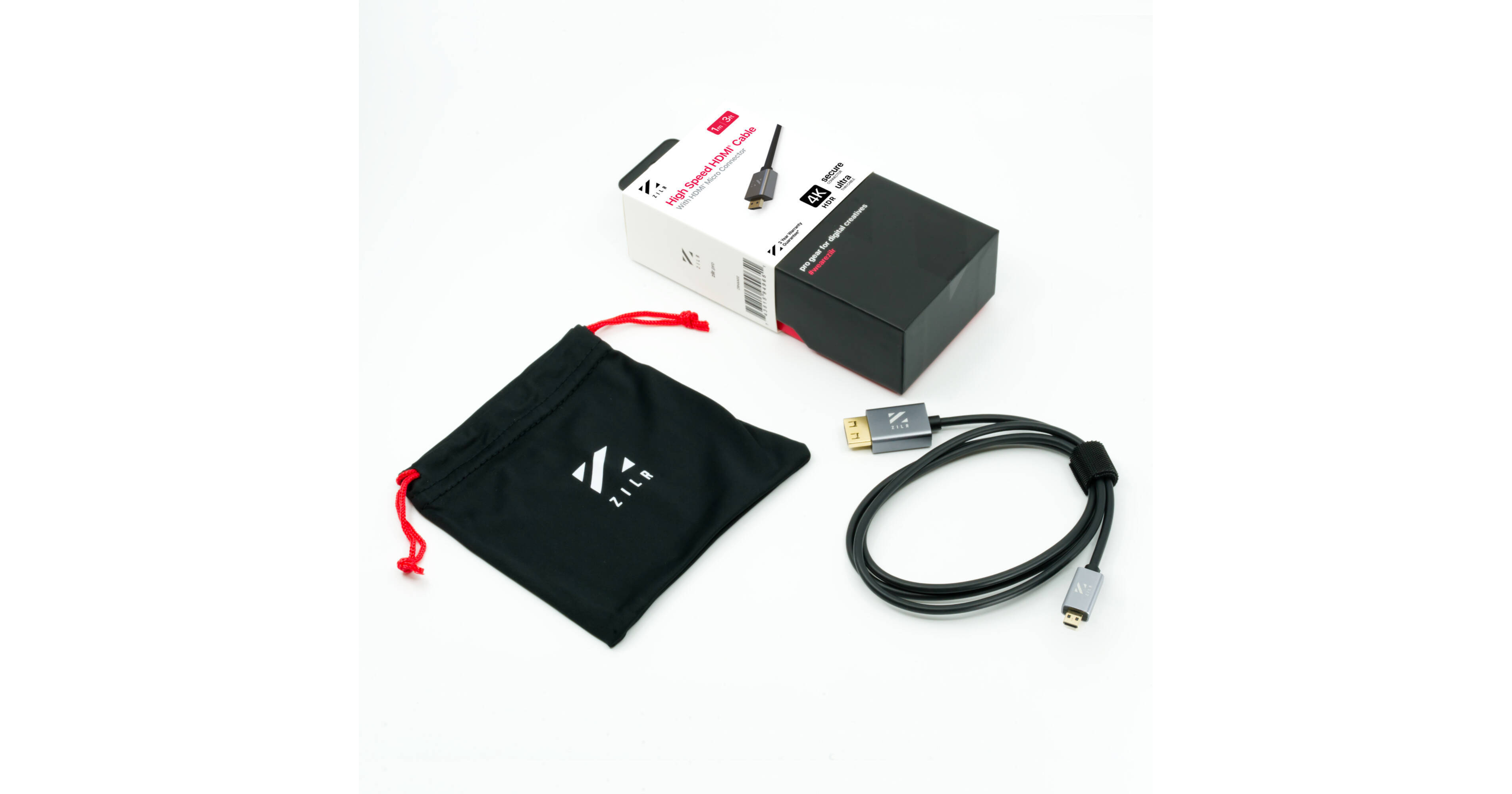
ZILR Hyper-Thin High-Speed Micro-HDMI to HDMI Cable with Ethernet (3.3')

BH #ZI8KP60MC33 • MFR #ZRHAD02
Print
ZILR Hyper-Thin High-Speed Micro-HDMI to HDMI Cable with Ethernet (3.3')
Key Features
  • Supports DCI 4K @ 60 Hz
  • HDR10 Support
  • Gold-Plated Connectors
  • Suitable for Photo & Video Camera Use
Connect your DCI 4K photo or video camera to your compatible monitor or display with the 3.3' ZILR Hyper-Thin Ultra-High Speed Micro-HDMI to HDMI Cable. It supports HDR10 and resolutions up to DCI 4K at 60 Hz for vibrant, ultra-high resolution playback.
More Details
In Stock
No Store Display
Length
Ask an Expert
800-606-6969
See any errors on this page?

I know this is included in a bundle with Atomos ...

I know this is included in a bundle with Atomos Ninja V+ but will it support 8K Raw out of a Canon R5 and into the Ninja V+ to record in 8K ProRes Raw? I understand it would be 8K 10bit via HDMI vs 8K 12bit internally but I'm interested in the unlimited and overheating free output with the Ninja V+. Just need to make sure cable handles it (the cable Atomos makes does not). Thanks.
Asked by: David
I've not had any issues with this cable recording 8k Raw on the ninja+ It's rated high enough on the bandwidth to keep the data rate constant. And the secure clips help keep the connection solid. Also I wouldn't say overheating free depending on environment. In a climate controlled room you'll get unlimited or darn close to it. Outside in the south. It's still limited but a heck of a lot longer. Had the camera body say it would overheat in 2 minutes. Plugged it into the ninja and flipped on the raw. Got over 15 minutes of RAW 8k before the camera decided it was too hot. It was 92 outside with a heat index of over 100
Answered by: Benjamin
Date published: 2022-09-08

Will this work with the Canon EOS R5 in 4K 60fps ...

Will this work with the Canon EOS R5 in 4K 60fps 10bit 4:2:2?
Asked by: Carlos
Yes it will. The Canon EOS R5 features a HDMI D (Micro) port. The ZILR 4Kp60 Hyper-Thin High-Speed HDMI to Micro-HDMI Secure Cable with Ethernet (17.7") BH #ZI4KP60M17: Maximum Resolution Support: 4096 x 2160 at 60 Hz
Answered by: Mark S
Date published: 2021-09-05

Transfer cable for Panasonic DC-ZS70 has been ...

Transfer cable for Panasonic DC-ZS70 has been misplaced. Will this one work to transfer photos from this camera to USB ports on a CPU?
Asked by: Kathleen
No, this is an HDMI cable not a USB cable.
Answered by: John
Date published: 2023-07-14

Will it fit Fujifilm x-t3?

Will it fit Fujifilm x-t3?
Asked by: Festus
yupp
Answered by: Thomas
Date published: 2020-12-16

will this work with the Sony a6500 to connect a ...

will this work with the Sony a6500 to connect a 4k monitor?
Asked by: Paul
Yes, this should work with your a6500.
Answered by: Bennie
Date published: 2020-12-21

Is there a coupler that connects two of these ...

Is there a coupler that connects two of these cables together for length that will not compromise the signal?
Asked by: Jordan
You would need an HDMI coupler.
Answered by: Bennie
Date published: 2020-12-10

Will this fit the cannon R6?

Will this fit the cannon R6?
Asked by: Abdual
Wrong, this WONT fit the Canon R6. This is a hdmi C connection. The R6 has a hdmi D connection. I just purchased the wrong connection based off this bad answer. Please update!
Answered by: Kendall
Date published: 2022-10-05

can you download photos from r6 to computer with ...

can you download photos from r6 to computer with this cable?
Asked by: alan
If you are looking to transfer photos from your Canon R6 to your computer, you will need a USB-C cable. A HDMI cable like the one you provided is only meant to send a Video Feed to a TV / Monitor.
Answered by: Oscar
Date published: 2021-06-09
  • y_2026, m_7, d_25, h_5CST
  • bvseo_bulk, prod_bvqa, vn_bulk_3.0.48
  • cp_1, bvpage1
  • co_hasquestionsanswers, tq_9
  • loc_en_US, sid_1619794, prod, sort_[SortEntry(order=HAS_STAFF_ANSWERS, direction=DESCENDING)]
  • clientName_bhphotovideo
Whatever You Need, We've Got It