Ask Our Experts800-606-6969
Hello, Log InAccount & Orders

Video Chat with a Pro Video Expert - Live
Key Features
- Send HDMI Signal Direct to Your Computer
- Up to 4K30 Input, 1080p30 Output
- Capture from Cameras & Game Consoles
- HDMI Loopout, 3.5mm Audio Input & Output
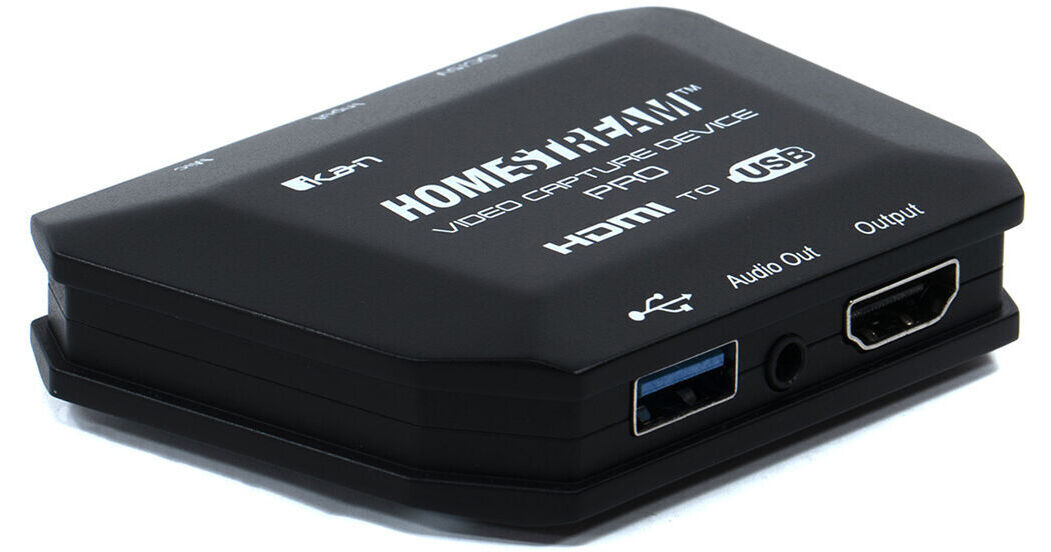
Send up to 4K video from a camera or game console to your computer for USB capture using the HomeStream HS-VCD-PRO HDMI to USB Video Capture Device from ikan. This plug-and-play unit enables you to capture an HDMI signal from your DSLR, mirrorless, action cam, HD camcorder, or digital cinema camera, and send that signal directly to your computer as a standard UVC signal via the USB Type-A connector, without requiring drivers or codecs. This device supports up to 4K30 video input and outputs up to 1080p USB-compatible video. It features an HDMI loopout for viewing with an external monitor and has 3.5mm audio input and output ports for use with microphones, speakers, and headphones.
More DetailsIn Stock
Protect Your Gear
Add a protection plan from $3.99
See Options
See any errors on this page?
How does the USB-C v3 interface work? While the ...
How does the USB-C v3 interface work? While the regular USB works fine to my laptop, I get no signal when connecting via USB-C cable, even when I attache a 5V power supply.
The ikan HomeStream HDMI to USB Type-C Video Capture Device has a USB 2.0 interface. Make sure the USB port is rated at 2.0 or higher is compatible with this capture card. You might have a faulty port.
Date published: 2022-04-27