Video Chat with a Lighting Expert - Live

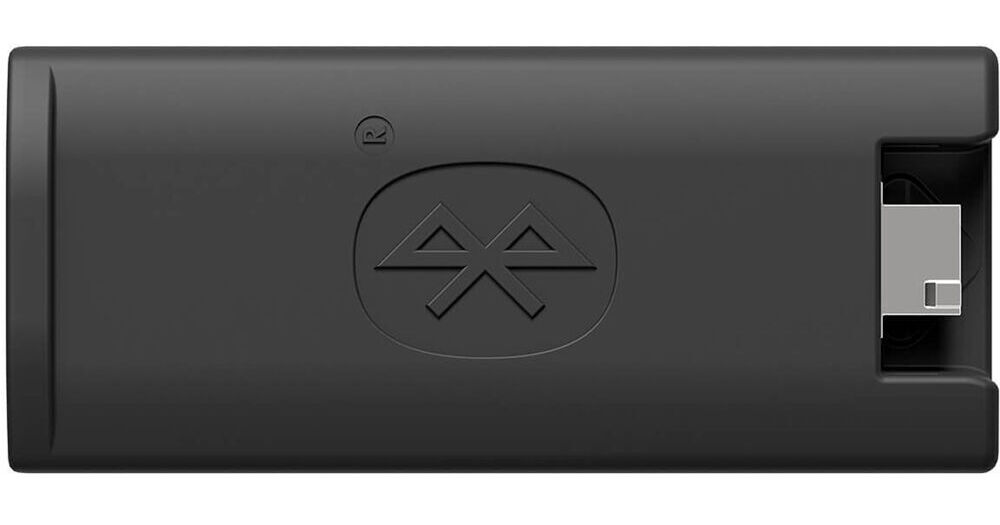
Litepanels Bluetooth Dongle for Gemini and Lykos

BH #LIGEMLYKBTD • MFR #908-0001
Print
Litepanels Bluetooth Dongle for Gemini and Lykos
Key Features
  • For Gemini and Lykos+ Panels
  • Uses Litepanels Smartlite Director App
  • Wireless Control, LED Status Lights
Compatible with the Lykos, Lykos+, Gemini 1x1, and Gemini 2x1 LED panels, the Bluetooth Dongle from Litepanels allows for wireless control of color and light intensity at distances up to 30' without leaving the camera position. The dongle pairs with the Litepanels Smartlite Director App via iOS.
More Details
In Stock
No Store Display
Free Delivery: Mon, Nov 2
to
Protect Your Gear
Add a protection plan from $17.00
Ask an Expert
800-952-1815

Litepanels Gemini and Lykos Bluetooth Dongle Overview

Compatible with the Lykos, Lykos+, Gemini 1x1, and Gemini 2x1 LED panels, the Bluetooth Dongle from Litepanels allows for wireless control of color and light intensity at distances up to 30' without leaving the camera position. The dongle pairs with the Litepanels Smartlite Director App via iOS.

UPC: 810033920219

Litepanels Gemini and Lykos Bluetooth Dongle Specs

Key Specs
Inputs/Outputs
1x USB-A Male Output
Wireless
Bluetooth
General
Inputs/Outputs
1x USB-A Male Output
Cooling System
No
Wireless
Bluetooth
Wireless Range
29.5' / 9 m
Frequency
2.4 GHz
Physical
Environmental Resistance
No
Weight
0.5 oz / 14 g
Packaging Info
Package Weight
0.21 lb
Box Dimensions (LxWxH)
5.9 x 4.7 x 1.4"

Litepanels Gemini and Lykos Bluetooth Dongle Reviews

Useful once you get through connection issues

By David
Rated 3 out of 5
Date: 2025-04-15

I have a handful of these in both Gemini 1x1's and a handful of Lykos+ fixtures. Similar to the Astra Bluetooth modules, these are picky about how you connect them to your iPhone or iPad (and just flat out do not work with Android devices at all). After some trial and error, I discovered that the app simply cannot connect these on its own. I did a reset on mine, went in through the iOS Bluetooth settings, paired to each dongle, then back to the app and everything appears and connects as it should. As others have pointed out, this is counter to how most modern lighting control apps work, so can be a little frustrating. Once I went through the pairing process, however, I haven't had any issues with reconnection. The app works as expected, and using it to control RGB modes on the Gemini units is typically much faster than dialing it in using the knobs. Similarly, using the app to control temperature and brightness of faraway lights is critical, especially on location shoots where we don't typically have any form of DMX control. As another reviewer pointed out, the app uses your phone camera to determine color temp of a location, which is super useful for dialing in your white balance. The caveat is that the app doesn't function until you start connecting your fixtures, so you can't use it while scouting locations - only after you've connected a light.

Terrible

By Michael
Rated 1 out of 5
Date: 2023-01-15

The worst. Never connects, and the one or two times it did, it barely works. Shouldn't be sold, and shouldn't be on B&H. No app for Android, so don't even bother if that's what you have.

See any errors on this page?

Is there simple way or application to connect ...

Is there simple way or application to connect this light with smartphone
Asked by: johony
Using the Litepanels Bluetooth Dongle for Gemini and Lykos, you can access your light controls with the SmartLite Director App from Litepanel: https://bhpho.to/4g9KdZt
Answered by: Davis H
Date published: 2025-01-23
  • y_2026, m_10, d_29, h_5CST
  • bvseo_bulk, prod_bvqa, vn_bulk_3.0.48
  • cp_1, bvpage1
  • co_hasquestionsanswers, tq_1
  • loc_en_US, sid_1624284, prod, sort_[SortEntry(order=HAS_STAFF_ANSWERS, direction=DESCENDING)]
  • clientName_bhphotovideo
Whatever You Need, We've Got It