The Live Streamer Cam 513 from AVerMedia uses built-in 4K optics at 30 fps to capture video that fulfills creators' needs for high-quality images. Developed exclusively for the Live Streamer CAM series, CamEngine helps users get more out of this webcam, thanks to AI Auto-Framing, which enables frame compositions to automatically adjust with motion tracking, a 4x digital zoom, customizable PTZ positions, and more. In additional to 4K / 30 fps, this camera can also capture in 1080p at 60 fps for even smoother motion. Built-in stereo mics help ensure that your voice is center stage, while a wide 94° diagonal field of view creates a suitable image area. When you want to safeguard your privacy, engage the included privacy shutter. Compatible with Windows and Mac, this webcam connects to your host system using an included USB Type-C to Type-A cable. It may be mounted using either the clip or tripod mount. For greater ease of use, it rotates 360°. Please note that the Live Streamer Cam 513 requires a USB 3.0 (3.1 Gen 1/3.2 Gen 1 port). It will not work with USB 2.0.
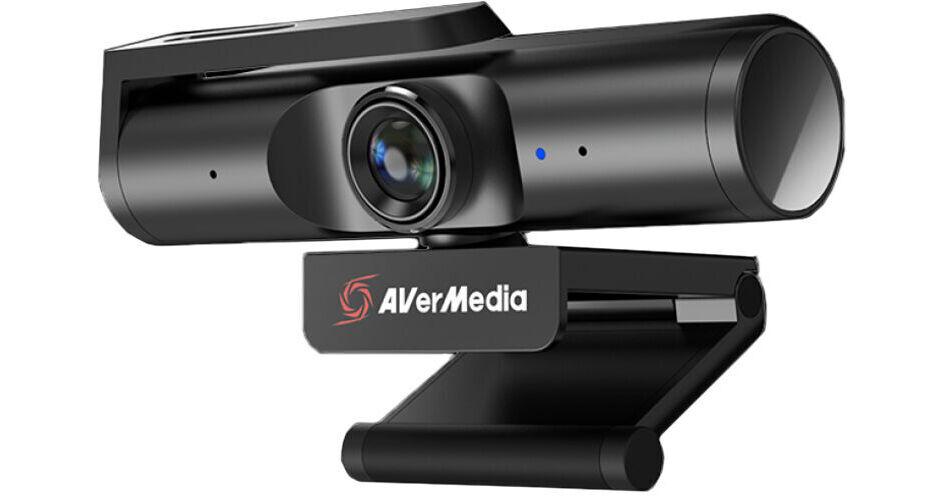
- Up to 4K UHD Resolution
- Frame Rate up to 60 fps
- Sony Exmor R CMOS Sensor (8MP)
- 94deg; Diagonal Field of View
AVerMedia Live Streamer CAM 513 Overview
AVerMedia Live Streamer CAM 513 Specs
| Resolution and Frame Rate | |
| Image Sensor | |
| Sensor Resolution | |
| System Connection |
| Resolution and Frame Rate | |
| Image Sensor | |
| Sensor Resolution | |
| Field of View | |
| Zoom |
| System Connection | |
| Focus Type | |
| Bluetooth | |
| Power Source | |
| Low-Light Correction | |
| OS Compatibility |
| Microphone |
| Privacy Shutter | |
| Attachment Method | |
| Dimensions (W x H x D) |
| Package Weight | |
| Box Dimensions (LxWxH) |
AVerMedia Live Streamer CAM 513 Reviews
Great picture, horrible software
This thing has excellent picture and a very good mount that works with ease on a lot of surfaces. The software the camera requires, however, is the worst software I've ever been forced to use. It's temperamental, poorly optimized, and a pain to update.
Works well with a few shortcommings
Really like the image quality and FOV this webcam offers. Only dislikes are that the included cable is too short and doesn't reach my desktop computer which is not far away, and trying a longer cable caused it to not register with my computer. Surprisingly I connected it through my USB ports on my monitor and that did work just fine. The update software was a little unclear and required more clicks and fiddling around than I would have liked but updating it did help with a few image glitches I was getting early on. I primarily use it with Zoom and it looks great compared to built in laptop webcams.