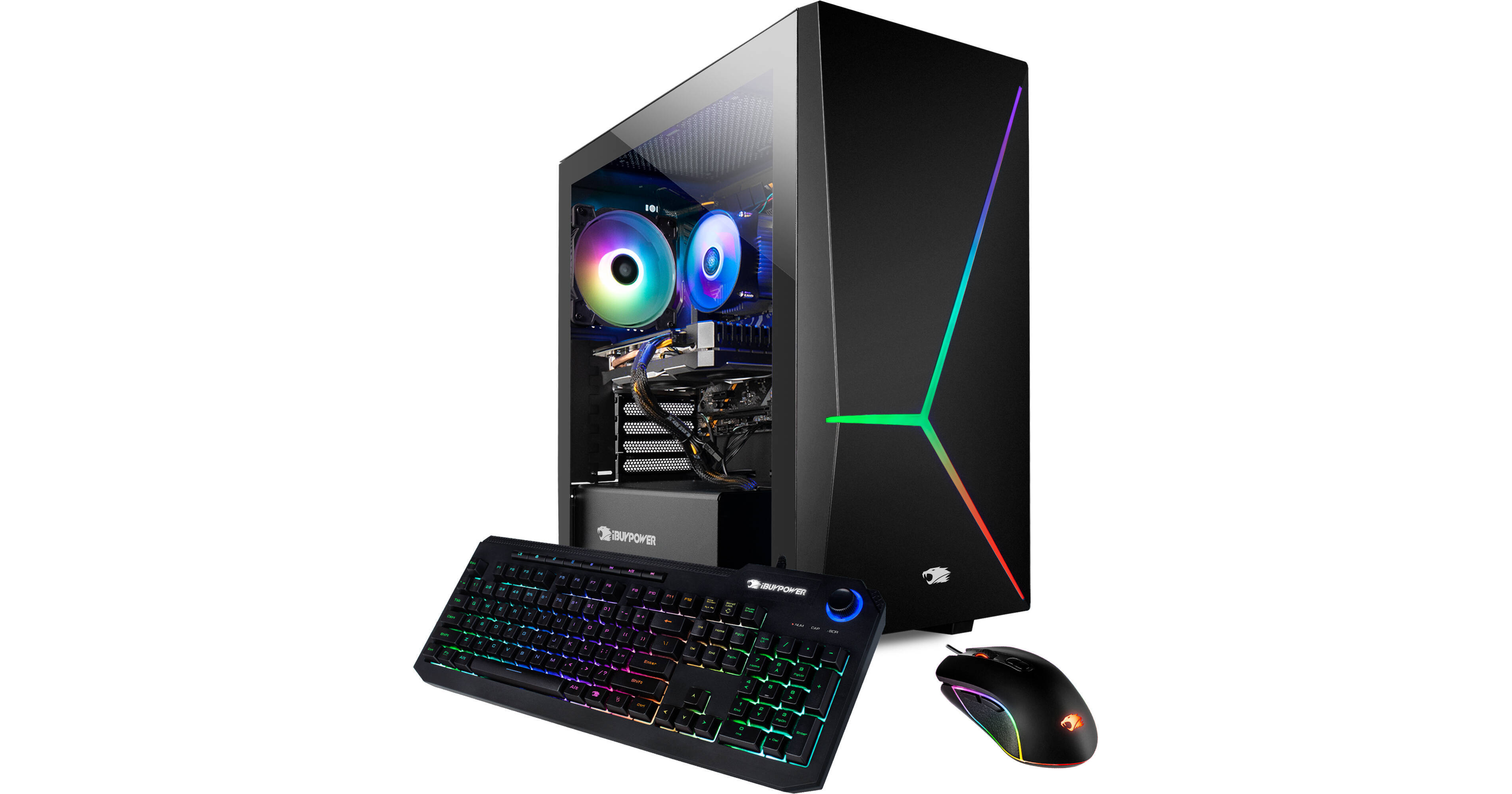
Power up your entertainment and content-creation experiences with the iBUYPOWER Element Pro 161i Gaming Desktop Computer. Equipped with a powerful 10th generation 2.9 GHz Intel Core i7-10700F eight-core processor, 16GB of DDR4 memory, a 240GB SATA solid-state boot drive, and a 2TB hard drive, this system is designed to quickly load a variety of high-end games and multitask demanding applications. Its NVIDIA GTX 1660 graphics card helps to provide smooth frame rates and accelerated video rendering. The tempered-glass side panel enhances your experience by showing off the system's internal components and LED lighting effects. Windows 10 comes pre-installed on the system.
Power to Play
The iBUYPOWER Element Pro 161i is equipped with a powerful 10th generation 2.9 GHz Intel Core i7-10700F eight-core processor with a boost speed of 4.8 GHz, alongside 16GB of DDR4-2666 memory and an NVIDIA GTX 1660 graphics card to quickly load and run a variety of games with smooth frame rates.
Fast Storage
Quickly boot up from the 240GB solid-state SATA drive while storing your games and applications on the 2TB hard drive.
Tempered-Glass Side Panel
Show off your internal hardware and lighting effects with the tempered-glass side panel.
Fully Connected
Connect a compatible monitor to the iBUYPOWER Element Pro 161i using the HDMI, DVI, and VGA ports. Use the two USB 2.0 ports for peripherals such as the included mouse and keyboard while reserving the six USB 3.2 Gen 1 ports for devices such as 1080p webcams and external storage drives. Three 3.5mm audio jacks are available for speakers, microphones, and more.
USB 3.2 Gen 1
USB 3.2 Gen 1 features a maximum throughput of 5 Gb/s. 3.2 Gen 1, USB 3.1 Gen 1, and USB 3.0 are synonymous.
802.11ac Wi-Fi & Gigabit Ethernet
Play online games wirelessly with compatible networks using the integrated 802.11ac Wi-Fi connection. Or set up a wired connection with the built-in Gigabit Ethernet port.
Included Gaming Mouse & Keyboard
A wired USB keyboard and mouse set is included with the system. Connect a separately available monitor to get up and running.
Windows 10 Home
Start Menu
After its hiatus in Windows 8, the Start Menu has returned. Utilizing a combination of the traditional menu system and Windows 8's Live Tiles, the improved Start Menu gives you more information at a glance, showing notification information alongside your applications and other pinned items.
Cortana
Microsoft's digital personal assistant, Cortana can answer your questions with information gleaned from both your device and the internet at large. You can type or even talk with her, if your system has a microphone. Using her Notebook, Cortana keeps track of your needs and wants, and she learns over time to improve her information gathering skills.
Microsoft Edge
After nearly 20 years, Microsoft has finally replaced its Internet Explorer web browser. With Microsoft Edge, users can write directly on web pages and share notes with friends and colleagues. It also improves the online reading experience by adding a distraction-free mode and read-it-later functionality. Edge also has built-in Cortana integration; you can have her help you find a restaurant, make a reservation, and pull up directions without leaving your browser.
Windows Store
For Windows 10, Microsoft has unified the Windows Store. Now, apps for PCs, tablets, and phones will all be accessible from one place. And with support for Universal Apps, one version of an app can work across all your compatible devices automatically.
Windows Continuum
Windows 10 was designed for a variety of screen sizes and input styles, and with its Continuum feature, it automatically adapts to fit your needs. A Windows 10 tablet on its own requires a touch-centric approach, but attaching a mouse and keyboard will shift everything to a more traditional interface. You can even attach an external monitor to your Windows 10 phone for a near-desktop experience. But it's not just the operating system; Windows Universal Apps take advantage of Continuum as well.
Xbox on Windows 10
Gaming is a big focus of Windows 10. Xbox integration allows for PC players to match up against Xbox One players on supported games, and if you have an Xbox One, you can even stream compatible titles to your PC. Native support for recording with the new Game DVR feature makes it easy to capture and share your gameplay. The new DirectX12 takes better advantage of multi-core processors, giving games a performance boost, even on older hardware. Windows 10 also features native support for virtual reality headsets, such as the Oculus Rift.